



AI is rapidly transforming the way we work, create, and learn. Among the most popular tools today is Google Gemini, a powerful large language model. Many users are looking for ways to try Gemini Banana free—the playful term people use for Gemini’s free access.
This guide will show you how to use Gemini for free, where to find it (Gemini Chat, Google AI Studio, and Google Labs Whisk), and what to keep in mind when working with prompts or sensitive content. Finally, we’ll explore how you can customize workflows with ComfyUI for more flexibility.
1. What Is Gemini Banana Free?
“Gemini Banana Free” is not an official Google product but rather a community nickname for testing Gemini without paying. With the free tier, you can:
- Generate text (blogs, scripts, summaries).
- Explore coding assistance.
- Brainstorm creative ideas and learning content.
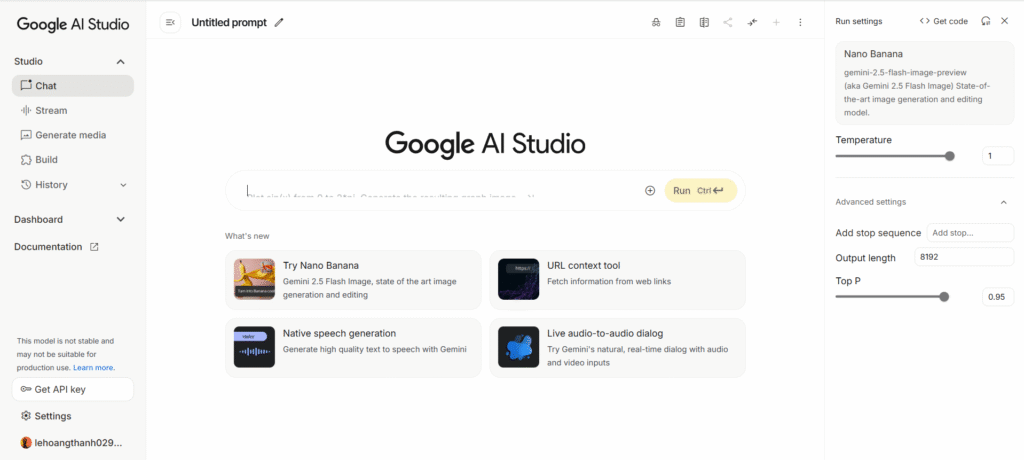
2. Where to Use Gemini for Free
2.1. Gemini Chat
- Free access with a Google account.
- Great for everyday text generation, Q&A, and brainstorming.
- Option to upgrade to Gemini Advanced for more power.
2.2. Google AI Studio
- Lets you experiment with Gemini 1.5 Flash free of charge.
- Useful for developers and creators who want to test API calls.
- Includes token limits but sufficient for prototyping.
2.3. Google Labs Whisk
👉 https://labs.google/fx/vi/tools/whisk/
- An experimental tool where you can test Gemini in unique, creative scenarios.
- Allows playful exploration of how AI responds to structured prompts.
- Part of Google Labs’ suite of free AI experiments.
3. Key Notes When Using Gemini Free
While Gemini free is powerful, you should be aware of its limitations:
- 🚫 Sensitive prompts: Requests related to violence, adult content, or political manipulation will be blocked.
- ⏳ Rate limits: Free tiers may restrict the number of queries or tokens.
- 🔒 Data caution: Avoid entering personal or confidential information.
4. How to Customize with ComfyUI
If you want more flexibility beyond Gemini’s built-in interface, ComfyUI can help:
- It provides a node-based workflow editor for AI tasks.
- You can integrate Gemini API outputs (text or structured prompts) with image/video nodes in ComfyUI.
- Example workflow:
- Gemini generates a script →
- Text flows into a ComfyUI text-to-image node →
- Combine multiple frames into a video.
This way, Gemini acts as the brain (creative scriptwriter) while ComfyUI becomes the hands (visual builder).
🔗 Learn more: https://comfyui.org
If Gpu or computer is weak, try rent gpu or other platform in Open Art/Shakker AI / Running Hub
5. Conclusion
Trying Gemini Banana free is a great way to explore the potential of AI without cost. Whether you use Gemini Chat, Google AI Studio, or Labs Whisk, you’ll find multiple entry points to experiment. Just keep in mind the restrictions on sensitive prompts and usage limits.
For creators who want to go further, ComfyUI opens the door to powerful customization—allowing you to combine Gemini’s text generation with image and video workflows for richer results.
👉 Start here:
