A convincing 14mm ultra-wide AI video prompt must describe perspective, placement, and motion—not merely name the lens. Put the virtual camera close to a foreground subject, preserve strong near-to-far depth, keep faces away from stretched edges, and use one controlled camera move. The 14mm label tells the model the intended visual language; it does not guarantee physically exact optics.
Verified against official camera-control repositories on August 11, 2026, this guide separates cinematography from model marketing. UCPE explicitly supports camera intrinsics, lens distortion, pitch, and roll, while CamI2V, CameraCtrl, and MotionCtrl focus on camera trajectories or pose conditioning. Use those controls when available, but judge the rendered perspective frame by frame.
Table of Contents

Visual meaning of 14mm
A 14mm rectilinear lens on a full-frame camera sees a very wide field of view. The storytelling effect comes mainly from where that view lets you place the camera: close to the foreground while still showing a large environment. Nearby objects feel large, distant objects feel small, and the gap between them appears expanded. Straight lines remain intended as straight in a rectilinear design, yet shapes near the edges can stretch visibly.
Do not confuse focal length with camera movement. A 14mm lens does not create a dolly, orbit, or crane move. It changes field of view and perspective coverage; camera position determines perspective, while movement changes that position over time. AI prompts work better when these instructions are separate.
What 14mm changes
- Field of view: more environment fits into the frame than with a normal lens.
- Apparent depth: close and distant planes feel farther apart.
- Foreground scale: an object near camera becomes a dominant anchor.
- Edge behavior: people and circular objects can stretch near corners.
- Motion energy: forward movement looks faster because nearby lines sweep across the frame.
When to use it
Use 14mm language for immersive interiors, architecture, energetic tracking shots, landscape foregrounds, surreal close-ups, or a character surrounded by an important environment. Avoid it when a flattering facial portrait, compressed background, or geometrically neutral product shot is the priority. A 24mm or 35mm look is often safer for dialogue coverage.
Camera placement
Start with placement, because a distant 14mm camera produces an ordinary wide image with tiny subjects. Move close enough for a foreground object to occupy roughly one quarter to one third of the frame, then let leading lines reveal the environment. Keep the horizon deliberate and state whether the camera is at floor, waist, chest, or eye height.

Protect faces and geometry
Place the main face near the central half of the frame. Keep heads, hands, wheels, and round products away from extreme corners, where an AI model may exaggerate stretching. For architecture, choose whether verticals should stay upright or converge dramatically. State “level camera, straight verticals” for controlled interiors, or “low tilted camera, converging towers” for expression.
Build depth layers
- Foreground: choose one readable anchor such as a doorway, table edge, rock, or character.
- Middle ground: place the action where the viewer can understand it.
- Background: retain a stable horizon, room geometry, or skyline.
- Movement room: leave space in the direction of travel.
Depth layers also improve continuity checks. If the foreground warps while the background stays fixed, the problem is local geometry; if all layers slide inconsistently, camera motion or depth estimation is probably failing.
Lens, aperture, and motion choices
Lens language should form a coherent capture recipe. A deep-focus 14mm exterior at f/8 supports environmental clarity; a close 14mm shot at f/2.8 can isolate the subject but should still retain recognizable depth. Aperture cues in generative video are visual requests, not calibrated physical simulations.
Practical settings table
| Decision | Reliable starting point | Reason |
|---|---|---|
| Focal-length look | 14mm rectilinear, full-frame look | Signals wide coverage without fisheye curvature |
| Aperture | f/5.6 to f/8 environment; f/2.8 close subject | Balances depth readability and separation |
| Frame rate | 24 fps cinematic; 30 fps smoother action | Defines motion cadence |
| Shutter angle | 180 degrees | Natural motion blur at the chosen frame rate |
| Camera move | Slow push or low lateral track | Shows parallax without overwhelming geometry |
| Lighting | One clear key direction plus practical depth lights | Stabilizes planes and spatial cues |
Fast forward movement is risky: ultra-wide perspective amplifies edge speed and exposes depth errors. Begin with a slow push, short travel distance, and stable horizon. Add speed only after a preview preserves anatomy and architecture.

14mm AI video prompt formula
Use this order: [subject and action] + [camera position] + [14mm rectilinear perspective] + [single camera move] + [depth layers] + [lighting] + [capture behavior] + [continuity locks]. Describe observable results instead of stacking adjectives.
Prompt templates
Interior: “A chef crosses a narrow kitchen carrying a copper pan. Camera at waist height, one meter from the counter, 14mm rectilinear full-frame look. Slow backward tracking move. Counter edge dominates the foreground, chef remains centered, deep shelves stay straight. Warm side light, f/5.6, 24 fps, 180-degree shutter. Preserve face, white jacket, pan shape, and room layout.”
Landscape: “A hiker pauses beside a large foreground boulder while clouds move over distant peaks. Low camera twenty centimeters above the grass, 14mm ultra-wide perspective. Very slow push forward. Strong grass, hiker, and mountain depth layers; level horizon; golden side light; f/8 deep focus. Keep clothing, boulder silhouette, and mountain ridge unchanged.”
Energetic product shot: “A sneaker rests close to camera on a concrete ledge while a runner passes behind it. Ground-level 14mm rectilinear view, short lateral slide left. Shoe fills the central foreground, corridor lines recede deeply, controlled edge stretch, cool overhead light, 24 fps, natural motion blur. Preserve shoe proportions and colors; no fisheye curvature.”
Reference image setup
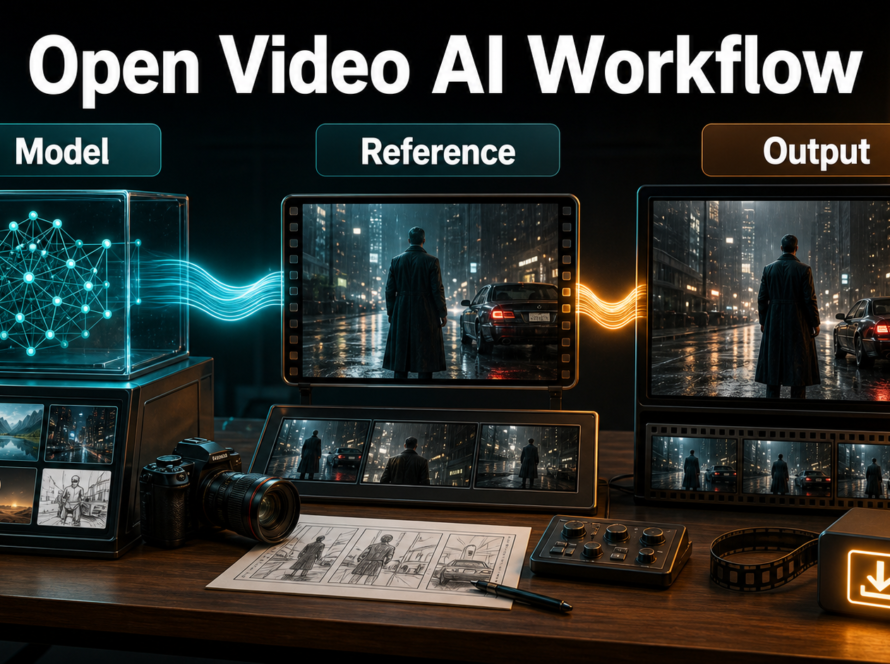
A reference image is the strongest way to define the opening composition. Build or select a frame that already contains the intended near-to-far scale, camera height, horizon, and lighting direction. Do not expect an ordinary portrait to become a believable 14mm tracking shot through text alone.
- Use 16:9 framing with clean central facial features.
- Show complete limbs and uncluttered silhouettes.
- Include a foreground anchor and at least one background depth cue.
- Remove accidental text, watermarks, mirrors, and repeating patterns.
- Record wardrobe, prop, environment, and lighting details in a short continuity sheet.
- Prepare a separate clean voice track only if the selected pipeline supports audio-driven motion or lip sync.
First-frame consistency is not subject consistency. A model may reproduce the opening face but drift later. Scene continuity is also separate: stable identity does not guarantee stable walls, props, or lighting. Voice identity, speech synthesis, lip sync, and audio-driven motion require their own tools and consent-aware workflow.
Model workflow
Choose a model for the control it actually exposes. Text-only systems can imitate a 14mm style but offer limited geometric certainty. Image-to-video preserves the initial composition more directly. Camera-conditioned research systems accept trajectories or pose information, and UCPE goes further by representing intrinsics, distortion, pitch, and roll.
What current controls mean
As checked August 11, 2026, CamI2V provides camera-controlled image-to-video research checkpoints and includes camera motion examples such as rotation, vertical movement, and zoom. CameraCtrl conditions text-to-video generation on camera poses. MotionCtrl separates camera and object motion control. UCPE’s official repository states support for intrinsics, lens distortion, orientation, controllable pitch, and roll. These projects are research implementations with distinct base models, resolutions, setup requirements, and licenses; none should be presented as a universal “14mm button.”
Production checklist
- Write the shot purpose and choose one primary action.
- Design the 14mm composition in a reference frame.
- Select camera height, distance, direction, and one movement.
- Choose a model or control system that matches the required input.
- Generate a short low-cost preview.
- Inspect face, hands, straight lines, horizon, props, and edge stretching frame by frame.
- Change one variable at a time: motion strength, travel distance, prompt, or reference.
- Render the approved version, then trim and color-match in an editor.
Limitations
- Prompted focal lengths are semantic approximations unless a workflow explicitly controls calibrated intrinsics.
- Rectilinear edge stretch can be confused with fisheye barrel curvature.
- Fast camera travel reveals depth, occlusion, and temporal-consistency errors.
- Faces and hands near corners may elongate or change identity.
- Complex architecture, reflections, crowds, and repeating patterns can warp.
- Aperture, shutter angle, and lens flare are visual cues, not guaranteed physical simulations.
- Camera control does not create voice identity, speech, lip sync, or audio-driven gestures.

Common failures and fixes
The shot looks like an ordinary wide angle: move the camera closer to a foreground anchor and describe expanded near-to-far scale. A focal-length label without placement has little visual leverage.
The image becomes fisheye: specify “14mm rectilinear, straight lines remain straight, no circular fisheye.” Keep the horizon near center and reduce extreme distortion language.
The face stretches: recenter the subject, reduce proximity, or use a slightly longer look. Never place a critical face in the outer corners.
Walls breathe or bend: shorten camera travel, slow the move, simplify reflections, and state which verticals and horizon lines remain fixed.
Forward motion feels chaotic: use a slower push, a higher shutter-speed look only if appropriate, and fewer independently moving objects. Approve geometry before adding speed.
Identity drifts: shorten the clip, use a stronger reference, keep pose change modest, and repeat only essential face and wardrobe locks.
Edit AI videos here
Generation gives you source shots; editing makes the 14mm energy intentional. Trim warped opening or ending frames, stabilize the strongest take, match color and sound, add captions, and assemble the sequence at https://ai.alphatechnologies.vn. Keep reference frames and prompt notes so revisions remain traceable.
Frequently asked questions
Is a 14mm shot always distorted?
It always has strong wide-angle perspective, but rectilinear lenses aim to keep straight lines straight. Edge stretching differs from fisheye barrel curvature.
Can text guarantee a true 14mm lens?
No. Text can request the look. Physically closer control requires a system that exposes camera intrinsics, and the result still needs visual verification.
What aperture should I prompt?
Try f/5.6 or f/8 for readable environments and f/2.8 for a close subject with some separation. Treat these as aesthetic cues.
Which camera move works best?
A slow push or short lateral track is a reliable start because ultra-wide parallax is already strong. Avoid combining fast travel with complex action.
How do I keep a character consistent?
Use a clean central reference, short clips, modest pose changes, fixed wardrobe and lighting notes, and frame-by-frame review. Edit stable takes together.
Final recommendation
Build the perspective before naming the lens: place the camera close, create three depth layers, protect faces from the edges, and animate one restrained move. Use 14mm language as a clear creative target and explicit intrinsics only when the chosen system supports them. Explore Aikolhub for more practical AI video workflows, then finish the strongest shots in your editor.
Official sources: UCPE repository, CamI2V repository, CameraCtrl repository, and MotionCtrl repository.