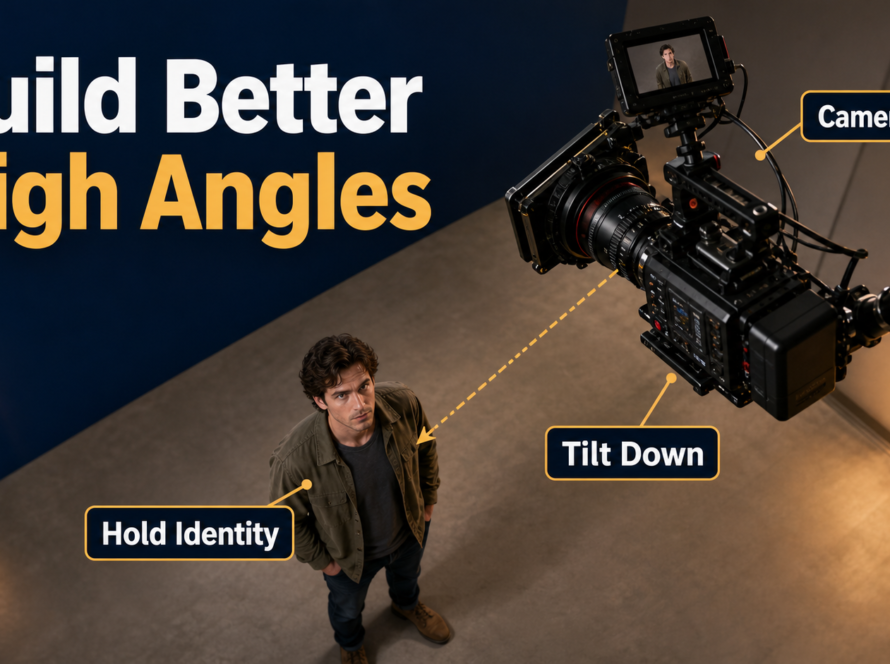
HunyuanVideo-1.5 can run locally on Linux with an NVIDIA CUDA GPU and at least 14 GB of VRAM when model offloading is enabled. The official 8.3B model supports text-to-video and image-to-video, with 480p and 720p checkpoint choices plus separate super-resolution models. For the easiest first run, start at 480p, keep offloading enabled, generate a short simple shot, and only then test 720p or acceleration options.
Verified August 10, 2026, the repository’s latest dated news remains December 23, 2025 for FP8 GEMM support. Although Tencent calls the project open source, its code and weights use the restrictive Tencent Hunyuan Community License, including territory and use limits, so this guide describes HunyuanVideo-1.5 as open-weight, not OSI open source.
Table of Contents

What Changed in HunyuanVideo-1.5
HunyuanVideo-1.5 reduces the core diffusion transformer to 8.3 billion parameters and adds a 3D causal VAE, selective and sliding tile attention, bilingual text understanding, and a few-step video super-resolution network. The official project reports both text-to-video and image-to-video across multiple durations and resolutions. It also lists Diffusers and ComfyUI integrations, although the repository’s own Linux workflow remains the clearest baseline for validating a first installation.
The dated project news records inference code and weights on November 20, 2025, cache methods later that month, training and LoRA scripts plus a 480p I2V step-distilled checkpoint on December 5, and FP8 GEMM support on December 23. The step-distilled I2V model supports 8 or 12 recommended steps, with 4 steps offered as a faster, lower-quality option.
Model, Checkpoints, and License
The published family includes 480p and 720p T2V and I2V checkpoints, CFG-distilled variants, the 480p I2V step-distilled model, and 720p/1080p super-resolution weights. Some entries in the official table are still marked coming soon, so select only an actually linked model card rather than assuming every planned variant exists.
The Tencent Hunyuan Community License is not a standard permissive open-source license. It excludes use in the European Union, United Kingdom, and South Korea, restricts use of outputs to improve other AI models, includes acceptable-use obligations, and imposes additional terms for very large services. Read the current license yourself before production or distribution; this article is technical guidance, not legal advice.
Hardware and Installation
Use the official setup first. Third-party low-VRAM wrappers can be valuable, but their memory claims and behavior should not be confused with Tencent’s tested baseline.
Official System Requirements
- GPU: NVIDIA GPU with CUDA support.
- Minimum VRAM: 14 GB with model offloading enabled.
- Operating system: Linux.
- Python: 3.10 or newer.
- CUDA: a version compatible with the installed PyTorch build.
More VRAM lets you disable offloading and improve speed, but memory use varies with resolution, frame count, checkpoint, attention backend, and other processes. Check free VRAM before each run rather than treating the GPU’s advertised capacity as fully available.
Installation Steps
- Create a clean Linux environment and confirm
nvidia-smisees the GPU. - Clone
https://github.com/Tencent-Hunyuan/HunyuanVideo-1.5.gitand enter the directory. - Create and activate a Python 3.10+ virtual environment.
- Run
pip install -r requirements.txt, then install the Tencent Cloud SDK command shown in the README. - Install only the attention acceleration supported by your hardware. Flash Attention is the conventional starting point; Flex-Block-Attention is for sparse attention, SageAttention disables Flex-Block-Attention, and SGL-Kernel is needed for the documented FP8 GEMM path.
- Download one matching checkpoint set and preserve its expected folder structure.
Do not install every optional accelerator at once. First prove that the base pipeline loads and renders; then add one optimization and compare output, time, peak VRAM, and logs.
Choose and Download the Right Weights
The correct weight is determined by conditioning type and delivery stage. T2V begins from text, while I2V uses an image as visual conditioning. A super-resolution model enhances an existing result; it does not replace the generation checkpoint.
Checkpoint Selection Table
| Goal | Start with | Why |
|---|---|---|
| Validate installation | 480p T2V | Simple input and lower processing load |
| Preserve an opening composition | 480p I2V | Reference image anchors the first-frame appearance |
| Fast I2V preview | 480p I2V step-distilled | Official 8/12-step workflow; 4-step preview is possible |
| Higher native detail | 720p matching T2V or I2V | More pixels, with greater memory and time pressure |
| Delivery enlargement | 720p or 1080p SR | Separate enhancement pass after generation |
Verify the exact Hugging Face model card, license metadata, and file list before downloading. Avoid mixing T2V, I2V, distilled, and SR files merely because their names share the same family.
First Local Generation
A useful first test is a short locked shot with one subject, one action, one motivated light source, and no dialogue. This isolates installation and model behavior from camera-control and continuity complexity.
Prompt Template
[shot size] of [subject with fixed appearance], [single action], in [specific environment]. Camera at [height and angle], [one movement or locked], [focal-length look], [aperture look], 24 fps, natural 180-degree shutter motion blur. [key light direction and quality], [color palette]. Preserve face, wardrobe, prop, environment geometry, and light direction throughout.
Example: Medium-wide shot of a woman with a short black bob, cream trench coat, and red notebook, walking slowly through a quiet glass-roof station. Eye-level locked camera, natural 50mm look, f/4 depth, 24 fps, moderate 180-degree shutter motion blur. Soft overcast key from frame left, cool stone and warm skin tones. Preserve face, coat, notebook, platform geometry, and light direction throughout.
First-Run Checklist
- Use the documented example command for your chosen checkpoint.
- Keep offloading enabled on a 14 GB-class GPU.
- Choose a supported resolution and frame count.
- Set and record the seed.
- Save the command, console log, prompt, checkpoint revision, and output together.
- Inspect every frame for identity, anatomy, geometry, exposure, and motion defects.

Reference Image and Prompt Context
I2V anchors the visual starting point, but it does not guarantee subject identity or scene geometry through the entire clip. The best reference is already close to the intended first frame: correct aspect ratio, unclipped limbs, visible prop, stable horizon, clear face, and a background with understandable depth.
Build a Shot-Ready Reference
Create a continuity pack before generation: a neutral character sheet, wardrobe card with exact color and material, prop card with scale and orientation, environment views, lighting diagram, and approved first frame. Then write prompt context that agrees with what the image shows. If the reference depicts a static seated person, asking for an instant sprint, orbit, zoom, and costume change forces too many unsupported changes.
Start with subtle subject motion or a slow push-in. For a new camera angle, build a new first-frame reference rather than expecting one image to reveal unseen geometry reliably. Keep lens behavior consistent across a sequence: a 35mm environment shot and an 85mm portrait can coexist, but the cut should be intentional.

Character, Scene, and Audio Consistency
Consistency is a set of separate tests, not one switch. Approve each layer independently and reject a clip when a critical layer fails.
Separate Each Consistency Problem
- Subject consistency: face, body proportions, hair, and distinctive features stay recognizable.
- First-frame consistency: the generated opening respects the conditioned image and composition.
- Scene continuity: doors, furniture, geography, weather, and light direction remain coherent.
- Wardrobe and prop continuity: color, material, scale, hand, and orientation do not change.
- Voice identity: an approved speaker timbre remains the same across audio clips.
- Speech synthesis: text is converted into spoken audio.
- Lip sync: mouth shapes and timing align with the speech track.
- Audio-driven motion: audio controls facial or body performance.
The base T2V/I2V workflow is not a complete voice, lip-sync, or audio-driven animation system. Produce consented voice audio separately, then use a dedicated lip-sync or audio-motion tool if the shot needs visible dialogue. Preserve provenance and never clone a person’s voice without permission.

Production Settings and Workflow
Use fast previews to settle composition and motion, then spend compute on approved shots. A repeatable production loop beats one oversized prompt.
Practical Settings Table
| Decision | Preview | Final candidate |
|---|---|---|
| Resolution | 480p | 720p or approved SR pass |
| Duration | Shortest useful clip | Only as long as continuity remains stable |
| Steps | Distilled 4-step test when appropriate | Official recommended 8 or 12 distilled steps, or documented base settings |
| Camera | Locked or one slow move | One tested trajectory |
| Seed | Record candidates | Reuse the approved seed when supported |
| Export | Review MP4 | High-quality master, then delivery encodes |
- Write a one-sentence shot objective.
- Select T2V or a prepared I2V first frame.
- Generate a short low-risk preview.
- Review subject, first frame, scene, wardrobe, prop, and light independently.
- Change one variable per iteration.
- Render the approved settings at the target resolution.
- Use SR only after motion and continuity pass.
- Add voice, lip sync, sound, stabilization, color, and edits in dedicated passes.
Camera and Lighting Language
Prompted focal length, aperture, shutter angle, and frame rate describe a desired look; they are not guaranteed camera metadata. Evaluate perspective distortion, depth of field, focus behavior, motion blur, and cadence in the result. A practical default is a 35-50mm full-frame-equivalent look, f/2.8-f/4 depth, 24 fps, and moderate 180-degree shutter blur. Request one camera action—locked, push, pan, track, or orbit—not several competing moves.
Describe one motivated key light with direction, softness, color, and exposure behavior. Avoid simultaneous sunset, fluorescent, neon, and hard moonlight unless the scene truly contains those sources. Stable light is part of scene continuity.
Limitations and Troubleshooting
Local video diffusion remains compute-heavy. Offloading lowers VRAM demand but transfers data and can slow inference. Higher resolution and longer clips increase memory, time, and the opportunity for identity or geometry drift. Distillation improves speed but can trade away detail or prompt adherence, especially at the lowest step count.
Common Fixes
| Problem | Likely cause | Fix |
|---|---|---|
| CUDA out of memory | Resolution, frames, or another process uses VRAM | Enable offload, close GPU apps, reduce resolution or frames |
| Checkpoint load error | Incomplete or mismatched files | Verify model card, revision, paths, and downloaded sizes |
| Slow generation | Offload overhead or unoptimized attention | Benchmark one supported backend; test distilled I2V where suitable |
| Reference is ignored | T2V checkpoint or conflicting prompt | Use matching I2V weights and align prompt with the image |
| Character drifts | Long clip, occlusion, or complex motion | Shorten the shot, simplify action, strengthen the continuity pack |
| Background bends | Large camera reveal without geometry | Use a smaller move or create a new angle-specific reference |
| Motion smears | Excessive action or blur language | Reduce movement and request moderate 180-degree shutter behavior |
If an optional attention library fails to compile, return to the base requirements, confirm PyTorch and CUDA compatibility, and add accelerators one at a time. Keep the last known working environment recorded before upgrades.
Edit AI videos here
Once your local renders pass continuity review, trim unstable frames, arrange shots, add approved voice and sound, match color, and export platform versions at https://ai.alphatechnologies.vn. The editing pass turns several controlled generations into a coherent story and avoids asking one model run to solve every production layer.
Final Recommendation
Begin with the official Linux repository, 480p weights, model offloading, and one short simple shot. Record the checkpoint revision, prompt, seed, settings, runtime, and peak VRAM. Move to I2V when composition matters, to 720p only after the workflow is stable, and to super-resolution only after motion passes review. Treat the license as a deployment requirement, not a footnote. Explore Aikolhub for more practical open-weight video workflows, camera prompting guides, and consistency checklists.
Frequently Asked Questions
Is HunyuanVideo-1.5 open source?
It is better described as open-weight. The code and weights are public, but the Tencent Hunyuan Community License contains territory, use, and distribution restrictions that are not typical of OSI-approved open-source licenses.
How much VRAM do I need?
The official minimum is 14 GB with model offloading enabled. Actual peak use depends on resolution, frames, checkpoint, attention backend, and other GPU workloads.
Which checkpoint should I download first?
Use 480p T2V to validate a basic installation. Choose 480p I2V when you need a reference image, and test the official step-distilled I2V model when faster previews are important.
Does I2V guarantee character consistency?
No. It strengthens first-frame conditioning, but identity, wardrobe, props, and scene geometry can still drift. Use short shots, a continuity pack, and shot-specific references.
Does the model create voice and lip sync?
The core documented T2V/I2V workflow is not a complete voice or lip-sync pipeline. Create consented speech separately and use dedicated lip-sync or audio-driven motion tools when needed.