Updated AI image pricing on June 11, 2026
Personal AI image subscriptions are best when you create images manually. API pricing is better when you need automation, product integration, predictable usage logs, and cost controls.
This guide compares OpenAI, Google Gemini and Imagen, xAI Grok Imagine, ByteDance Seedream, and related tools from two angles: personal accounts and API usage. Pricing can change by country, model, resolution, usage tier, and platform policy, so always check the official pricing page before building a production workflow.
Quick recommendation
| Use case | Best fit | Why it works |
|---|---|---|
| Manual image creation for social posts | ChatGPT, Gemini, Grok, Midjourney | Easy interfaces, fast prompting, no code required. |
| Automated images for websites or apps | OpenAI GPT-Image-2, Gemini Imagen 4, Grok Imagine API, Seedream via fal or Replicate | APIs make cost tracking, generation history, and automation easier. |
| Simple per-image budgeting | Imagen 4, Grok Imagine API, Seedream via fal | Published per-image pricing is easier to forecast. |
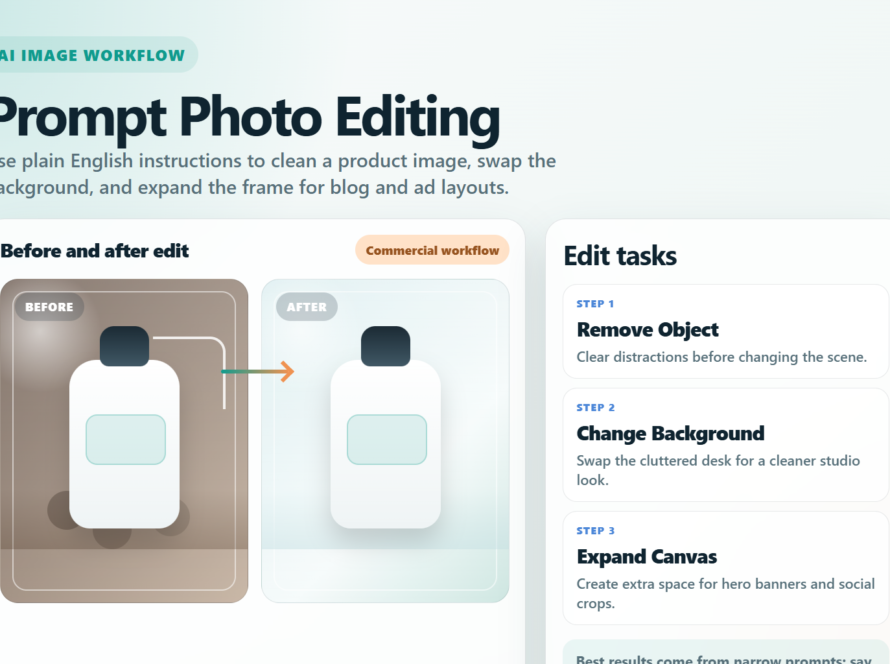
| Prompt-based image editing | OpenAI, Gemini Flash Image, Seedream, Grok Imagine | These tools support image editing or multimodal creative workflows. |
| Posters, banners, and image text | Gemini Pro Image, Imagen 4, Ideogram, OpenAI | Text rendering still needs testing, but these options are strong candidates. |
Personal accounts vs APIs
A personal account is usually a monthly plan or an app-based quota. You pay for access, convenience, and speed inside a web or mobile interface. An API is usage-based. You pay for what your app or workflow generates.
The important difference is control. A personal plan is convenient for a designer, creator, or marketer sitting at a screen. An API is better for a business process: generating article images, creating product visuals, building user-facing tools, or producing many variations from structured data.
| Platform | Personal account | Image API | Cost note |
|---|---|---|---|
| OpenAI | ChatGPT has Free, Go, Plus, and Pro tiers with increasing image access. | GPT-Image-2 is billed by image and text tokens. | ChatGPT subscriptions do not include OpenAI API usage. |
| Google Gemini | Google AI Plus, Pro, and Ultra increase access to Gemini and creative models. | Gemini Flash Image, Gemini Pro Image, and Imagen 4. | Imagen 4 has clear per-image pricing. |
| xAI Grok | Grok is available through its app, web experience, or X depending on plan and region. | Grok Imagine API publishes image and video prices. | The API is easier to forecast for production workflows. |
| ByteDance Seedream | Personal access depends on region and third-party platforms. | Seedream 4.0 is available through platforms such as fal and Replicate. | Check commercial terms and data policy on the provider you use. |
| Midjourney | Strong for creators, designers, concept art, and manual visual exploration. | Not the most straightforward public API choice for general developers. | Better for manual creative work than app integration. |
OpenAI: ChatGPT plans and GPT-Image-2 API
ChatGPT is a strong personal workflow for prompt exploration, image generation, editing ideas, product mockups, and social content. OpenAI’s ChatGPT pricing page lists Free, Go, Plus, and Pro plans, with higher plans offering more image creation access and faster or broader usage.
The API is separate. OpenAI states that API usage is billed separately from ChatGPT Plus, Business, Enterprise, and Edu subscriptions. If you are building an Aikolhub workflow, a client tool, or a website feature, you need separate API billing.
OpenAI GPT-Image-2 API pricing
On the OpenAI API pricing page, GPT-Image-2 lists image input at $8.00 per 1M tokens, cached image input at $2.00 per 1M tokens, and image output at $30.00 per 1M tokens. Text input for GPT-Image-2 is listed at $5.00 per 1M tokens, with cached text input at $1.25 per 1M tokens.
Because OpenAI converts images into tokens, the final per-image cost depends on resolution, number of input images, output image size, and whether your workflow includes editing or multiple generations. For serious budgeting, run a small real-world test and calculate your average cost per finished image from the usage dashboard.
Google Gemini and Imagen: clear per-image pricing
Google has two main paths. Personal users can use Gemini through Google AI Plus, Pro, or Ultra. Google’s AI plan page describes higher tiers as offering expanded access to creative models for images, music, and video across Gemini, Search, and Flow.
For developers, Google publishes detailed Gemini API pricing. The most relevant image options include Gemini 3.1 Flash Image, Gemini 3 Pro Image, Gemini 2.5 Flash Image, and Imagen 4.
Google image API pricing highlights
| Google model | Published API price | Best use case |
|---|---|---|
| Imagen 4 Fast | $0.02 per image | Low-cost, high-volume image generation. |
| Imagen 4 Standard | $0.04 per image | Balanced image quality and cost. |
| Imagen 4 Ultra | $0.06 per image | Higher-quality visuals for important creative assets. |
| Gemini 2.5 Flash Image | $0.039 per 1024×1024 image on standard; $0.0195 per image on batch or flex. | Fast workflows and lower-cost production. |
| Gemini 3 Pro Image | $0.134 per 1K/2K image; $0.24 per 4K image. | High-context, higher-resolution creative work. |
Google is attractive when you need predictable per-image math. For a CMS, ecommerce site, or automatic blog workflow, direct per-image pricing can be easier to explain than token-based pricing.
Grok Imagine API: simple pricing for 1K and 2K images
xAI’s model page lists the Grok Imagine API for image and video generation, including generation and editing modes. It publishes image pricing at $0.02 per 1K or 2K image, and video pricing at $0.05 per second for 480p or 720p video.
For personal use, Grok can be useful inside the app or web product. For a production workflow, the API is easier to measure because each image has a straightforward published price. The main thing to test is output quality for your exact use case: product photos, article illustrations, social images, character consistency, or ad variations.
ByteDance Seedream: strong generation and editing through API platforms
Seedream 4.0 is ByteDance’s image generation and editing model. Replicate describes it as a unified text-to-image and editing model with up to 4K output, multi-reference support, batch workflows, natural-language image editing, and strong prompt understanding.
For international API access, Seedream is commonly available through platforms such as fal and Replicate. The fal model page for Seedream 4.0 Text to Image lists a request cost of $0.03 per image. That is simple to forecast, but you should still review the provider’s commercial terms, region support, data policy, and reliability requirements.
Fast API price comparison
| API | Pricing method | Published price | Comment |
|---|---|---|---|
| OpenAI GPT-Image-2 | Image and text tokens | Image input $8/1M tokens, cached image input $2/1M tokens, image output $30/1M tokens. | Flexible, but you need usage data to estimate cost per image. |
| Google Imagen 4 | Per image | Fast $0.02, Standard $0.04, Ultra $0.06 per image. | Very easy to budget. |
| Gemini 2.5 Flash Image | Per image/token pricing | $0.039 per 1024×1024 image standard; $0.0195 batch or flex. | Good fit for efficient workflows. |
| Gemini 3 Pro Image | Per image | $0.134 per 1K/2K image; $0.24 per 4K image. | More expensive, but better for premium creative tasks. |
| xAI Grok Imagine API | Per image | $0.02 per 1K/2K image. | Simple pricing; test quality against your use case. |
| ByteDance Seedream 4.0 via fal | Per image | $0.03 per image. | Useful for generation and editing workflows. |
When to choose a personal plan
- You create images manually and do not need automation.
- You are testing styles, prompts, concepts, or moodboards.
- You value interface speed more than cost-per-image tracking.
- You are a solo creator or marketer producing a limited number of assets.
When to choose an API
- You need to generate images from a form, spreadsheet, CMS, or app.
- You want automatic SEO articles with featured images.
- You need logs for prompt, model, date, cost, and generated image URL.
- You want budget limits, usage alerts, and fallback models.
- You need image variations for product catalogs, campaigns, or user-generated prompts.
Example monthly budget
Assume a site generates 1,000 blog images per month. Imagen 4 Fast at $0.02 per image would cost about $20 per month. Grok Imagine API at $0.02 per image would also cost about $20 per month. Seedream via fal at $0.03 per image would cost about $30 per month. Gemini 3 Pro Image at $0.134 per 1K/2K image would cost about $134 per month.
OpenAI GPT-Image-2 should be tested with your actual prompts, image sizes, and editing workflow because the price is token-based. A realistic pilot of 50 to 100 images is enough to estimate average cost per finished asset.
Checklist before using an AI image API
- Check the pricing page on the day you deploy.
- Set a monthly budget and usage alert.
- Log prompt, model, resolution, date, and source references.
- Review commercial-use terms before using images in ads.
- Avoid real people, protected brands, or copyrighted characters unless you have permission.
- Create a fallback path if the main model fails or becomes too expensive.
Edit AI videos here
If your image workflow also needs short videos, product clips, or social media edits, you can edit AI videos here: https://ai.alphatechnologies.vn. This is useful after generating product images, thumbnails, ad concepts, or visual scenes that need motion, captions, or platform-ready edits.
Conclusion
For manual creative work, start with a personal tool such as ChatGPT, Gemini, Grok, or Midjourney. For Aikolhub-style automation, API pricing is the better path because it supports logs, limits, repeatability, and cost optimization.
For simple per-image budgeting, Imagen 4 Fast and Grok Imagine API are compelling at $0.02 per image, while Seedream via fal is close at $0.03 per image. Gemini Pro Image costs more but fits premium output. OpenAI GPT-Image-2 needs a usage-based pilot, but it remains strong for complex prompt following, image editing, and multimodal workflows.
Explore more AI image, video, and audio tools on Aikolhub to choose the right workflow for your content, budget, and SEO goals.
FAQ
Does ChatGPT Plus include OpenAI API credits?
No. OpenAI states that API usage is billed separately from ChatGPT subscriptions. You need separate API billing for developer usage.
Which AI image API is cheapest in this comparison?
Based on prices checked on June 11, 2026, Imagen 4 Fast and Grok Imagine API list $0.02 per image. Gemini 2.5 Flash Image batch or flex can be $0.0195 per 1024×1024 image.
Can I calculate cost per image from a personal plan?
Not precisely. Personal plans usually use quotas, speed limits, and feature access rather than a fixed per-image cost.
Is ByteDance Seedream available through API?
Yes. Seedream 4.0 is available through API platforms such as fal and Replicate. Check the provider’s terms before commercial use.
Which model should I use for SEO blog images?
If you need predictable cost and high volume, start with Imagen 4 Fast, Grok Imagine API, or Seedream via fal. If you need complex edits, also test OpenAI and Gemini Pro Image.