What is prompt-based AI photo editing?
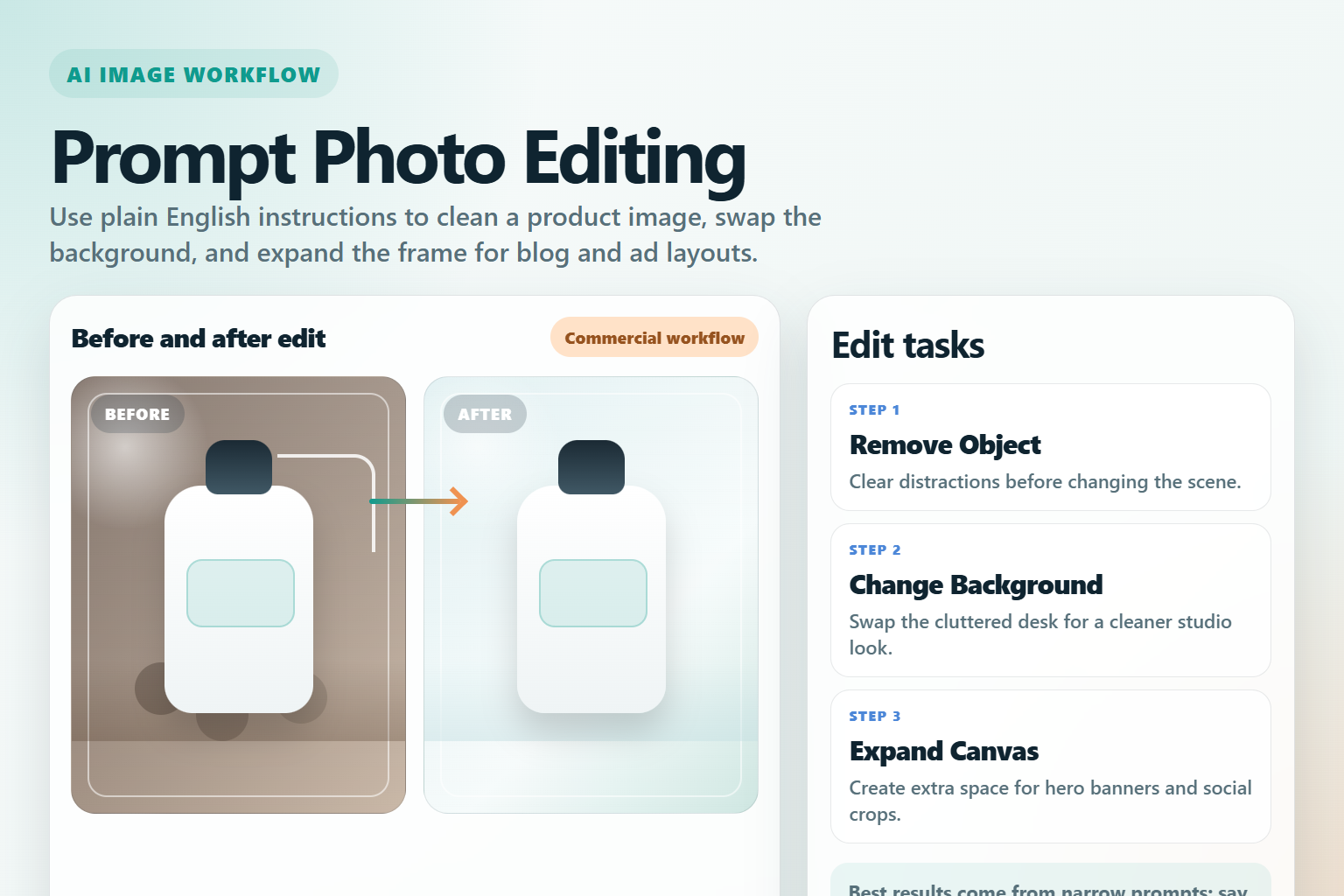
Prompt-based AI photo editing means changing an image with plain language instructions instead of rebuilding every edit by hand with masks, clone tools, and layer-heavy Photoshop work. As of June 18, 2026, the category is mature enough for many everyday tasks such as background replacement, object removal, canvas expansion, style changes, and first-pass ad creative variations.
The short answer is this: yes, prompt editing can replace some manual Photoshop work, especially for fast marketing production and iterative content design. No, it does not replace Photoshop in every case. Precision retouching, brand-critical layouts, legal review, and pixel-perfect compositing still need human control.
Quick answer: where AI editing already works well
| Task | Can AI replace manual work? | Why |
|---|---|---|
| Remove a simple object | Usually yes | Modern models are good at filling backgrounds and matching local texture. |
| Change a product background | Often yes | Fast prompt edits are easier than manual masking for first drafts. |
| Expand an image for banners | Often yes | Outpainting is now strong enough for social, blog, and ad layouts. |
| Create multiple ad variants | Yes for first-pass concepts | Prompt editing speeds up testing before final human polish. |
| Precise text placement | Not always | Typography is improving, but exact brand layouts still need review. |
| High-stakes product truthfulness | Only with review | Models can still invent small details or alter materials. |
Which official tools matter most right now?
Several current official product pages show the same broad direction: image tools are moving from one-shot generation into iterative editing. That shift matters more than any single demo because it changes how creators, marketers, and product teams actually work.
OpenAI GPT Image
The OpenAI image generation guide says the OpenAI API can both generate and edit images from text prompts using GPT Image models, including gpt-image-2. The same guide also says the Responses API supports multi-turn editing, which is important because real image work is rarely finished in one prompt.
In practical terms, OpenAI is strong when you want an edit loop such as: upload image, remove background distractions, change the table material, add softer lighting, then create a vertical ad variation. That conversational editing flow is exactly where manual Photoshop steps start to get replaced.
Google Gemini image editing
Google’s current Gemini image generation documentation says Gemini can generate and process images conversationally with text, images, video, or a combination. It explicitly describes creating, editing, and iterating on visuals. On Google’s current model page, Nano Banana, Nano Banana 2, and Nano Banana Pro are listed as image generation and editing models, while the old Imagen page now says Imagen is deprecated and will shut down on August 17, 2026.
That is a meaningful workflow change. If your team still thinks of Google image tools as only text-to-image, the official docs now point toward contextual editing workflows instead. For content teams, that means using one model family for both generation and revisions instead of switching tools too early.
Black Forest Labs FLUX.1 Kontext
The official FLUX.1 Kontext page says the model family transforms both text and images and modifies existing images through simple text instructions. It also highlights local editing, style reference, and character consistency. Those three capabilities map directly to common creator tasks: preserve the subject, change only one region, and keep a campaign visual coherent across variations.
FLUX.1 Kontext is especially relevant for users who want more open or model-centric workflows. If you care about repeatable editing pipelines instead of only app-based convenience, this family is one of the clearest signals that prompt editing is becoming a serious production method.
Adobe Firefly and Photoshop Generative Fill
Adobe’s Photoshop Generative Fill page still matters because it shows how prompt editing fits into a traditional creative stack. Adobe describes Generative Fill as a Firefly-powered tool that adds and removes content from images non-destructively using simple text prompts. That is the bridge between classic design software and AI-native editing.
For many teams, Adobe remains the most realistic path for adoption because it keeps familiar layer-based workflows while accelerating the repetitive parts. In other words, AI is not always replacing Photoshop. Often it is replacing the slowest manual steps inside Photoshop.
Why this trend matters for creators and marketers
Prompt-based editing saves time where the work is repetitive, variant-heavy, or layout-driven. A creator making ten thumbnail concepts, a marketer localizing five ad formats, or a small ecommerce team refreshing product scenes every week does not need museum-grade compositing on every first draft.
What they need is speed with acceptable accuracy. That is why this category is growing fast. The win is not perfect automation. The win is reducing the number of manual steps before review.
Common commercial use cases
- Replace backgrounds for product photos without rebuilding the entire scene manually.
- Remove distracting objects from lifestyle photos for blog and ad use.
- Expand square images into vertical or horizontal layouts for multiple channels.
- Create seasonal variations from one hero image.
- Generate first-draft ad creatives before final human retouching.
- Preserve a product or character while changing styling around it.
Where AI still fails and needs human review
Prompt editing is powerful, but it is not reliable enough to trust blindly. Models can subtly change labels, invent reflections, distort fingers, break packaging edges, or rewrite small textures that matter in regulated or branded content.
This is the dividing line: if the image is only an early concept, AI can do much of the work. If the image must be legally safe, visually exact, and brand-approved, AI should be treated as a first-pass assistant, not the final editor.
| Risk | Why it happens | Best response |
|---|---|---|
| Changed product details | The model reinterprets the object instead of preserving it exactly. | Compare before and after at full size and keep the source image nearby. |
| Unstable typography | Even better image models still vary on exact text rendering. | Add final text in design software when the wording is critical. |
| Over-editing | Broad prompts change more of the image than intended. | Write prompts that say what must stay unchanged. |
| Brand inconsistency | Generated variants can drift in color, material, or composition. | Use one approved reference image and a review checklist. |
How to build a reliable prompt editing workflow
The best workflow is not just better prompting. It is better process control. Teams that get good results usually keep the source image, edit in small steps, and review every output against a practical checklist.
Step 1: Start with the exact task
Do not ask for a complete makeover if you only need a background swap. Narrow prompts are easier to control.
Change only the background to a clean light gray studio backdrop.
Keep the bottle shape, cap color, label area, and camera angle unchanged.
Remove the small shadow artifact near the bottom right.
Step 2: Separate structural edits from styling edits
First remove objects or expand the frame. Then change lighting, mood, or style. Mixing everything into one prompt usually causes drift.
Step 3: Keep one approved reference
If your product, model, or mascot must stay consistent, use one base image as the reference point for every variation. Tools such as FLUX.1 Kontext and conversational editors are improving here, but consistency still depends on disciplined input choices.
Step 4: Review like a human editor
Zoom in on labels, fingers, edges, reflections, and shadows. AI errors often hide in the details people skip during fast review.
Prompt tips that reduce bad edits
| Prompt habit | Why it helps |
|---|---|
| Say ‘change only’ | Reduces unwanted global edits. |
| Name what must stay | Protects subject identity and layout. |
| Ask for one change at a time | Makes the output easier to inspect and retry. |
| Describe the intended use | Helps the model aim for an ad, blog, or ecommerce look. |
| Keep final text outside the image when possible | Design software is still safer for exact copy. |
Reusable prompt pattern
Task: edit an existing product photo for an ecommerce landing page.
Change only: background and empty space around the product.
Keep unchanged: product shape, material, logo area, label proportions, and camera angle.
Result: premium clean studio look with natural shadow and no extra objects.
Pros and cons of replacing manual Photoshop steps
| Pros | Cons |
|---|---|
| Much faster first drafts and content variants. | Small factual details can drift without warning. |
| Less manual masking for common ecommerce and ad edits. | Exact typography and packaging still need inspection. |
| Useful for creators without advanced retouching skills. | Outputs can look polished but still be wrong. |
| Multi-turn editing is easier than rebuilding from zero. | Brand review and legal review remain necessary. |
Edit AI videos here
If your image editing workflow also turns into product explainers, short ads, or social clips, edit AI videos here: https://ai.alphatechnologies.vn. That is a practical next step after you generate or revise still visuals and need to turn them into publishable motion content.
Conclusion
Prompt-based AI photo editing is already replacing a meaningful share of manual Photoshop work, but mostly at the draft, variation, and repetitive production layers. As of June 18, 2026, official tools from OpenAI, Google, Black Forest Labs, and Adobe all point in the same direction: editing is becoming conversational, iterative, and much faster.
The smart approach is not to ask whether AI fully replaces Photoshop. It does not. The better question is which parts of your workflow should stay manual and which parts can move to prompt-driven editing. For creators, marketers, developers, and AI tool users, that boundary is now clear enough to save real time. Explore more AI tools on Aikolhub if you want a practical stack for image generation, editing, publishing, and content workflows.
FAQ
Can prompt-based AI editing replace Photoshop completely?
No. It can replace many repetitive edits and draft-stage tasks, but exact compositing, final typography, and high-stakes retouching still need human tools and review.
Which current official tools are strongest for prompt image editing?
As of June 18, 2026, OpenAI GPT Image, Google’s Nano Banana family, Black Forest Labs FLUX.1 Kontext, and Adobe Firefly or Photoshop Generative Fill are all relevant official options to evaluate.
Is Imagen still the main Google image model?
No. Google’s official Imagen documentation says Imagen is deprecated and will shut down on August 17, 2026, and directs users toward Gemini image generation capabilities instead.
What kinds of edits are safest to automate first?
Background swaps, object removal, canvas expansion, and first-pass ad variations are usually safer starting points than precise product truth or final brand typography.
How do I reduce AI editing mistakes?
Use narrower prompts, protect important elements explicitly, make one change per step, and compare the final image against the original at full size.