What is the best way to use FLUX for product and ad images?
The short answer is this: use FLUX open models when you want more control over prompting, local workflows, repeatable visual style, and lower dependence on closed web apps. As of June 19, 2026, the most practical FLUX choices for creators and marketers are FLUX.1 [schnell] for fast drafts, FLUX.1 [dev] or FLUX.1 Krea [dev] for stronger image quality, and FLUX.2 [dev] when you want Black Forest Labs’ newer open-weights generation and editing stack.
That does not mean every FLUX model is equally suitable for every job. Product images and ad creatives need prompt accuracy, clean materials, realistic lighting, and consistent compositions. The good news is that Black Forest Labs now documents both the older FLUX.1 family and the newer FLUX.2 direction clearly enough that teams can pick a workflow on purpose instead of guessing.
Quick answer: which FLUX model should you try first?
| Need | Best FLUX option to test first | Why |
|---|---|---|
| Fast concept drafts | FLUX.1 [schnell] | Official model card says it can generate strong images in only 1 to 4 steps. |
| General open text-to-image quality | FLUX.1 [dev] | Still a strong open workflow base with broad community support. |
| More realistic product-style aesthetics | FLUX.1 Krea [dev] | Black Forest Labs positions it as an open-weights model aimed at realism and reducing the generic AI look. |
| Editing and reference-heavy workflows | FLUX.2 [dev] | The current BFL docs recommend FLUX.2 for new generation and editing projects. |
| Edit an existing image with text instructions | FLUX.1 Kontext [dev] or FLUX.2 [dev] | These are better when you start from a product shot and want controlled changes. |
What the official sources say right now
If you only remember one current fact, remember this: the official BFL documentation now says FLUX.2 is the recommended model family for all use cases, including text-to-image generation and image editing. That matters because many tutorials still focus on FLUX.1-era workflows without explaining that the vendor’s current direction has moved forward.
At the same time, the open FLUX.1 models are still useful. The Hugging Face model card for FLUX.1 [dev] describes it as a 12 billion parameter rectified flow transformer for text-to-image generation and notes support paths such as ComfyUI and Diffusers. The card for FLUX.1 [schnell] says it is designed for speed and released under Apache 2.0. The FLUX.1 Krea [dev] announcement adds an important creative angle: BFL and Krea position it as an open-weights model that avoids the oversaturated, generic AI aesthetic and pushes toward more realistic results.
For teams building product ads, that is a useful split. FLUX.1 models remain practical when you want a lightweight, well-supported workflow. FLUX.2 is where you look when you want the newest official generation and editing path from the vendor.
Why FLUX works well for product advertising images
Product and ad images are not the same as pure art prompts. They need clean object boundaries, believable studio lighting, composition discipline, and repeatability across many versions. FLUX models are attractive here because they are easier to integrate into structured workflows than many closed consumer tools.
Where FLUX can help most
- Create first-pass ecommerce hero shots from a structured prompt template.
- Generate multiple campaign directions from the same product description.
- Adapt one concept into square, landscape, and vertical crops.
- Produce reference images before a photographer, designer, or editor does final polish.
- Run locally or through open tooling when privacy, customization, or workflow control matters.
That last point matters for agencies, small brands, and developers. If your team wants a reusable production recipe instead of a one-off web demo, open FLUX workflows are easier to standardize.
How to choose the right FLUX workflow
The best setup depends on whether you are generating from scratch or editing an existing product shot. If you want net-new ad concepts, start with a generation-focused model. If you already have a product image and want to change the scene, use an editing-capable workflow instead.
Option 1: Fast draft workflow
Use FLUX.1 [schnell] when you need many rough options quickly. This is the right mode for brainstorming backgrounds, seasonal campaign concepts, and headline image directions before deeper refinement.
Option 2: Quality-first open generation workflow
Use FLUX.1 [dev] or FLUX.1 Krea [dev] when the first drafts already need to look usable. Krea is especially interesting for brands that want less of the glossy, overprocessed AI feel and more natural-looking product presentation.
Option 3: Editing workflow for existing assets
Use FLUX.1 Kontext [dev] or FLUX.2 [dev] when you need controlled edits such as changing the background, adjusting the setting, or preserving one product while rebuilding the scene around it. BFL’s current docs frame FLUX.2 as the stronger new-project choice, while Kontext remains useful for users already invested in FLUX.1 workflows.
Prompt structure that works better for product ads
The biggest mistake in product prompting is asking for style, scene, camera, mood, props, and marketing message in one vague sentence. FLUX performs better when the prompt separates the product facts from the art direction.
Prompt pattern
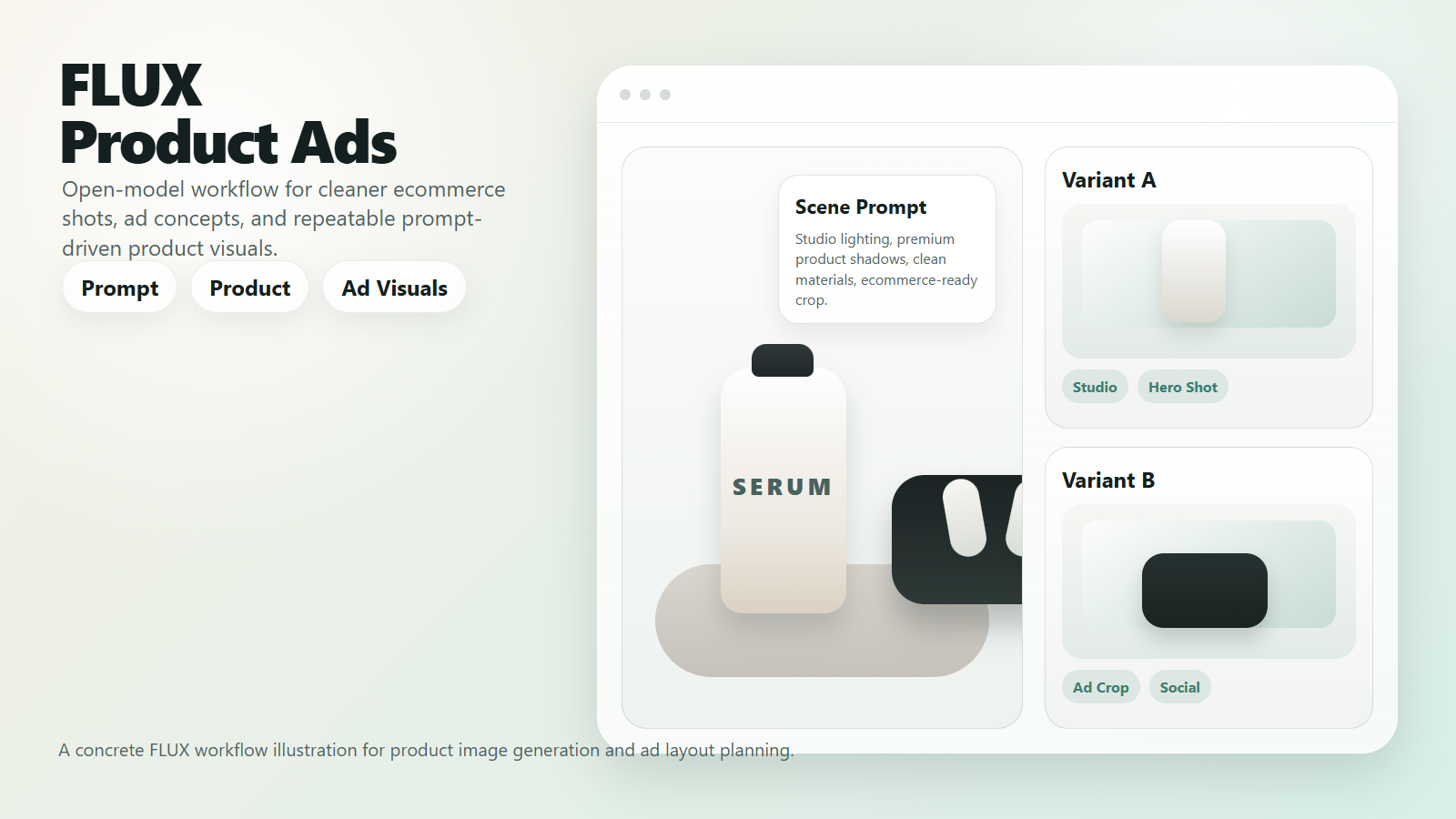
Subject: matte black wireless earbuds in an open charging case.
Use case: premium ecommerce hero image for a product landing page.
Scene: clean studio surface with soft reflection and neutral gray background.
Lighting: soft side light, subtle rim light, realistic product shadows.
Composition: centered product, front three-quarter angle, negative space for headline.
Style constraints: photorealistic, clean materials, no extra products, no distorted buttons, no fake brand logo.
This structure helps because it tells the model what the object is, what the image is for, and what must not drift.
Prompt tips that reduce bad outputs
| Tip | Why it helps |
|---|---|
| Describe the commercial use case | Models respond better when they know the image is for ecommerce, an ad, or a landing page. |
| Name the product materials | Surface realism improves when you specify glass, metal, plastic, paper, or fabric. |
| Protect what must stay unchanged | This reduces invented features, wrong labels, and product drift. |
| Leave exact marketing text outside the image | Readable image typography is improving, but final brand copy is still safer in design software. |
| Generate variants by changing one variable at a time | It is easier to compare composition, props, or lighting when only one factor changes. |
A practical workflow for creators and marketers
If your goal is usable output rather than endless experimentation, keep the process simple. Start with a source of truth for the product, run a small number of structured prompts, and only then create extra variants.
- Pick one product description or source photo as the reference point.
- Generate three concept directions: clean studio, lifestyle scene, and high-contrast ad visual.
- Choose the strongest composition before changing lighting or props.
- Run a second pass to optimize background, crop ratio, and empty space for copy.
- Send the winner to editing, retouching, or layout tools for final brand-safe polish.
This approach is more reliable than generating twenty unrelated prompts and hoping one works.
FLUX vs Stable Diffusion for this use case
The simple answer is that FLUX often feels easier for prompt-led quality and product realism, while Stable Diffusion still wins on ecosystem depth, extensions, and huge community customization. If you already have a mature Stable Diffusion pipeline, FLUX is not automatically a replacement. It is an alternative when you want stronger native prompt behavior or a different image look.
| Question | FLUX advantage | Stable Diffusion advantage |
|---|---|---|
| Prompt following | Often stronger out of the box. | Can be improved heavily with community tooling and fine-tunes. |
| Product realism | Krea and newer BFL models are attractive for cleaner commercial aesthetics. | Can be excellent, but often depends more on model and workflow selection. |
| Ecosystem maturity | Growing fast in ComfyUI and Diffusers. | Still broader overall. |
| Workflow control | Strong for structured open workflows. | Very strong, especially if your team already has custom nodes and checkpoints. |
Risks and review points before client use
Open models do not remove the need for review. Product advertising images can fail in subtle ways: the cap changes shape, a button appears twice, a label becomes unreadable, or a reflection suggests a feature that does not exist.
Licensing also needs direct verification. Official sources clearly describe some models, but you should still read the exact model card and license page for the model version you deploy. If a detail is not explicitly confirmed in the official source, treat it as not officially confirmed for your production workflow.
- Check packaging edges, buttons, reflections, and texture details at full size.
- Compare every generated image against the actual product or approved photo.
- Review the exact license attached to the model weights you plan to use.
- Keep final legal copy, pricing text, and CTA text outside the generated image when accuracy matters.
Edit AI videos here
If your product image workflow turns into short promos, creator clips, or ad variations for social media, edit AI videos here: https://ai.alphatechnologies.vn. That is a practical next step after you create still visuals and want to turn them into motion-ready assets.
Conclusion
FLUX is a practical open-model choice for product and ad image workflows when you value control, repeatability, and flexible tooling. As of June 19, 2026, the official vendor direction is clear: FLUX.2 is the recommended family for new projects, but FLUX.1 [schnell], FLUX.1 [dev], FLUX.1 Krea [dev], and FLUX.1 Kontext [dev] still matter for real creator and marketer workflows.
The smart path is to match the model to the job: fast drafts with Schnell, higher-quality open generation with Dev or Krea, and controlled editing with Kontext or FLUX.2. Explore more AI tools on Aikolhub if you want a practical stack for image generation, editing, publishing, and marketing production.
FAQ
Which FLUX model is best for fast product concept drafts?
FLUX.1 [schnell] is the best first test for fast drafts because its official model card emphasizes strong quality in only 1 to 4 steps.
Is FLUX.2 now the main Black Forest Labs recommendation?
Yes. The current BFL documentation says FLUX.2 is the recommended model family for text-to-image generation and image editing in new projects.
What is FLUX.1 Krea [dev] good at?
According to the official BFL announcement, FLUX.1 Krea [dev] is designed to reduce the generic oversaturated AI look and push toward more realistic, distinctive results.
Should I use FLUX or Stable Diffusion for product ads?
Use FLUX when you want strong prompt behavior and a modern open workflow. Use Stable Diffusion when you already depend on its larger ecosystem, fine-tunes, and existing production stack.
Can I trust generated product images without review?
No. Product images need human review for factual accuracy, brand safety, and legal clarity before they go live.
Official sources checked
- Black Forest Labs documentation overview
- Black Forest Labs image generation quick start
- Hugging Face model card for FLUX.1 [dev]
- Hugging Face model card for FLUX.1 [schnell]
- Hugging Face model card for FLUX.2 [dev]
- Hugging Face model card for FLUX.1 Kontext [dev]
- Black Forest Labs FLUX.1 Krea [dev] announcement