What is happening in multimodal AI this week?
Multimodal AI is moving from a demo category to a production workflow category. As of June 13, 2026, official product documentation from OpenAI, Google, and Anthropic shows a clear direction: teams increasingly want one system that can understand text, images, audio, video, and documents inside the same workflow, even when those capabilities still live across separate models or product surfaces.
For creators, marketers, developers, and AI tool users, the practical takeaway is simple. The strongest multimodal stacks now help you analyze screenshots, talk with voice, search across mixed media, generate images, and in some cases create video with audio. But not every platform officially confirms all of those capabilities in one model or one API, so choosing the right stack still matters.
This article is updated on June 13, 2026 and focuses only on details that are officially documented. Where a capability is not officially confirmed in the source material, that limitation is stated directly.
What multimodal AI means in practice
Multimodal AI means a model or product workflow can work with more than one type of input or output. In real projects, that usually means some combination of text, image, audio, video, and PDF or document content.
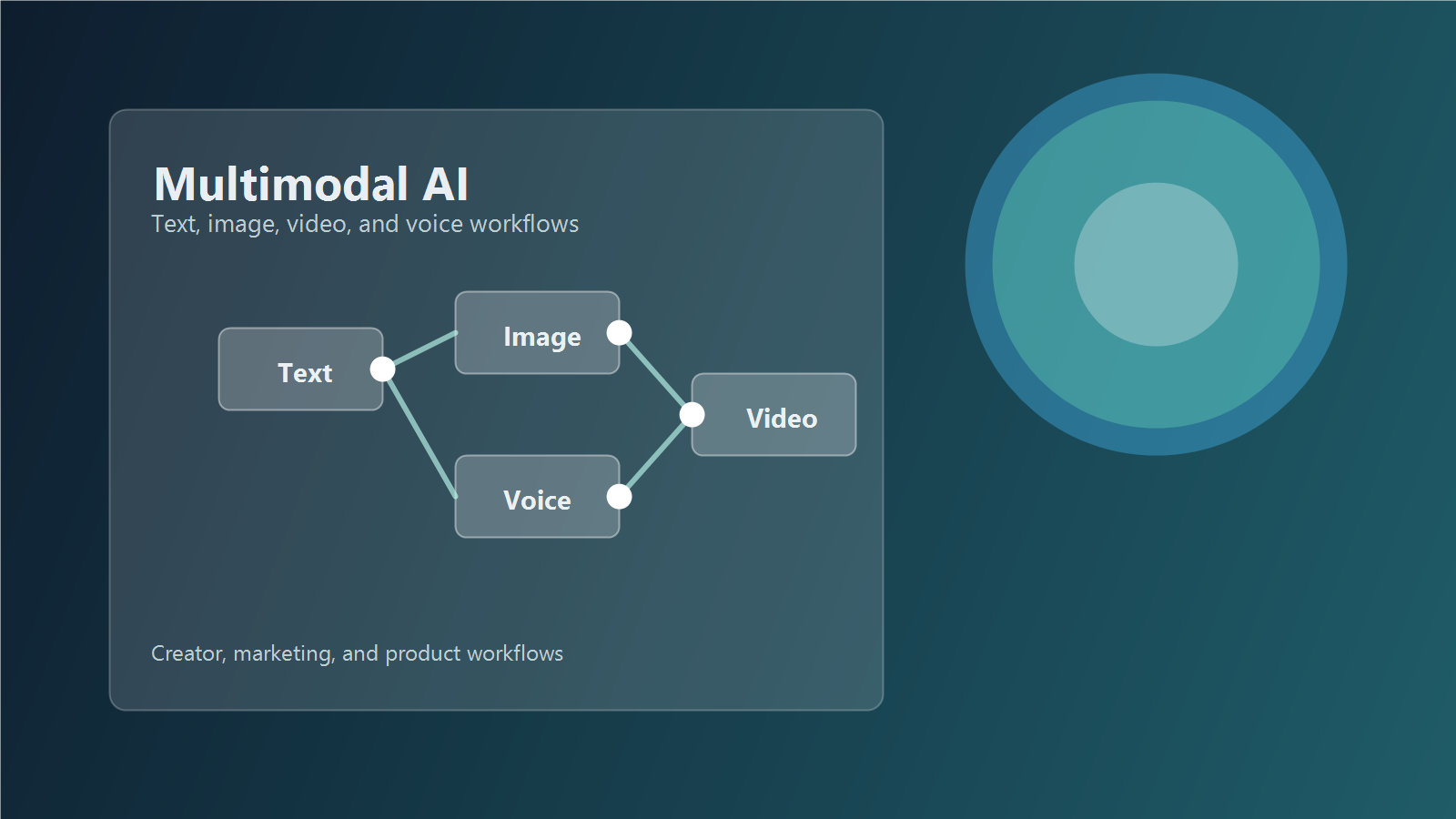
The important shift is not just that models can see or hear. It is that they can connect one format to another. A marketer can upload product photos, ask for campaign hooks, turn approved copy into voice, and then move the final assets into short-form video production. A developer can send screenshots, diagrams, and a spoken bug description into one support workflow. A creator can search a mixed media archive instead of organizing everything manually.
Official platform snapshot
The table below summarizes what official sources currently confirm, not what social media claims or third-party roundups suggest.
| Platform | Officially confirmed capabilities | Best fit | Important note |
|---|---|---|---|
| Google Gemini | Text, image, audio, video, and document prompting; real-time voice and vision through Live API; multimodal embeddings; native image generation; Veo for video | Apps that need one broad multimodal workflow | Some features are in preview or split across different APIs and models. |
| OpenAI | Image generation and editing, image understanding, audio input and output, realtime voice workflows, and Sora 2 for video and audio generation | Voice agents, visual analysis, creative media pipelines | Video generation is tied to Sora surfaces, not a generic all-in-one API claim across every model. |
| Anthropic Claude | Text plus image input across current models, PDF understanding, file workflows, large media handling in official docs | Document analysis, visual reasoning, mixed text-image workflows | Official docs do not confirm native audio or video generation in the same way as Gemini or Sora 2. |
Trend 1: one workflow is replacing one-model thinking
The biggest trend this week is architectural, not cosmetic. Teams are no longer asking, Which single model does everything? They are asking, Which workflow lets one user move through text, image, audio, and video with the least friction?
Why this matters
Google’s Gemini documentation now highlights multimodal prompting across text, image, audio, and video inputs, and its Files API is designed for handling different media types in one application flow. Gemini Embedding 2 also officially maps text, images, video, audio, and PDFs into a unified embedding space, which is highly relevant for search, recommendation, and retrieval systems.
That matters because search is becoming multimodal before generation becomes fully unified. Many companies will get faster ROI by indexing screenshots, product images, video clips, and support documents together than by chasing a single magical model.
Practical use cases
- Search a brand asset library with text and return matching images or clips.
- Upload customer call recordings and related screenshots into one support review workflow.
- Build a product knowledge base that links docs, charts, UI captures, and demo videos.
Trend 2: realtime voice plus vision is becoming a default interface
Another major shift is the move from chat boxes to live interaction. Official Gemini Live API documentation describes low-latency voice and vision interactions with continuous audio, image, and text streams. OpenAI’s Realtime and audio documentation shows the same broader direction: spoken input, spoken output, streaming, and realtime conversations are no longer edge features.
For AI product teams, this means users increasingly expect to talk, show, and ask at the same time. A support assistant that only reads typed text feels old quickly when users can instead share a screen, ask a question aloud, and receive spoken guidance.
Where it works best
| Scenario | Why multimodal realtime helps |
|---|---|
| App onboarding | Users can point a camera or upload screenshots while asking spoken questions. |
| Sales demos | Teams can narrate a workflow and get instant explanations or summaries. |
| Internal operations | Staff can inspect dashboards, documents, and visual alerts without switching tools. |
Workflow tip
Design the audio path first. If your assistant must speak naturally and respond fast, choose the realtime architecture before you design the rest of the agent. This is also the practical guidance reflected in OpenAI’s voice and realtime documentation.
Trend 3: video is getting pulled closer to the core AI stack
Video is still the hardest modality to operationalize, but it is moving closer to mainstream workflows. Google DeepMind officially presents Veo 3.1 as a video generation model and describes it as video with audio. OpenAI’s Sora 2 system materials also describe a state-of-the-art video and audio generation model with synchronized dialogue and sound effects.
That is important for creators and marketers because short-form production no longer starts only in a video editor. It starts earlier, with script ideas, style frames, image prompts, voice concepts, and product context generated upstream by language and image systems.
What to watch before adopting video AI
- Availability: some video features live in dedicated products or selected build surfaces, not a universal API path.
- Control: prompt fidelity and style control are improving, but consistency still needs human review.
- Rights and review: you still need internal approval for brand, talent, and claims before using outputs commercially.
The key strategic change is that teams can now prototype an entire media pipeline faster. A landing page visual, ad script, product narration, and draft video concept can be created in the same planning window, even if the final render and edit happen in separate tools.
Trend 4: document and visual reasoning remain a strong business entry point
Not every team needs cinematic video generation. Many need better document and image understanding first. Anthropic’s official documentation remains strong here: all current Claude models support text and image input, the vision guide documents image limits and handling, and PDF support is positioned for extracting text and analyzing charts, tables, and visual content inside documents.
This makes multimodal AI immediately useful for B2B teams. You can review invoices, sales decks, scanned forms, compliance PDFs, screenshots, and product photos without building a flashy media demo. In many businesses, that is the fastest path from experimentation to measurable value.
Best business-first applications
- Analyze slides, PDFs, and screenshots for sales enablement.
- Turn mixed media support tickets into structured summaries.
- Use multimodal retrieval before adding generation-heavy features.
How creators and marketers should use multimodal AI now
If you create content or run campaigns, the winning approach is not to force every task into one tool. Instead, use multimodal AI where each step naturally reduces production time or review effort.
A practical weekly workflow
- Start with text: define the campaign angle, audience, and claims.
- Add images: upload product photos, brand references, or past creatives for context.
- Add voice: generate or test spoken hooks, narration, or multilingual variations.
- Add video last: turn validated scripts and visuals into short clips only after the message is approved.
This order reduces waste. Teams often lose time generating motion too early, before the positioning, scene direction, or offer is stable.
Prompting checklist for multimodal work
- State the business goal first, not just the media format.
- Tell the model what input is authoritative, such as product photos or approved brand copy.
- Separate analysis prompts from generation prompts.
- For video, specify camera movement, pacing, subject consistency, and final platform format.
- Ask the model to list uncertainty when image, audio, or document details are unclear.
Pros and cons of the current multimodal wave
| Pros | Cons |
|---|---|
| Fewer tool handoffs across text, image, audio, and video tasks. | Capabilities are still fragmented across models, products, and preview features. |
| Better retrieval and analysis across mixed media. | Commercial review, rights, and brand safety still require humans. |
| Realtime interfaces feel more natural for users. | Latency, cost, and implementation complexity can rise quickly. |
| Faster prototyping for creators and product teams. | It is easy to overbuild before the actual workflow proves value. |
Edit AI videos here
When your multimodal workflow reaches the editing stage, you still need a practical place to assemble outputs into publishable content. You can edit AI videos here: https://ai.alphatechnologies.vn. That makes it easier to move from scripts, images, and voice concepts into short marketing videos, explainers, and social clips.
Conclusion
The real multimodal trend this week is convergence through workflow, not through a single universal model claim. Google is pushing broader multi-input workflows and multimodal embeddings. OpenAI is connecting vision, audio, realtime interaction, and separate Sora video surfaces. Anthropic remains especially relevant for document and visual reasoning, even where official audio or native video generation is not confirmed in the same way.
If you are choosing tools in June 2026, start with the problem shape. Use multimodal retrieval and document understanding for operations, realtime voice plus vision for assistants, and video generation only after your creative process is already structured. Explore more AI tools on Aikolhub to build a workflow that fits your team instead of chasing feature lists.
FAQ
What is the simplest definition of multimodal AI?
It is AI that can work with more than one data type, such as text, images, audio, video, or documents, in a connected workflow.
Does every multimodal AI model support text, image, voice, and video together?
No. Official sources show that capabilities are often split across different models, APIs, or products, so you need to verify each workflow directly.
Which business use case should start first?
For many teams, multimodal search, document analysis, and screenshot understanding are easier starting points than full video generation.
Why is realtime voice and vision important?
Because users increasingly want to speak, show, and ask at once instead of typing every instruction into a chat box.
Is video now the main multimodal priority?
Not always. Video is improving fast, but many organizations get better returns first from mixed-media retrieval, support workflows, and document understanding.
Official sources checked
- Gemini API documentation
- Gemini Live API overview
- Gemini Embedding 2 Preview model
- Google DeepMind Veo 3.1
- OpenAI Images and vision guide
- OpenAI Audio and speech guide
- OpenAI Realtime and audio guide
- OpenAI Sora 2 system card
- Anthropic Claude models overview
- Anthropic vision guide
- Anthropic PDF support guide
- Anthropic API release notes