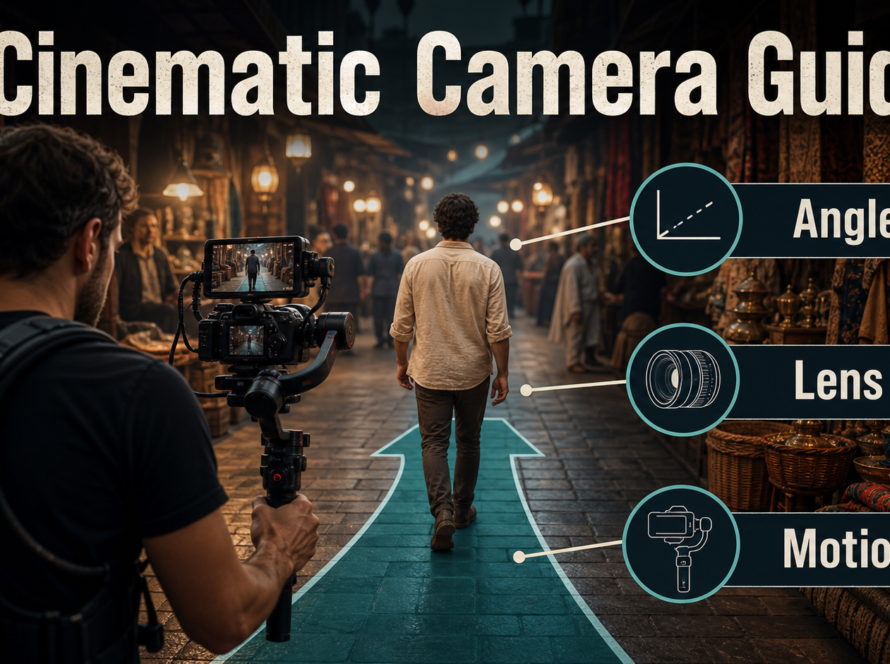
Reliable shot-reverse-shot coverage uses two complementary angles that preserve screen direction, eyelines, subject scale, lighting, and performance timing across a conversation. For AI video, create a shared master reference first, derive one reference for each side, write a matched prompt pair, and generate short locked takes before adding any camera move.
This workflow was verified on July 30, 2026. The editorial principle is independent of any model: camera-control projects can condition trajectories, orientation, intrinsics, or object motion, but they do not automatically maintain the conversation axis, actor identity, or continuity between separately generated clips.
Table of Contents
Visual meaning of shot-reverse-shot
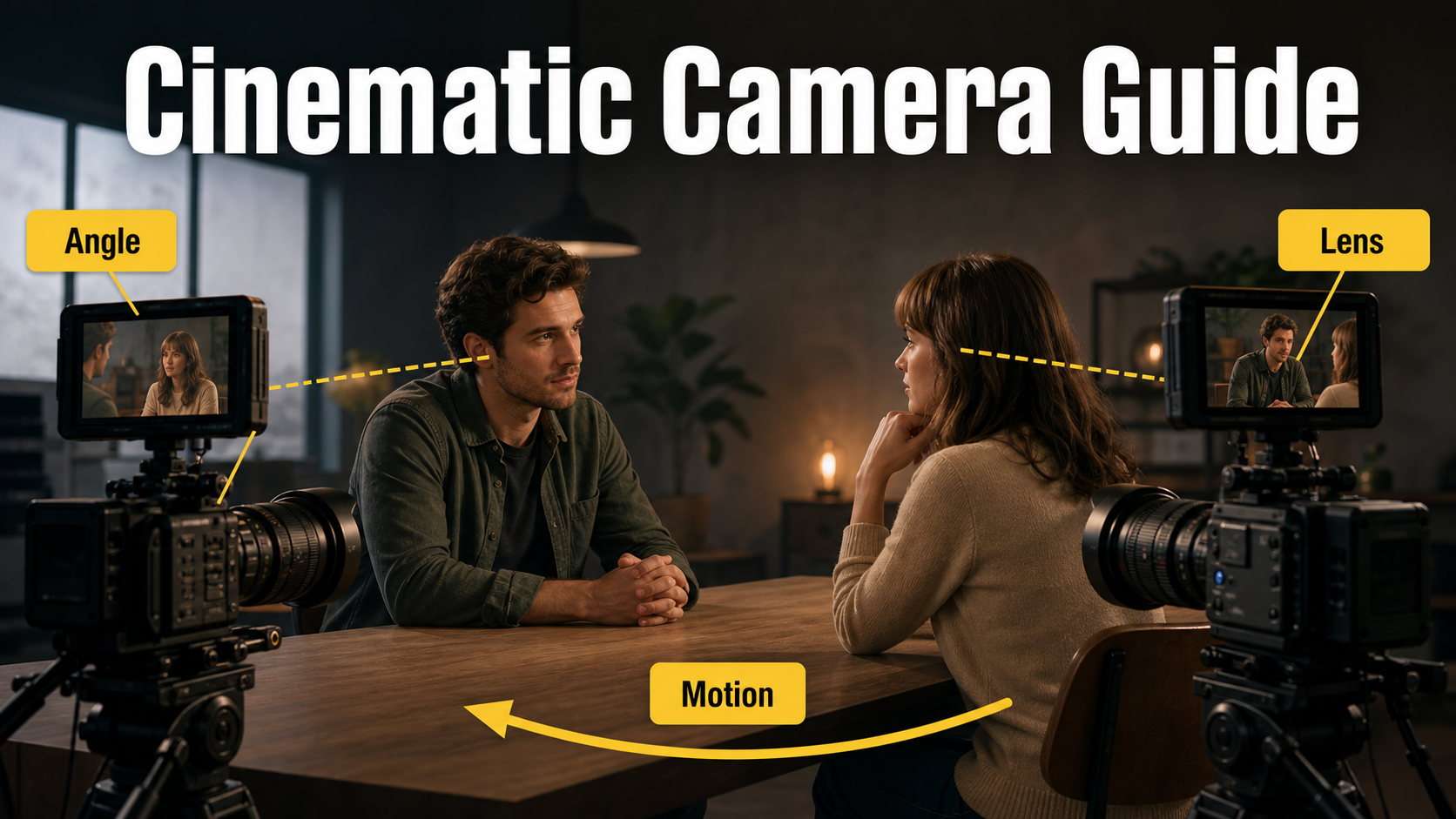
Shot-reverse-shot is an editing pattern that alternates between two views, commonly during dialogue. One angle shows Person A looking toward Person B; the reverse shows Person B looking back. The cut converts two separate frames into one continuous spatial and emotional exchange.
The technique is not limited to over-the-shoulder shots. You can pair clean singles, close-ups, medium shots, profiles, or an object with the person observing it. What matters is that gaze, position, timing, and visual scale make the two shots feel connected.
What each angle communicates
- Balanced coverage gives both people similar size, lens behavior, and eye level, suggesting equality.
- Asymmetric coverage makes one person closer, lower, darker, or more isolated, signaling status or emotional distance.
- Over-the-shoulder coverage keeps a piece of the listener in frame, preserving proximity and geography.
- Clean singles remove the foreground shoulder and concentrate on expression, but demand strong screen-direction cues.
- Reaction-first editing holds on the listener while the other person speaks, making the emotional consequence more important than the words.
Camera placement, screen direction, and eyelines
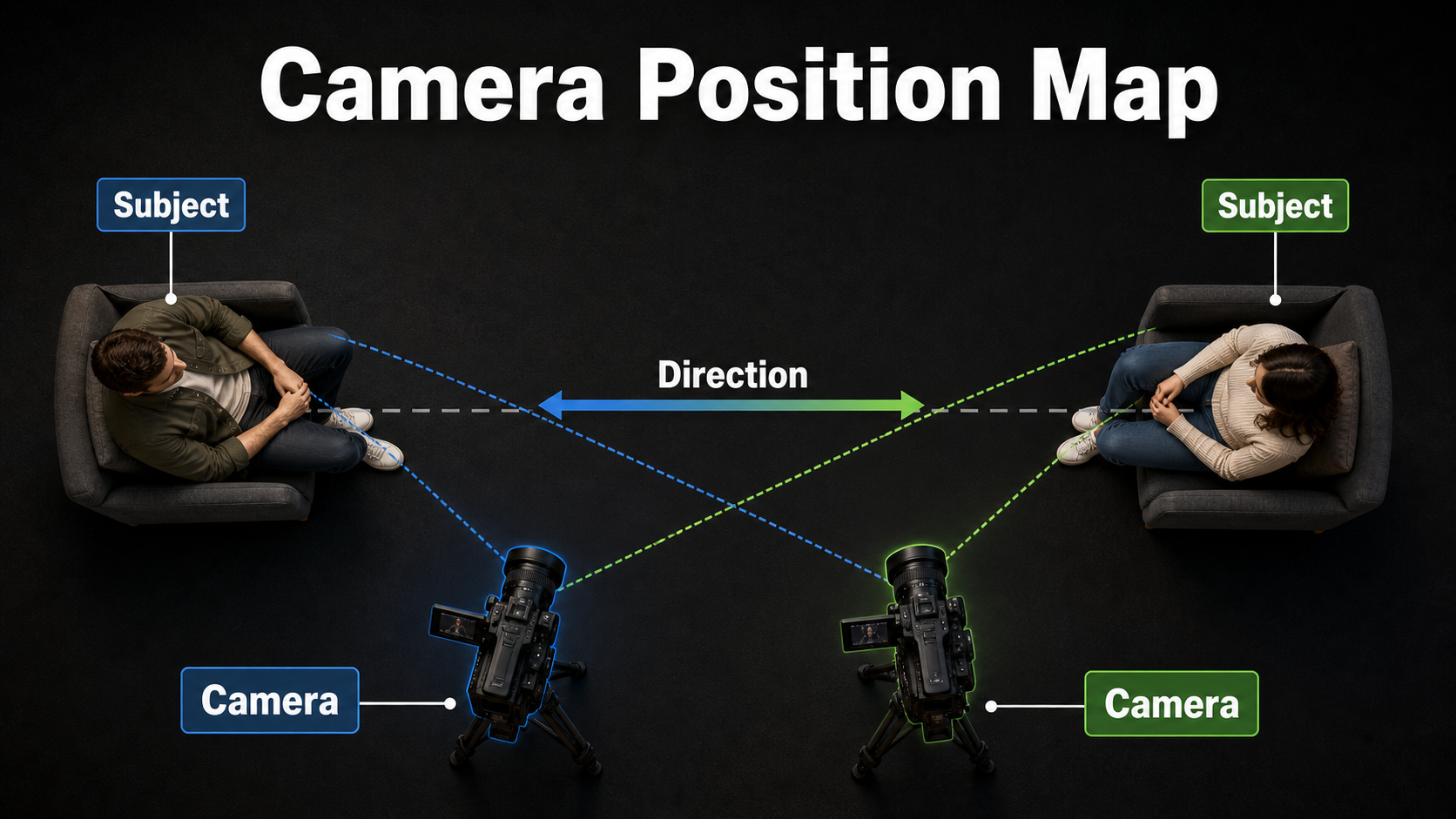
Draw an imaginary line through the two people. Place both coverage cameras on the same side of that line. If Person A appears on frame right looking screen-left, Person B should normally appear on frame left looking screen-right. Those complementary directions tell the viewer they face each other.
Protect the conversation axis
Crossing to the other side without a motivated transition reverses the apparent positions. The people may suddenly look the same direction or away from each other. To cross intentionally, show the camera moving across the line, use a neutral shot on the axis, or establish the new geography in a wider view.
AI generation makes this rule harder because each clip can invent room geometry independently. State the frame side and gaze direction in both prompts, and bake those relationships into both reference images. Do not rely on the word “reverse” to solve them.
Match the coverage
- Keep camera height and tilt comparable unless the power difference is intentional.
- Match head size, eye-line height, headroom, and looking room.
- Use the same lens family and similar subject-to-camera distance.
- Keep the foreground shoulder on the expected side and at a compatible scale.
- Preserve the key-light direction relative to the room, not merely relative to each face.
- Record where hands, cups, phones, chairs, and doors sit in the shared master.
Lens, aperture, shutter, and light
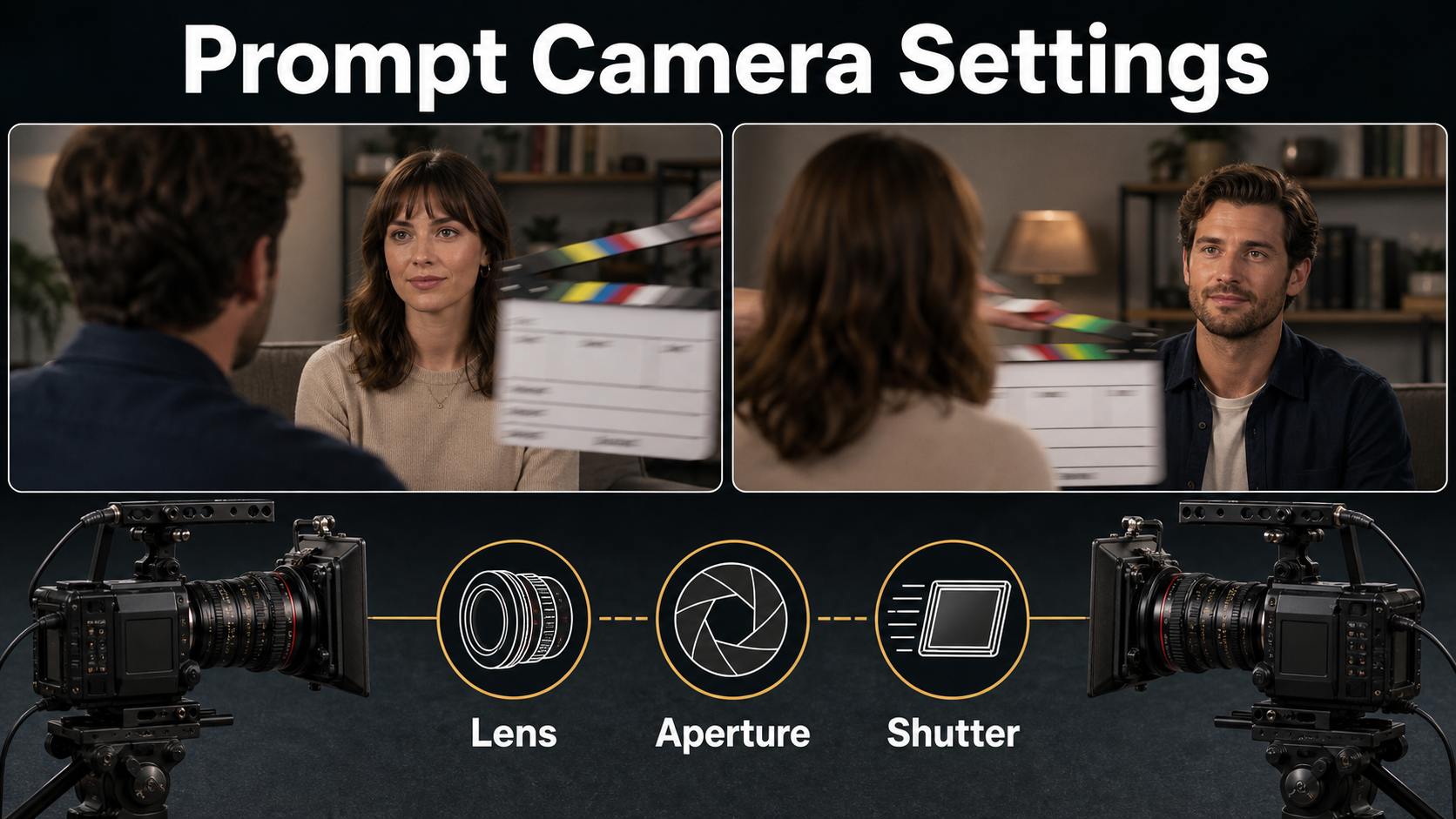
A matched medium-telephoto look is a safe dialogue starting point. It gives natural facial proportions, allows useful over-the-shoulder depth, and reduces distracting edge distortion. Wider lenses reveal more room and intensify perspective; longer lenses compress the background and may make matching distance harder.
Practical starting settings
| Control | Starting choice | Continuity goal |
|---|---|---|
| Camera height | Eye level on both sides | Matched status and gaze |
| Lens look | 50-85 mm full-frame equivalent | Natural faces and comparable compression |
| Aperture look | f/2.8-f/4 | Target eye sharp, shoulder softly separated |
| Frame rate | 24 fps cinematic cadence | Compatible performance timing |
| Shutter description | 180-degree shutter look | Natural matching motion blur |
| Movement | Locked cameras | Stable geography for the first pass |
| Lighting | One motivated room key plus controlled fill | Consistent source direction across cuts |
These are visual instructions, not guaranteed calibrated optics. If one angle feels wider, shallower, or more compressed, match what the viewer sees rather than repeating the same number and accepting a visible mismatch.
Build a reference image pack
Create three stills before motion: a master showing both people and the room, Shot A showing Person A with the correct foreground and gaze, and Shot B showing Person B with the complementary composition. The master is the scene bible; the singles are generation inputs.
Reference pack checklist
- Faces, hair, wardrobe, accessories, and body proportions match across all stills.
- Person A and Person B occupy opposite frame sides and look toward each other.
- Foreground shoulders use the correct wardrobe and silhouette.
- Furniture, windows, lamps, and practical lights stay in plausible positions.
- Lighting color and direction agree with the master.
- Props remain in the same hand and at the same level.
- Both singles use the final crop and leave similar looking room.
- Hands are visible enough to track or deliberately kept out of frame.
Shot-reverse-shot AI video prompt formula
Use a shared block for both prompts: scene + identity + wardrobe + time of day + lighting + lens family + depth of field + cadence + continuity constraints. Change only the active person, frame side, gaze direction, foreground shoulder, and performance beat.
Copyable Shot A prompt
Shot A, medium close-up of [Person A] positioned on frame right, looking screen-left toward [Person B]. Soft blurred shoulder of [Person B and wardrobe] in the left foreground. [Person A performs one short action]. Eye-level camera, natural 65 mm portrait lens look, f/4 depth-of-field look, locked frame, soft motivated key from [room source]. Preserve Person A's face, hair, wardrobe, eyeline, hand position, background, and light. No camera move, no gaze flip, no cut.Copyable Shot B prompt
Shot B reverse, medium close-up of [Person B] positioned on frame left, looking screen-right toward [Person A]. Soft blurred shoulder of [Person A and wardrobe] in the right foreground. [Person B performs one short reaction]. Eye-level camera, matching natural 65 mm portrait lens look, f/4 depth-of-field look, locked frame, the same motivated room light. Preserve Person B's face, hair, wardrobe, eyeline, hand position, background, and light. No camera move, no gaze flip, no cut.Model workflow and camera control
Generate the two sides as separate short takes using their approved stills. Keep seeds, model version, duration, frame size, guidance, and motion strength recorded. Camera-control inputs are most useful after the locked pair works; then you can add matched slow pushes or a motivated transition.
What official projects can control
- CamI2V and RealCam-I2V condition image-to-video generation on camera trajectories and document rotation, translation, zoom, metric-scale control, and trajectory preview workflows.
- UCPE documents camera motion, intrinsics, lens distortion, pitch, and roll through relative ray and absolute orientation encodings.
- CameraCtrl accepts prepared camera trajectory files and includes visualization of camera position and orientation over time.
- MotionCtrl exposes camera-motion, object-motion, and combined conditioning modes.
None of these controls is an editing continuity engine. They do not know that a cup moved between takes, that an eyeline is wrong, or that two independently generated faces should be the same people. Those judgments remain in the reference pack and review process.
Production steps
- Block the master. Decide the axis, frame sides, gaze targets, lighting, props, and performance.
- Create both references. Match lens behavior, crop, subject scale, shoulders, and room details.
- Write the prompt pair. Share the scene block and invert only frame side and gaze.
- Generate locked proofs. Ask for one restrained action or reaction per clip.
- Compare start, middle, and end. Reject identity, prop, eyeline, and light drift.
- Regenerate one side if needed. Do not hide a basic geography error with fast cutting.
- Add matched motion carefully. A similar slow push can work; independent arcs often break space.
- Select performance overlap. Keep listening reactions before and after each spoken line.
- Edit and mix. Cut on intention, then add dialogue, room tone, effects, music, and captions.
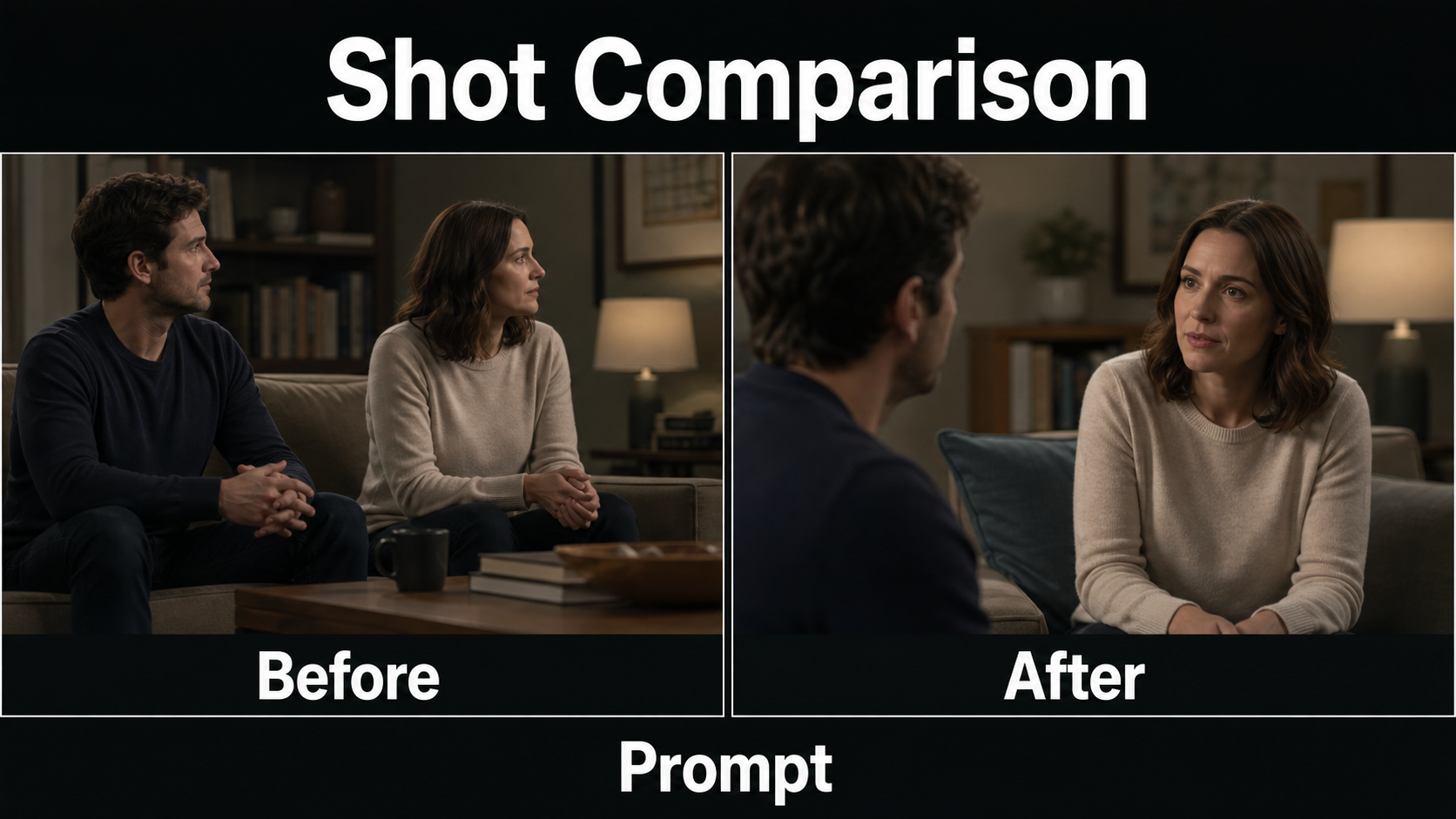
Before, after, and common fixes
Broken coverage often looks acceptable one clip at a time. The error appears only at the cut: both actors look right, one face is twice as large, the key light changes sides, or a foreground shoulder wears the wrong color. Always evaluate the pair in sequence.
Troubleshooting table
| Problem | Likely cause | Fix |
|---|---|---|
| Both people look the same direction | Frame side or gaze omitted | Set A right looking left and B left looking right in references and prompts |
| Room flips between shots | Independent background invention | Use one master scene bible and simplify visible architecture |
| Head size jumps | Different crop or lens behavior | Match eye-line height, face width, and camera distance visually |
| Wrong foreground shoulder | Identity and wardrobe not specified | Name the listener and wardrobe in each reverse prompt |
| Light reverses unnaturally | Prompt describes face-relative light | Anchor the key to a window, lamp, or room direction |
| Prop changes hands | Action continuity not locked | Return to the master, use one hand, and reduce gestures |
| Matched pushes feel different | Trajectory magnitude or timing differs | Reuse one motion profile and compare start/end framing |
| Lip sync breaks at cut | Video and dialogue generated separately | Choose listening frames, align dialogue later, and add room tone |
Continuity approval checklist
- Eyelines point toward each other across the cut.
- Person A and Person B stay on their assigned frame sides.
- Face identity, hair, wardrobe, and foreground shoulders match.
- Head size, camera height, lens behavior, and depth of field feel compatible.
- Room anchors and motivated light remain in stable directions.
- Hands and props continue from the same positions.
- Performance timing includes usable reactions and edit handles.
- Voice identity, lip sync, ambience, and captions are reviewed separately.
Edit AI videos here
Assemble the approved coverage at https://ai.alphatechnologies.vn. Trim unstable handles, cut on gaze or reaction, align dialogue, preserve room tone under every edit, match color and exposure, add captions, and export horizontal and vertical versions without destroying the eyeline relationship.
Final recommendation
Treat shot-reverse-shot as a three-image continuity problem before treating it as video generation: one master, one Shot A reference, and one Shot B reference. Protect the axis, invert frame side and gaze deliberately, match optics and light, and approve locked takes before attempting motion.
Explore Aikolhub for more practical AI video camera workflows, and reuse the prompt pair and continuity checklist as a coverage sheet for every generated dialogue scene.
Frequently asked questions
What is shot-reverse-shot?
Shot-reverse-shot alternates between two complementary views, usually Person A looking toward Person B and Person B looking back. The edit creates one continuous exchange from separately recorded angles.
Why does the 180-degree rule matter?
Keeping both cameras on one side of the conversation axis preserves left-right screen direction. Crossing without explanation can make both people appear to face the same way or swap positions.
Which lens look works best?
A 50-85 mm full-frame-equivalent look is a practical starting range for medium close-ups and over-the-shoulders. More important than the number is matching visible perspective and face scale across both sides.
Should I generate both sides separately?
Yes. Create a matched reference and prompt for each side, render short locked takes, then compare them as a pair. This gives more control than asking one generation to create multiple cuts.
Can camera-control models preserve continuity automatically?
No. They can condition camera paths and parameters, but actor identity, props, eyelines, lighting, and edit timing can still drift. A master reference, paired shot references, and manual review remain necessary.