A convincing AI-video tracking or trucking shot keeps a moving subject intentionally framed while the camera travels through space and the environment produces coherent parallax. For a clean side-tracking result, draw parallel subject and camera paths, state one lateral direction and steady speed, keep camera height and lens behavior stable, and judge the foreground as carefully as the face. Motion blur or a sliding background alone does not prove that the camera movement is spatially correct.
Updated August 2, 2026, this guide separates established cinematography from current generative control. Official CameraCtrl, CamI2V, RealCam-I2V, MotionCtrl, and UCPE resources demonstrate explicit camera trajectories or motion conditioning, but their research capabilities do not mean every commercial prompt box can execute a metric path. Prompt-only workflows should be evaluated by visible framing, occlusion, perspective, and parallax rather than by the movement label.
Table of Contents
What Tracking and Trucking Moves Mean
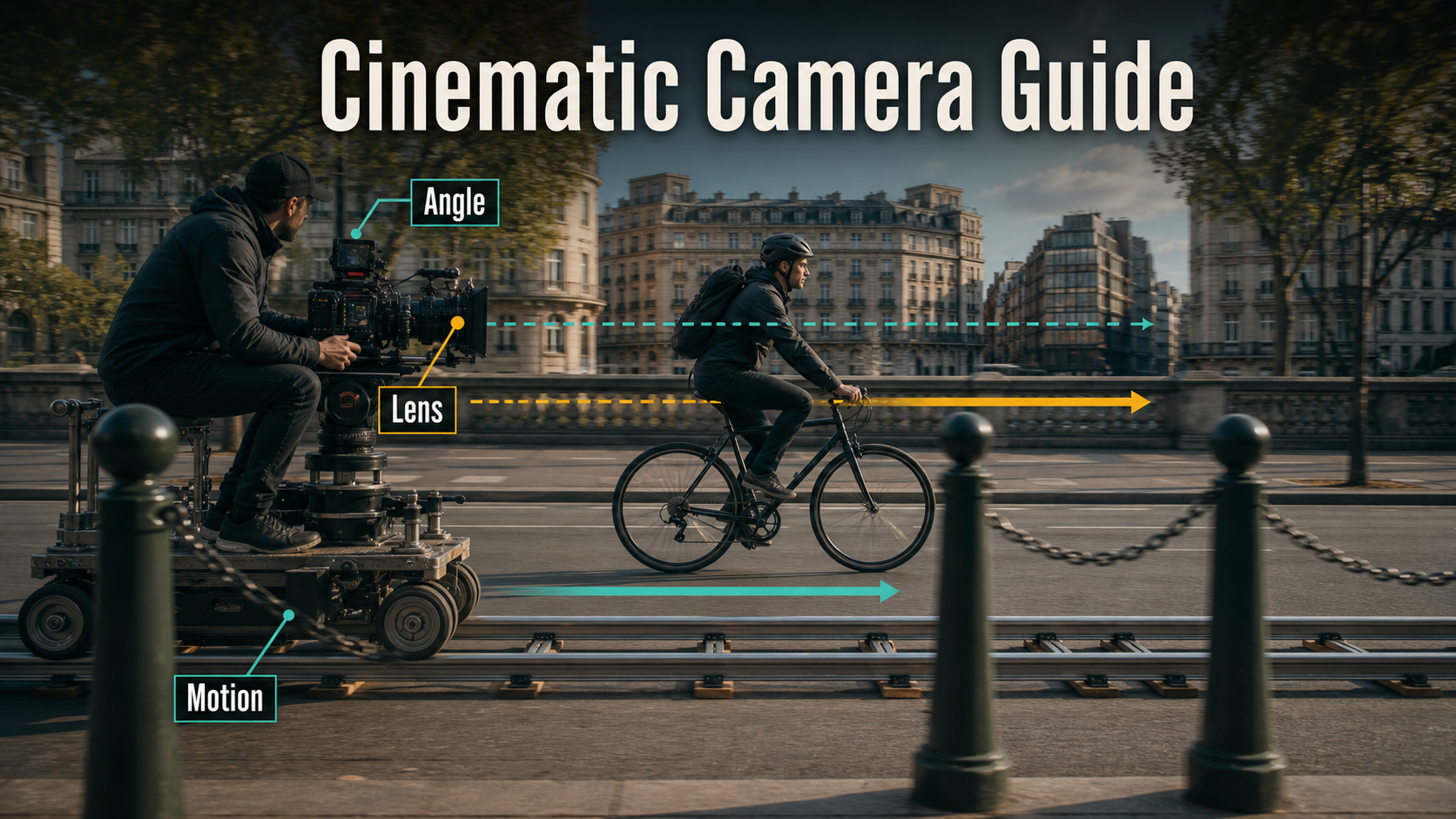
A tracking shot broadly follows a subject or action with a moving camera. A trucking shot is the lateral version: the camera travels left or right, often parallel to the subject. In everyday production language the terms overlap, so define the actual path, camera orientation, subject blocking, and ending frame instead of relying on one word.
Visual and Emotional Meaning
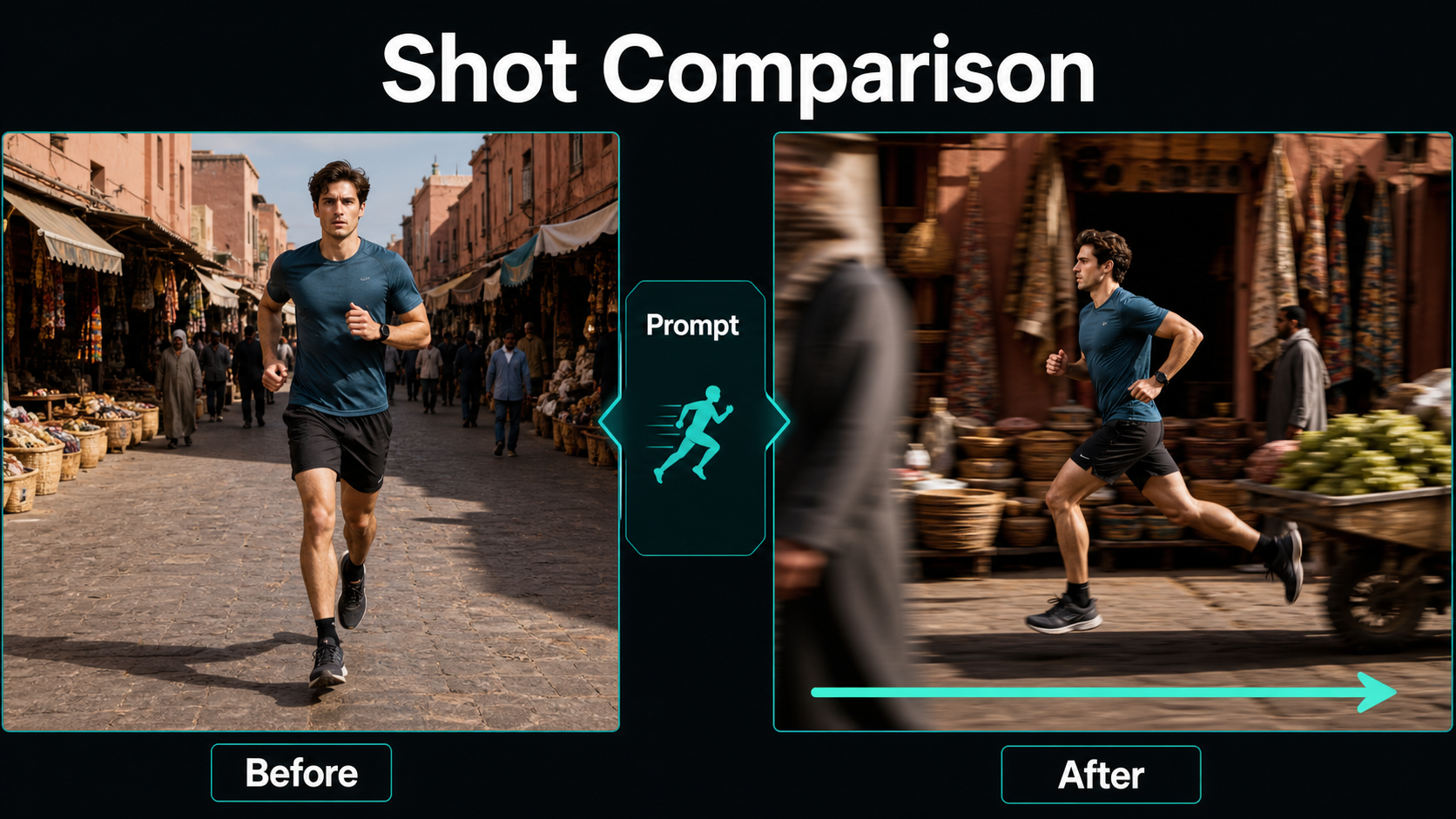
Side tracking can make the audience travel with a walker, cyclist, vehicle, or performer. Stable subject size creates companionship and momentum while foreground objects sweep quickly across the frame and distant architecture moves more slowly. This layered parallax communicates location, speed, and spatial continuity without cutting away from the action.
A centered side profile can feel observational or procedural. Placing the subject ahead of center creates lead room and forward purpose; letting the camera lag can suggest fatigue, pursuit, or separation. A camera that gradually overtakes the subject can reveal a face or destination. The meaning comes from the relationship between camera and performance, not from lateral movement alone.
Tracking Versus Pan, Dolly, and Zoom
- Pan: the camera rotates left or right from a fixed position. Perspective does not translate through the set.
- Dolly-in or dolly-out: the camera travels toward or away from the subject, changing distance and depth relationships.
- Truck or side track: the camera translates laterally, commonly beside a moving subject.
- Zoom: focal length changes from one camera position; the field of view changes without the same translation parallax.
- Orbit: the camera curves around a subject, continually changing viewing angle instead of remaining on a parallel line.
Camera Placement and Movement Plan
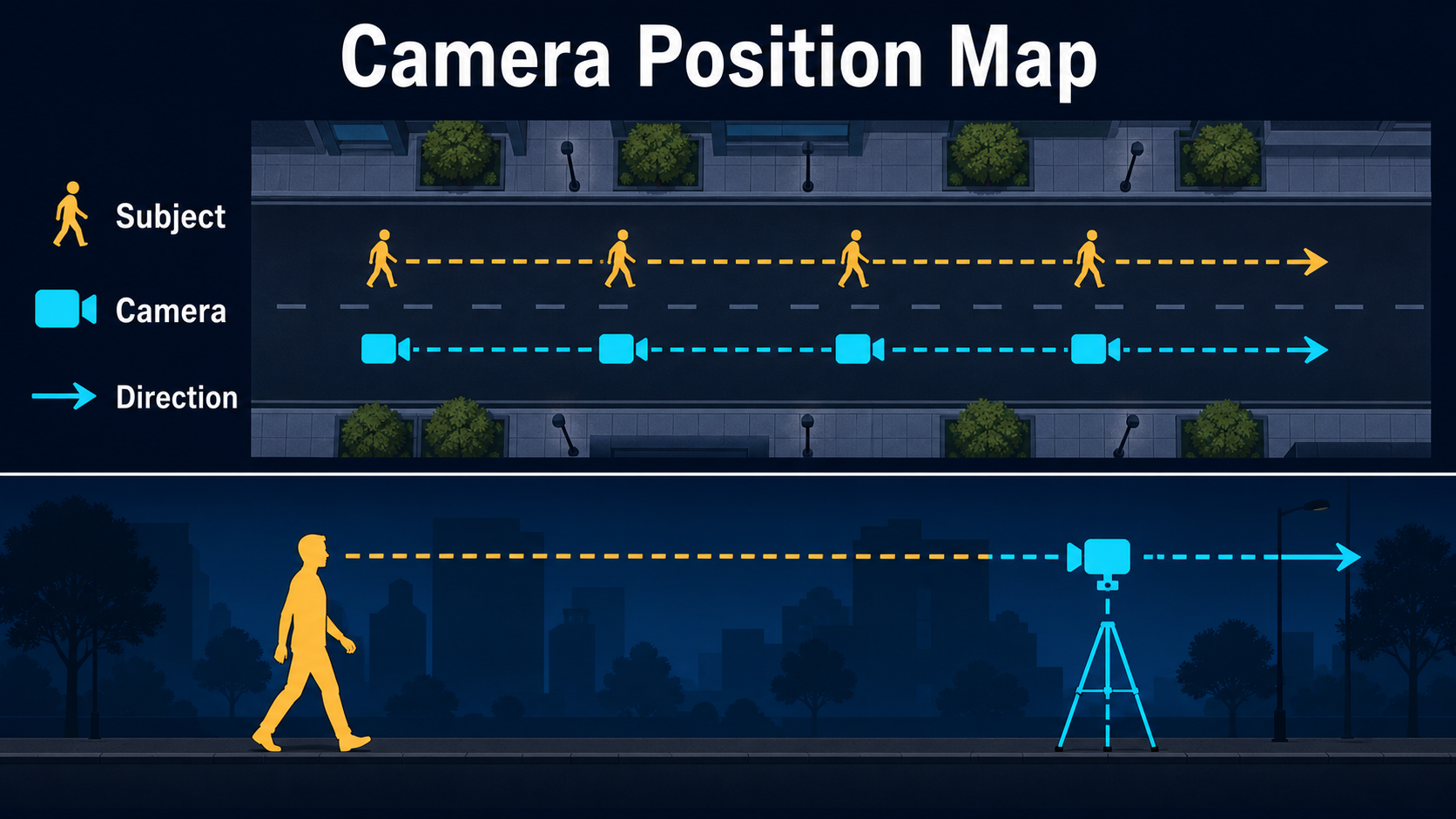
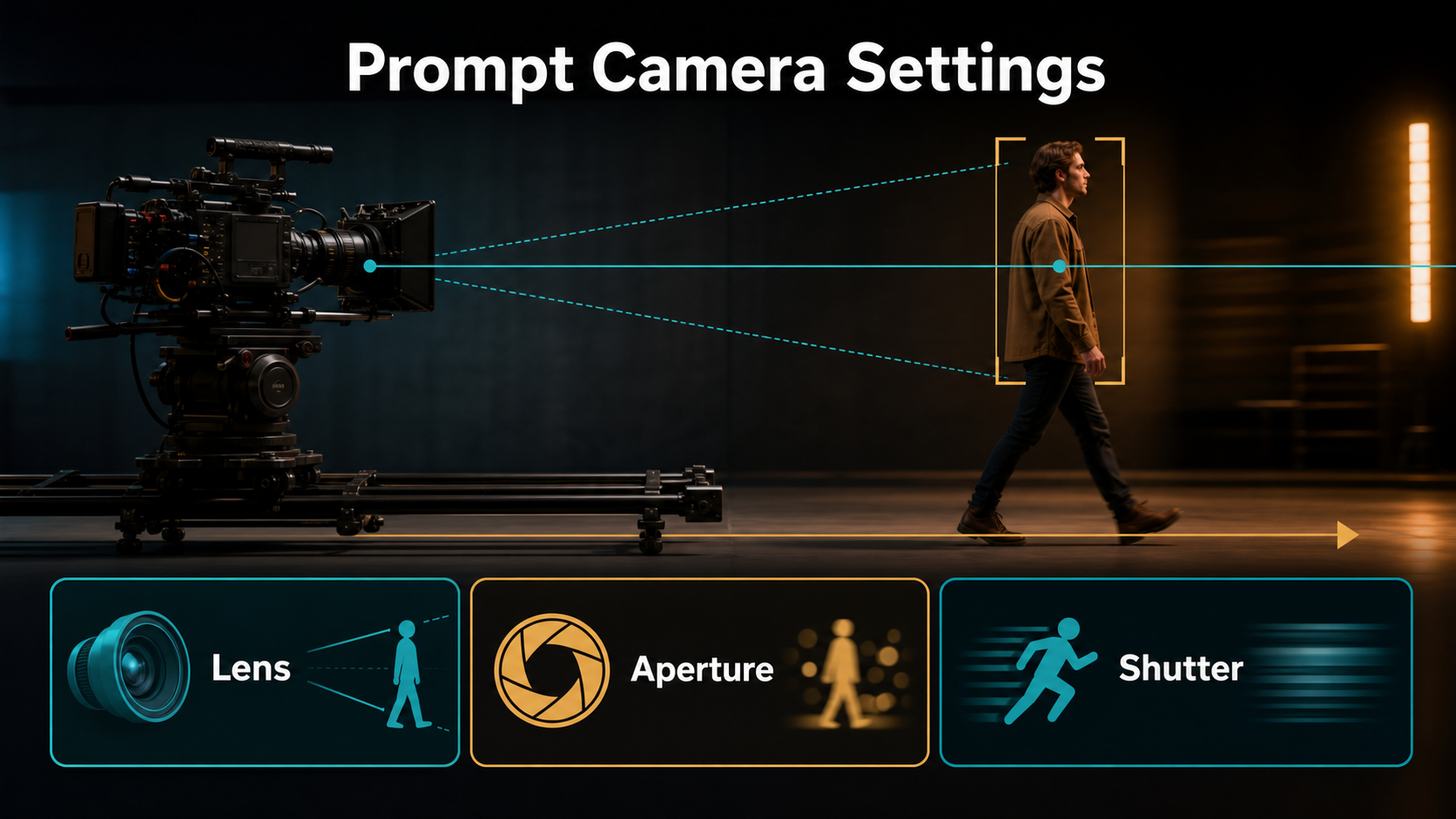
Draw the shot in top and side views. The top view shows the subject path, camera path, optical axis, foreground obstacles, and start and end marks. The side view shows camera height, ground plane, subject eye line, focus distance, and vertical clearance.
Map Parallel Paths and the Optical Axis
For a basic profile track, keep the camera path parallel to the subject path and point the optical axis roughly perpendicular to travel. Maintain a stable lateral distance. If the camera aims forward or backward while moving sideways, it becomes a three-quarter track and the subject’s apparent angle changes; that can be useful, but it should be intentional.
- Choose one lateral direction: camera-left to camera-right or the reverse.
- Use foreground posts, doorways, trees, or railings to reveal motion without covering the face.
- Keep the horizon and camera height stable unless a rise, dip, tilt, or roll is part of the design.
- Leave lead room in front of the subject and safe space around hands, feet, hair, and props.
- Plan clean occlusions rather than letting random objects slice through the character.
Match Speed, Blocking, and Endpoints
Subject and camera speed determine framing. If the camera moves more slowly, the subject advances toward the leading edge; if it moves faster, the camera overtakes. A steady match keeps the subject at a consistent screen position. Write the starting composition, relationship during travel, and exact ending composition before generating.
Use a modest path first. Fast lateral travel creates stronger blur, rapidly changing occlusions, and more unseen geometry for the model to invent. Keep subject action simple during the diagnostic render, then add gestures or environmental events after the camera motion works.
Lens, Aperture, Shutter, and Frame Rate
Camera position creates perspective; focal length controls field of view from that position. Aperture language describes depth-of-field appearance, while shutter and frame-rate language describe how motion is rendered. None of those settings replaces a defined trajectory.
Choose Lens and Depth Behavior
| Choice | Practical starting point | What to inspect |
|---|---|---|
| 24-35mm look | Environmental track with pronounced depth layers | Edge stretching, face perspective, distracting foreground speed |
| 50mm look | Natural medium shot with balanced subject and setting | Stable facial shape and manageable lateral distance |
| 85mm look | Compressed portrait track from farther away | Background compression and precise focus demands |
| Aperture look | Moderate depth, roughly f/2.8-f/4 language | Eyes and wardrobe remain readable through the move |
| Focus | Continuous focus on the near eye or torso plane | No pulsing, breathing, or accidental background lock |
Very shallow depth can simplify a difficult background, but it also removes parallax evidence and exposes focus errors. For a tutorial or product shot, moderate depth often makes the camera movement clearer.
Render Motion With Intention
For familiar film motion, begin with 24 fps and a 180-degree shutter look. A shorter shutter look gives crisp, staccato limbs and foreground edges; a longer shutter produces heavier smear. Match neighboring shots. Do not add blur in the prompt merely to hide a sliding subject or warped architecture.
Reference Image and Prompt Workflow
The reference should be the intended opening frame, not a generic portrait. It must show enough lateral space for the subject to move and enough foreground and background structure for the model to infer depth.
Build a Reference for Lateral Motion
- Compose the subject in profile or a deliberate three-quarter angle at the final aspect ratio.
- Include a readable ground plane, horizon, and several objects at different depths.
- Keep wardrobe edges, limbs, carried objects, and silhouette distinct from the background.
- Avoid mirrors, glass walls, dense signs, crowds touching the subject, and repeating patterns during the first test.
- Create an endpoint reference for review even if the selected model accepts only the first frame.
- Match light direction, weather, color, and screen direction to adjacent shots.
Tracking and Trucking Prompt Templates
SIDE TRACKING SHOT
[Shot size] profile of [same subject] moving [direction] through [specific set].
The camera trucks smoothly beside the subject on a straight parallel path at matching speed.
Keep subject size, screen position, camera height, horizon, and [lens] perspective stable.
Foreground passes quickly; background shows coherent slower parallax.
No pan-only, orbit, zoom, roll, or forward camera movement.
THREE-QUARTER TRACK
Begin with [subject] at [screen position] moving through [environment].
The camera tracks laterally in the same direction while aiming slightly toward the subject's front.
Maintain [distance], [camera height], [lens look], continuous focus, and [light direction].
End on [specific composition or reveal] with a gentle stop.Example: “Medium profile shot of the same courier cycling camera-left to camera-right beside the river road. The camera trucks smoothly on a parallel eye-level path at matching speed. Keep the courier at the right third with stable size, natural 50mm perspective, moderate depth of field, and continuous focus. Foreground rail posts sweep past; distant buildings move slowly. No orbit, zoom, roll, or forward push.”
Model Workflow and Settings
Use an explicit trajectory when the selected implementation supports one. Prompt wording is an artistic instruction, while camera poses, translations, orientations, rays, or metric paths are stronger forms of conditioning. Stronger conditioning still cannot reconstruct perfectly correct space from one image.
Verified Camera-Control Options
The official CameraCtrl repository conditions video diffusion with per-frame camera positions and orientations and provides trajectory visualization. CamI2V publishes camera-controlled image-to-video code and research checkpoints. Its related RealCam-I2V repository releases a CogVideoX1.5-based exploration path and uses supporting metric depth resources. UCPE adds research controls for intrinsics, lens distortion, pitch, and roll. MotionCtrl separates camera-motion and object-motion conditioning.
Check code, base-model dependency, checkpoint resolution, hardware requirements, and licenses before use. CamI2V’s public repository describes its released checkpoints as research and comparison resources, so do not present those benchmark settings as universal production recommendations.
Repeatable Generation Process
- Write the story purpose, screen direction, starting frame, and ending frame.
- Draw parallel subject and camera paths in top and side views.
- Choose camera height, lateral distance, lens look, depth, focus, frame rate, and shutter look.
- Create an opening reference and a separate endpoint target.
- Enter the single-direction prompt or load and visualize a supported trajectory.
- Render a short preview with simple subject action and a recorded seed.
- Inspect subject scale, screen position, profile angle, horizon, foreground occlusion, parallax, focus, and blur.
- Change only path scale, speed, reference, prompt clause, or one render setting.
- Add performance complexity after the lateral camera behavior is stable.
- Render the accepted shot and cut it beside neighboring shots before approval.
Limitations and Common Failures
A single image does not reveal the complete street, room, or subject. Lateral movement exposes hidden surfaces and repeated geometry, so the model may stretch architecture, duplicate pedestrians, slide the character, rotate the camera, or replace translation with a pan. Research implementations may be tied to older base models, limited resolutions, large environments, or multi-GPU instructions.
Troubleshooting Table
| Failure | Diagnosis | Fix |
|---|---|---|
| Subject slides but camera feels static | Object motion replaced camera translation | State parallel camera travel and matching speed; strengthen depth cues |
| Looks like a pan | Background rotates without lateral parallax | Use foreground layers and explicit translation; visualize the trajectory |
| Subject changes size | Paths converge or speed mismatch | Keep lateral distance constant and define stable screen position |
| Foreground cuts through the face | Occlusion path is uncontrolled | Move or simplify foreground objects and shorten the track |
| Buildings bend or repeat | Unseen geometry and long travel | Reduce path scale, use cleaner architecture, or split into shorter shots |
| Face changes in profile | Weak side reference or motion load | Add a sharp profile reference and reduce simultaneous gestures |
| Motion is smeared | Excessive speed or long shutter look | Slow the move and request a consistent 180-degree or shorter shutter look |
| Camera drifts into an orbit | Ambiguous aiming or mixed motion terms | Specify straight parallel path, fixed height, and no orbit or forward movement |
Edit AI videos here
Trim unstable acceleration, hide a bad occlusion, match screen direction, stabilize only when appropriate, layer directional ambience, and cut the move with reaction or detail shots at https://ai.alphatechnologies.vn. A shorter track with coherent parallax is usually more convincing than a long clip that reveals geometry drift.
Final Recommendation
Design tracking and trucking as spatial relationships: map two paths, hold the intended distance, choose depth layers that reveal parallax, and keep lens and motion rendering stable. Start with one direction and a short path, then add performance or complex scenery only after the camera behavior works. Explore more camera-language and AI-video guides on Aikolhub, and save both the opening reference and endpoint target with every accepted render.
Frequently Asked Questions
What is the difference between tracking and trucking?
Tracking broadly means moving with a subject or action. Trucking usually means lateral camera translation left or right, often parallel to the subject. Production usage overlaps, so describe the path explicitly.
What lens is best for a side-tracking shot?
There is no universal best lens. A 24-35mm look emphasizes environment and speed, 50mm is balanced, and 85mm compresses the background and requires more distance.
How do I keep the subject the same size?
Keep camera and subject paths parallel, maintain a constant lateral distance, match their speeds, and state a stable screen position and shot size.
Can a single reference image define the whole path?
No. It defines the opening appearance and visible geometry, but the model must invent surfaces revealed later. An endpoint reference helps evaluate or constrain the result.
Do camera-control models guarantee an exact track?
No. Explicit trajectories are stronger than text alone, but depth estimation, occlusion, reconstruction, conditioning strength, and generative uncertainty can alter the apparent path.
Official sources: CamI2V repository, code, checkpoints, and license; RealCam-I2V official repository; CamI2V technical report; RealCam-I2V technical report; CameraCtrl repository and Apache-2.0 license; UCPE repository, updates, and MIT license; MotionCtrl repository and Apache-2.0 license.