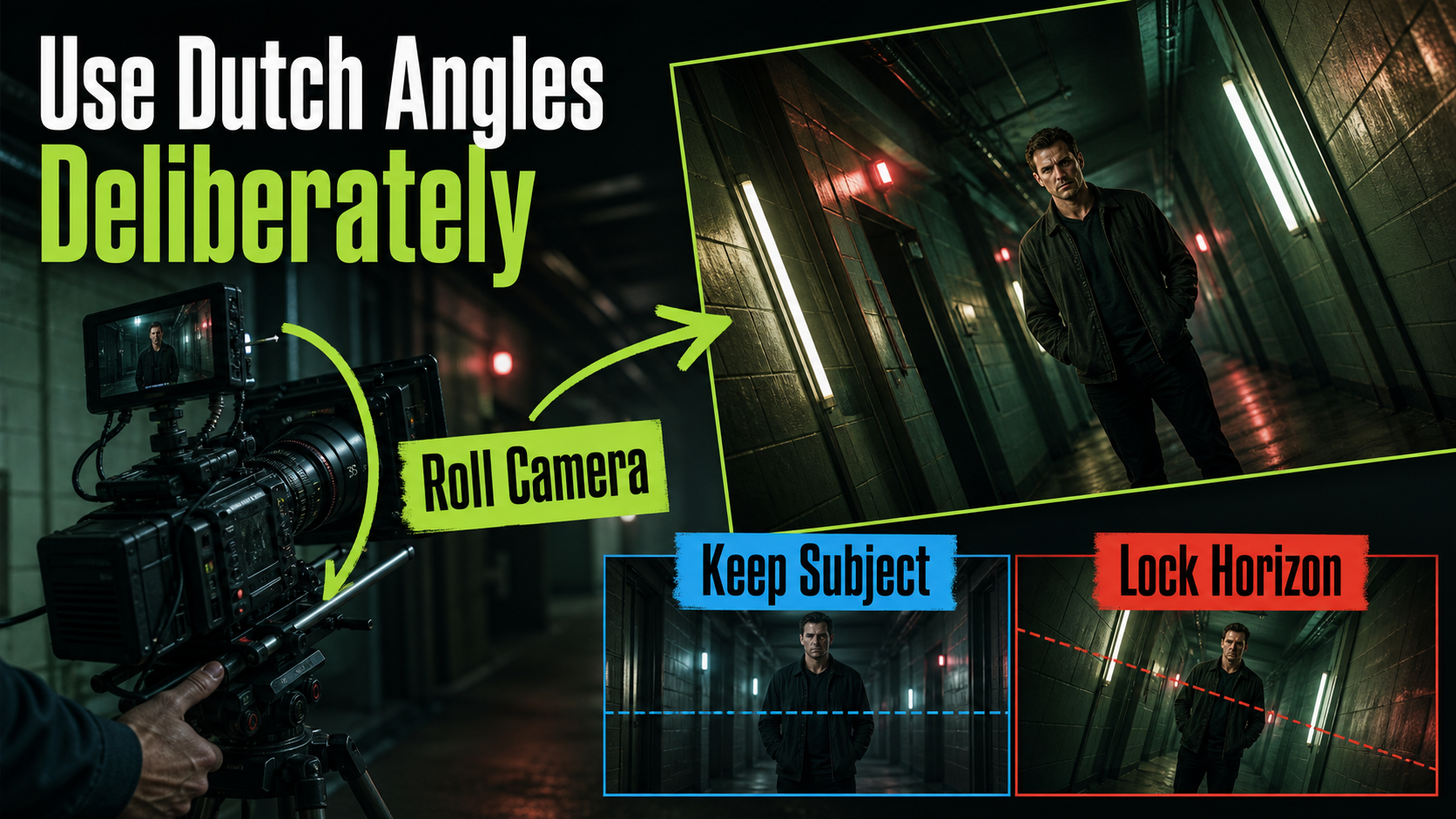
A Dutch angle rotates the camera around its optical axis so the horizon and vertical lines become diagonal while the subject and world remain physically upright. For reliable AI video, state the roll direction and degree, build the diagonal frame in a reference image, and avoid confusing roll with tilt, pan, or a leaning subject. This guide was checked on July 26, 2026 against the official CamI2V/RealCam-I2V, UCPE, CameraCtrl, and MotionCtrl repositories.
Dutch angles can suggest unease, imbalance, intoxication, danger, speed, obsession, or a shift in power. They can also become empty decoration. Use the angle at a clear story moment and preserve a level shot nearby so the audience feels the change.
Table of Contents
Dutch-Angle Visual Meaning
A level horizon implies physical stability because vertical architecture remains vertical. Rolling the camera breaks that expectation. The frame can feel unstable even when the actor stands still. The effect is strongest when the set provides unmistakable reference lines such as doors, shelves, streetlights, windows, or corridors.
Use Roll as a Story Change
Connect the angle to a beat: a character realizes they were deceived, a machine fails, a chase loses control, or a product reveal becomes playful. Establish level geometry first, then introduce roll. Returning to level later can signal recovery. A random diagonal on every shot weakens the visual grammar.
Roll direction can support screen motion. A clockwise roll may compress one corner and open another, directing attention or making a character appear to slide. Test both directions in still references rather than assuming one has universal emotional meaning.
Roll Versus Tilt and Lean
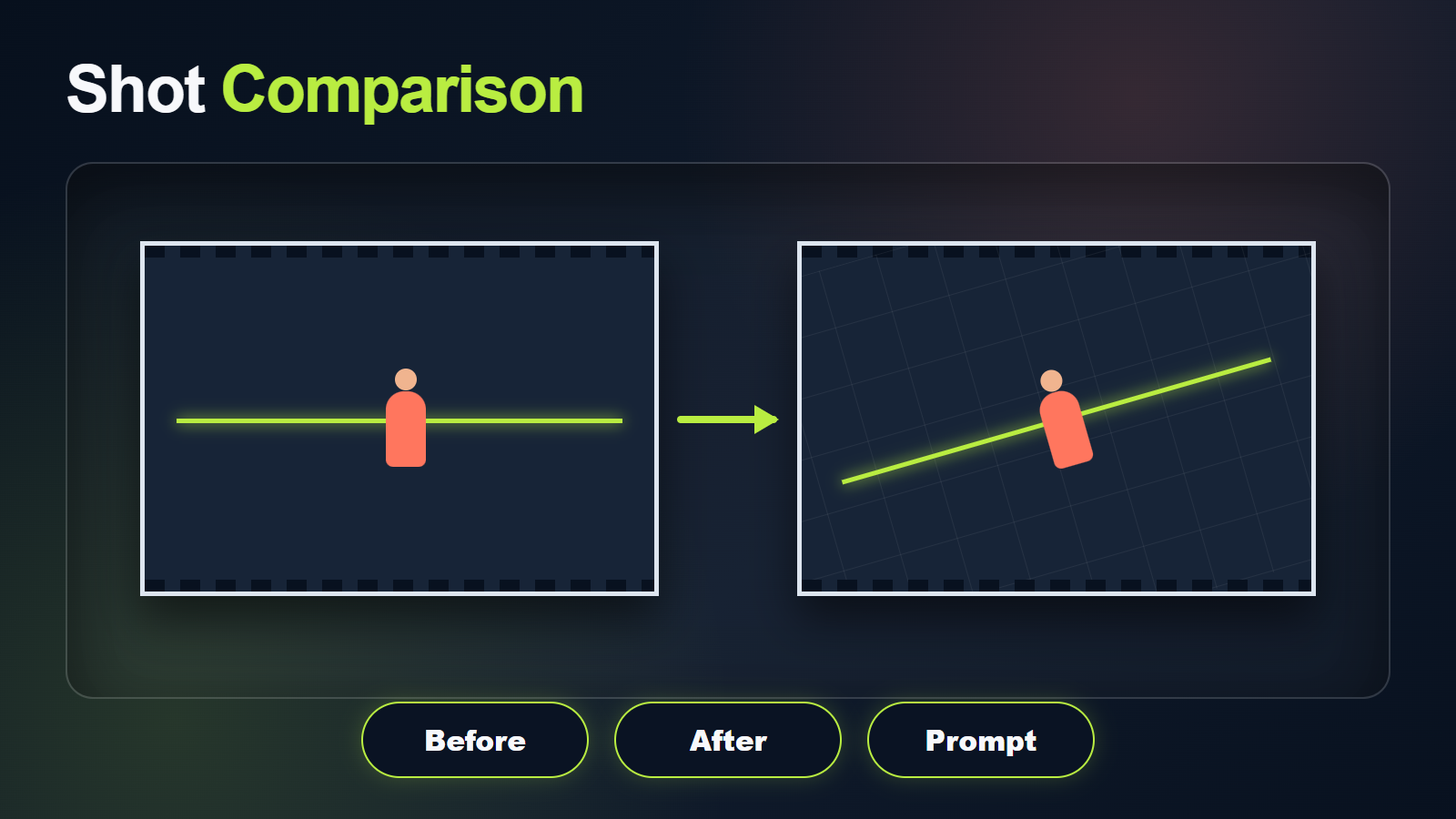
Roll rotates the camera around the optical axis. Pitch aims it up or down; yaw pans left or right. A subject leaning inside a level frame is not a Dutch angle. In the desired reference, the actor remains upright relative to the floor while the entire recorded frame—horizon, doors, and walls—appears diagonal.
Camera Placement and Roll Map
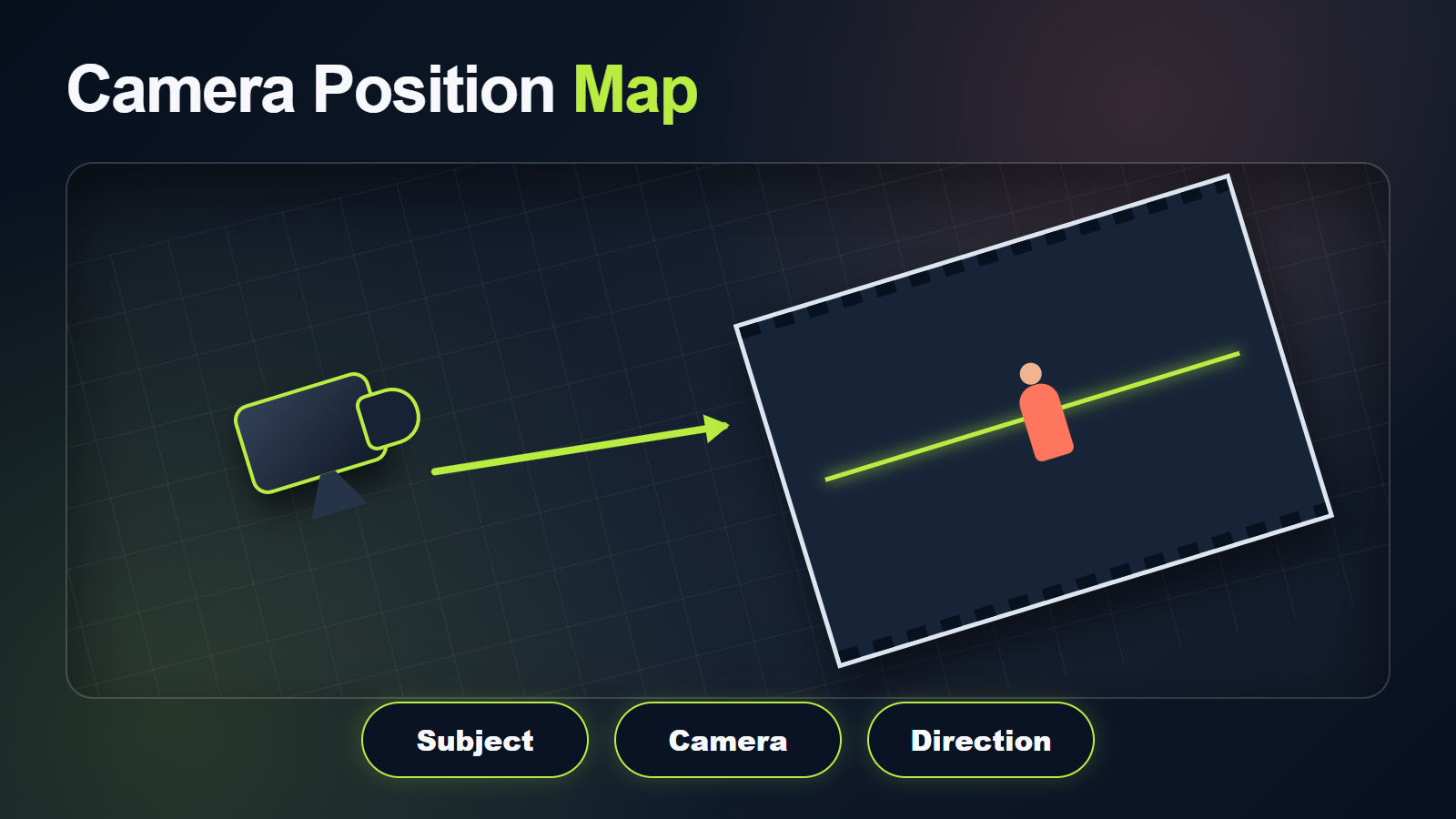
Start with a normal shot design: height, distance, focal target, crop, and eye line. Add roll as a separate parameter. This prevents the model from changing camera position, bending the set, and tilting the actor when only frame rotation was requested.
Choose Direction and Degree
- Use 5–10 degrees for subtle unease.
- Use 10–20 degrees for an obvious dramatic Dutch angle.
- Use steeper roll sparingly because it can feel comic or disorienting.
- Name clockwise or counterclockwise from the viewer’s perspective.
- Keep camera height, pitch, distance, and subject posture unchanged during comparisons.
- Choose a locked roll before attempting an animated roll.
The numerical degree is a planning instruction even when a text model does not expose true roll metadata. Review the rendered horizon rather than trusting the number. If the frame is only two degrees off, the result may look accidental; if it is 45 degrees, the audience may focus on the gimmick rather than the story.
Build the Dutch Reference
Create a level approved frame first, then rotate the camera view while preserving the subject’s pose, set geometry, crop intent, and lighting. Fill newly exposed corners with plausible environment; do not simply rotate a bitmap and leave black triangles. Use the rolled image as the shot-specific reference.
Compare level and Dutch versions side by side. The actor, wardrobe, prop, camera distance, and lighting should match. Only the frame roll and necessary reframing should change. If the subject leans, walls bend, or the floor slopes physically, rebuild the reference.
Lens, Aperture, Shutter, and Light
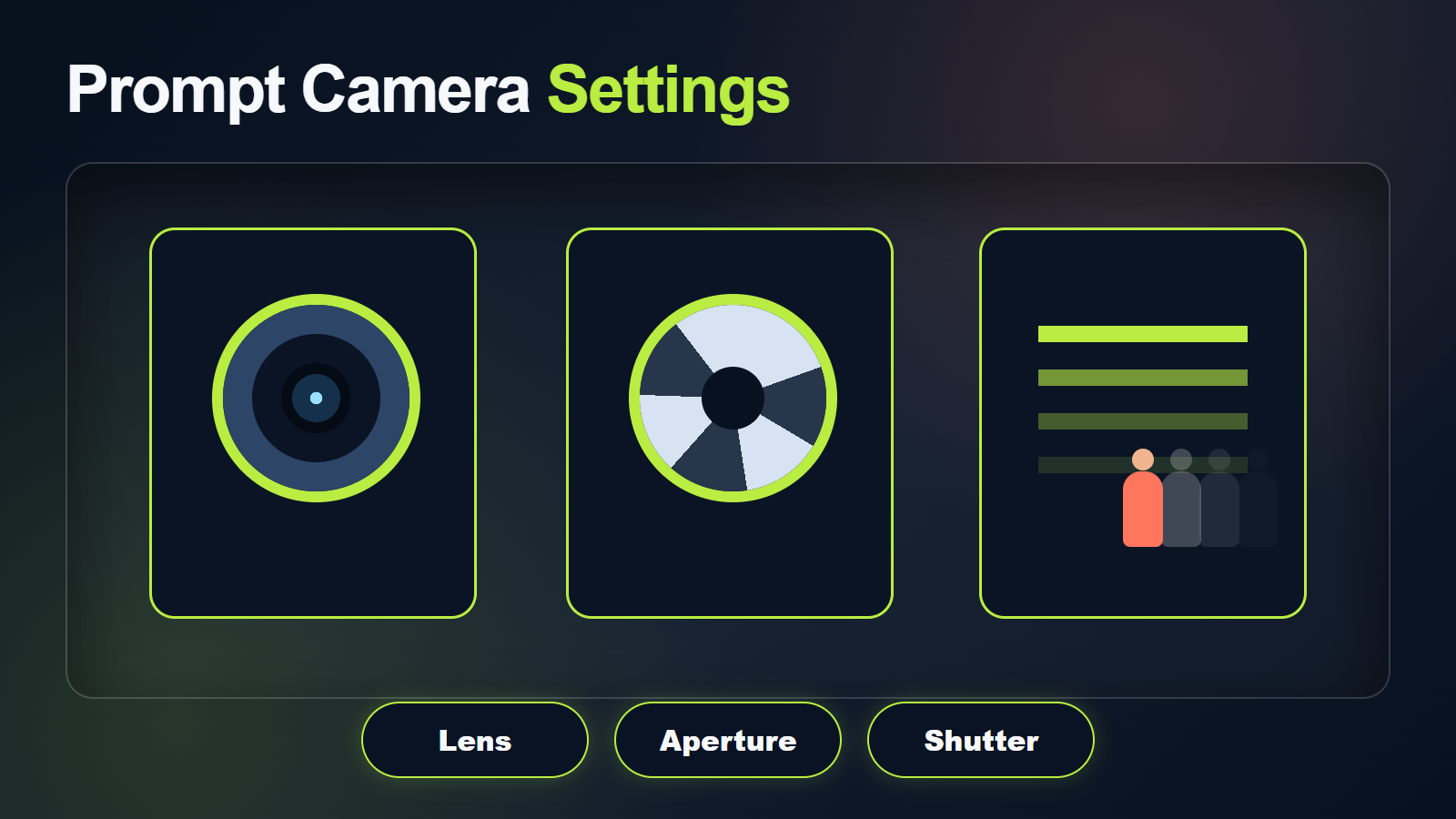
A moderate lens keeps the roll readable through straight environmental lines. A very wide look adds edge stretch and convergence that can compete with the diagonal. A long lens may reduce spatial cues, making a close portrait look merely cropped rather than rolled.
Dutch-Angle Starting Settings
| Control | Starting target | Visible goal |
|---|---|---|
| Roll | 10–18 degrees | Clearly intentional diagonal |
| Lens look | 35–50 mm | Readable environment and stable face |
| Aperture look | f/2.8–f/5.6 | Subject separation with visible reference lines |
| Frame rate | 24 fps | Cinematic cadence |
| Shutter look | 180 degrees | Natural motion blur |
| Movement | Locked roll | Separate angle from camera motion |
Keep lighting motivated by the physical set, not rotated with the frame. A window key remains attached to the window even though it appears diagonal on screen. Prompted aperture and shutter values are normally visual targets; inspect depth, blur, focus, and exposure in the output.
Dutch-Angle Prompt Formula
Write subject, action, fixed camera position, exact roll, lens/exposure look, lighting, continuity, and exclusions. Repeat that the person and architecture remain physically upright.
Copyable Dutch-Angle Template
Dutch-angle [shot size] of the same [subject] in [fixed wardrobe and scene].
Action: [one clear action].
Camera: [height and distance], fixed pitch and position, rolled [degree] [clockwise/counterclockwise].
The subject stands upright; the horizon and vertical architecture appear diagonal.
Movement: [locked or one simple move]. Lens look: [focal length].
Exposure look: [aperture], [shutter], [frame rate]. Lighting: [fixed physical direction].
Preserve face, body, wardrobe, props, set geometry, screen direction, and light direction.
No subject lean, bending walls, changing roll, unintended orbit, focus flicker, or extra limbs.
Worked Dutch-Angle Example
“Dutch-angle medium shot of the same night manager in a gray uniform inside the same green hotel corridor. He stops at room 14 and raises one key card. Camera at chest height, four meters away, fixed position and pitch, rolled 14 degrees clockwise from the viewer’s perspective. The manager stands upright; doors and ceiling lights appear diagonal. Locked frame, natural 40 mm look, f/4 depth-of-field look, 180-degree shutter at 24 fps. Green practicals remain fixed along the ceiling, soft face fill from camera-left. Preserve face, uniform badge, key card, door spacing, carpet pattern, and light direction. No subject lean, rolling animation, bent corridor, zoom, orbit, or focus pumping.”
Camera-Roll Model Workflow
A strong reference can create a Dutch angle in many image-to-video models. Explicit roll control is implementation-specific. Verify the official examples and configuration rather than assuming the word “roll” maps to a physical camera trajectory.
Verified Camera-Control Projects
- UCPE explicitly documents absolute orientation encoding for controllable pitch and roll, as well as intrinsics and distortion.
- CamI2V/RealCam-I2V publishes image-to-video camera trajectory checkpoints, examples, and evaluation code.
- CameraCtrl represents per-frame camera position and orientation and provides trajectory visualization.
- MotionCtrl separates camera and object motion in its research workflow.
Camera orientation does not lock the face, wardrobe, set, voice, or lips. A perfectly rolled trajectory can still contain drifting content.
Dutch-Angle Production Steps
- Define the story beat and why stability changes.
- Approve a level reference and save it.
- Create a rolled shot reference with complete corners.
- Record roll direction and visual degree.
- Generate a short locked-camera test.
- Compare identity, geometry, lighting, and roll across the clip.
- Change one variable at a time.
- Add a slow push or roll animation only after the locked shot passes.
- Edit against level coverage to preserve meaning.
Continuity, Voice, and Lip Sync
Review horizon angle, subject posture, face, body, wardrobe, prop, architecture, screen direction, and lighting separately. The most common false Dutch angle comes from a leaning person or bending set rather than a rolled camera.
Voice identity, speech synthesis, lip sync, and body rhythm are separate technical stages. Obtain consent for synthetic voices, preserve provenance, and stabilize the visual shot before applying dialogue. Animated camera roll can make lip-sync defects harder to inspect, so review a level playback or facial crop as well.
Dutch-Angle Limitations and Fixes
Dutch-Angle Troubleshooting Table
| Failure | Likely cause | Fix |
|---|---|---|
| Subject leans with frame | Roll and pose were conflated | State subject upright and use a rolled reference |
| Walls bend | Model invents diagonal geometry | Strengthen level set reference and shorten duration |
| Angle drifts over time | Roll not conditioned or prompt is weak | Use a locked reference or explicit supported trajectory |
| Looks accidental | Roll is too small | Use a clearer 10–18 degree visual target |
| Feels gimmicky | Roll is too steep or overused | Reduce degree and reserve it for one beat |
| Lighting rotates | Light described relative to frame | Anchor light to a physical window or fixture |
| Focus and motion wobble | Too many simultaneous controls | Lock roll and remove extra camera moves |
Dutch-Angle Review Checklist
- The horizon angle is clearly intentional and stable.
- The subject stands upright relative to the physical floor.
- Walls, doors, and furniture remain rigid.
- Face, wardrobe, prop, screen direction, and light stay consistent.
- Only the requested action and camera behavior occur.
- Voice, pronunciation, lip sync, and body rhythm pass separate checks.
Edit AI videos here
Trim unstable frames, contrast the Dutch angle with level coverage, add authorized dialogue, sound design, captions, transitions, and delivery exports at https://ai.alphatechnologies.vn. Save both the level and rolled references with the prompt, seed, model, and settings.
Dutch-Angle Final Recommendation
Roll the camera for a story reason, not as generic style. Start with 10–18 degrees, a moderate lens look, clear architectural lines, and a locked frame. Preserve subject posture and physical light direction. Explore more official-source AI camera workflows and practical shot guides on Aikolhub.
Dutch-Angle FAQ
What is a Dutch angle?
It is a shot made by rolling the camera around its optical axis so the horizon and vertical lines appear diagonal.
How many degrees should I roll?
Start around 10–18 degrees for a clearly intentional effect. Use less for subtle unease and more only when strong disorientation supports the story.
Should the subject lean too?
Usually no. Keep the person upright relative to the physical floor so the camera roll, not a body lean, creates the Dutch angle.
Can the camera roll during the shot?
Yes, if the model or trajectory system supports it. Prove a locked roll first, then test one slow roll without competing camera moves.
Does a Dutch angle affect lip sync?
Roll does not create lip sync, but movement can hide defects. Use authorized clean speech, a dedicated supported stage, and review the face separately.
Official sources: UCPE, CamI2V/RealCam-I2V, CameraCtrl, and MotionCtrl.