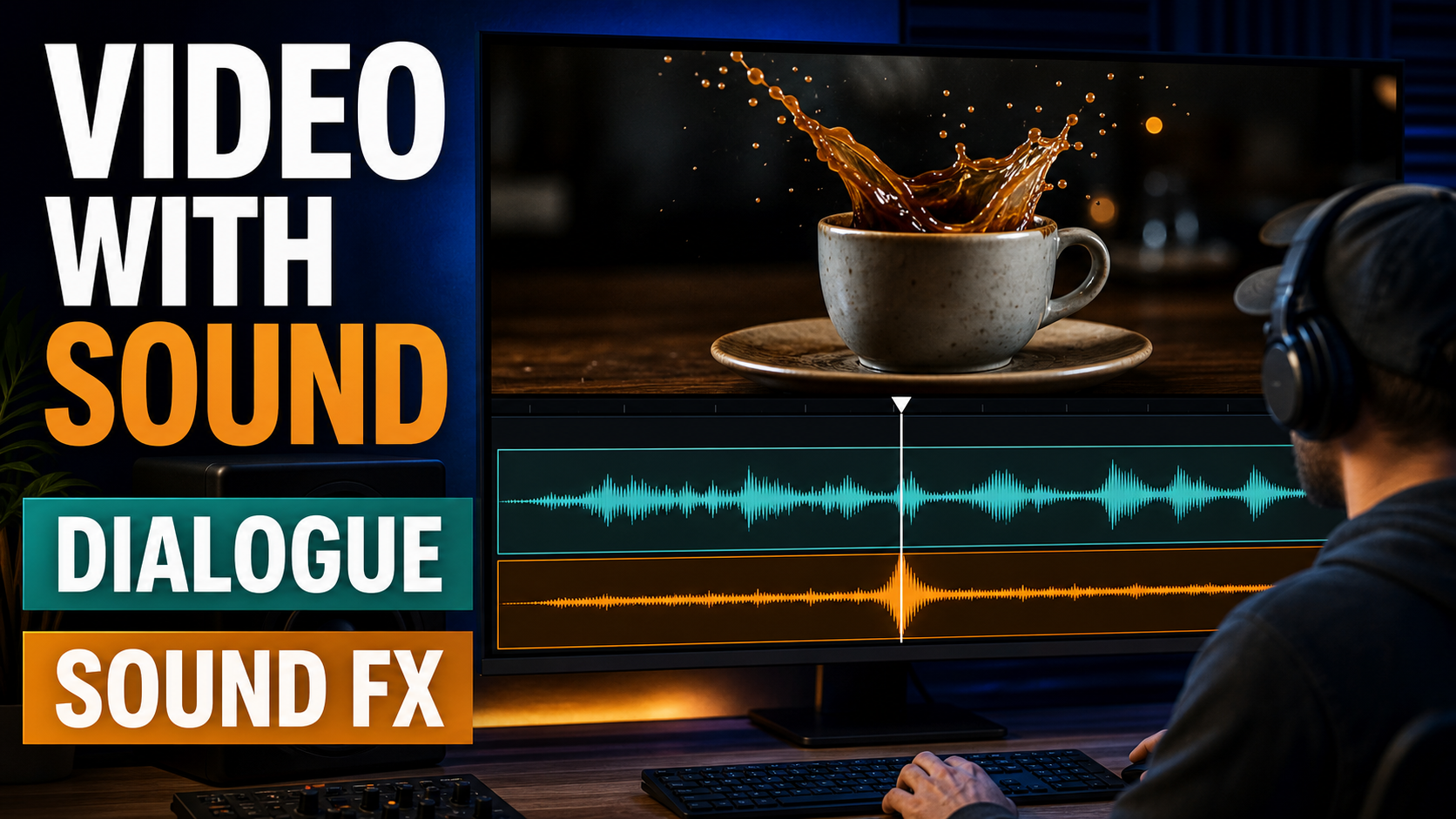
AI video with synchronized audio can now generate a visual clip, dialogue, ambience, and sound effects as one coordinated scene. For advertisers and short-film creators, that means faster concept testing and fewer manual steps, but the output still needs human review for timing, speech clarity, rights, and brand accuracy.
Updated July 14, 2026, this guide reflects official information from Google DeepMind and OpenAI. Google describes Veo 3.1 as a video model with native audio, including sound effects, ambient noise, and dialogue. OpenAI describes Sora 2 as generating video with synchronized audio, although its API model page currently labels Sora 2 as legacy. Availability can vary by product, plan, region, and API, so check the official interface or documentation before planning production.
What is AI video with synchronized audio?
AI video with synchronized audio is a generative workflow in which the model creates moving images and matching sound together. The sound may include spoken lines, footsteps, impacts, room tone, weather, music-like background elements, or product sounds that occur at the right visual moment.
This is different from adding a random soundtrack after generation. The model interprets the scene as an audiovisual event: a cup touches a table, a door closes, a character speaks, or a crowd reacts. When it works, the audio timing supports the action and makes an eight-second clip feel more complete.
Why synchronized sound matters for ads and short films
Sound gives viewers information that an image cannot deliver alone. A crisp product click suggests precision, room ambience establishes location, and a short spoken line can communicate a benefit before a viewer scrolls away. Native audiovisual generation also makes rough storyboards easier to evaluate because stakeholders can judge the whole moment rather than imagine the missing soundtrack.
| Use case | Useful audio | Primary quality check |
|---|---|---|
| Product ad | Clicks, pours, package opening, short voice line | Sound lands on the visible action |
| Social video | Hook dialogue, ambience, transition accent | Message is clear on a phone speaker |
| Short film | Character dialogue, room tone, environmental effects | Voice and scene remain consistent between shots |
| Explainer | Narration and subtle interface sounds | Words match approved product facts |
| Concept pitch | Mood, temporary dialogue, cinematic effects | Everyone knows audio is provisional |
What current models officially support
Google DeepMind states that Veo 3.1 generates audio natively and can add dialogue, ambient noise, and sound effects. Its official model page also reports evaluation results for text-to-video-and-audio and says human raters preferred Veo 3.1 for audio-video alignment in the reported comparison. Google still lists natural, consistent spoken audio—especially short speech segments—as an area of active development.
OpenAI introduced Sora 2 as a video-and-audio generation model with synchronized dialogue and sound effects. The current API model documentation describes 720p portrait and landscape video with synced audio, but also marks Sora 2 as legacy. OpenAI additionally states that the standalone Sora product is no longer available as of April 26, 2026. Teams should therefore verify the current API path and avoid assuming that an older Sora interface remains available.
These facts show that synchronized audio is a real production capability, not a speculative feature. They do not guarantee perfect dialogue, universal access, or final-delivery quality in every generation.
A practical AI video and audio workflow
The most reliable workflow treats generation as a first pass. Plan one clear audiovisual beat, generate short variations, inspect synchronization, then edit and replace any weak element.
1. Write the scene as timed beats
Describe what viewers see and hear in chronological order. Keep one main action per shot. A compact beat sheet prevents the prompt from becoming a list of unrelated sounds.
- 0–2 seconds: establish the product and location.
- 2–5 seconds: show the key action and its sound.
- 5–8 seconds: deliver the spoken benefit or visual payoff.
2. Separate dialogue, ambience, and effects
Name each audio layer explicitly. Dialogue communicates meaning, ambience establishes the environment, and sound effects emphasize visible actions. If every layer is loud or dramatic, the result becomes muddy.
3. Generate several short variations
Create variations with the same scene structure but small changes in camera motion, delivery, or sound intensity. Short clips are easier to review and replace than a long sequence with one failed moment.
4. Review before extending the scene
Watch once with headphones, once through a phone speaker, and once muted. The clip should work visually without sound, while the audio should add clarity rather than compensate for confusing action.
5. Finish in an editor
Trim awkward frames, level loudness, add captions, remove unusable dialogue, and replace music or effects when licensing or quality is uncertain. Save the generation prompt, model, date, and approved final assets for your records.
Prompt formula for synchronized AI video
A strong prompt identifies the shot, action, timing, dialogue, ambience, effects, and exclusions. Use plain descriptions rather than stacking style adjectives.
Prompt formula: [shot and camera] + [subject and visible action] + [sequence timing] + [exact dialogue] + [ambient sound] + [action sound] + + [what to avoid].
Product-ad example: Close-up commercial shot of a chilled sparkling-water can on a stone counter. The camera slowly pushes in. At two seconds, a hand opens the can and a crisp metallic snap occurs exactly as the tab moves. Fine bubbles fizz softly. A calm voice says, “Bright flavor, clean finish.” Quiet rooftop ambience, clear speech, restrained sound effects, no background music, no logos, no extra words.
Short-film example: Medium shot in a quiet train carriage at night. Rain moves across the window while the camera gently tracks left. A woman looks at an empty seat and says softly, “You always chose the window.” Low train rumble and rain ambience, natural pause before the line, subtle fabric movement, no dramatic score, no crowd voices.
Prompt tips
- Put spoken words in quotation marks and keep them brief.
- Connect each effect to a visible action: “the click occurs as the latch closes.”
- State the intended balance: clear voice, quiet ambience, restrained effects.
- Avoid asking for several speakers, multiple locations, and many actions in one short clip.
- Generate dialogue and a no-dialogue alternative so editors have options.
Quality checklist before publishing
A generated clip is ready only when the visual story, sound, and business claims survive a deliberate review.
- Dialogue matches the script and contains no invented product claim.
- Lip movement is acceptable at normal speed, not only frame by frame.
- Impacts, footsteps, clicks, and transitions occur with the visible action.
- Ambience matches the location and does not jump between cuts.
- No accidental voices, distorted words, fake logos, or background text appear.
- Speech is intelligible on headphones and small speakers.
- Captions are accurate and timed for silent viewing.
- Music, voices, likenesses, reference images, and uploaded assets have appropriate rights.
- AI disclosure and watermark requirements have been checked for the target platform.
- A human has approved the final export, not just the generation preview.
Pros and cons
| Pros | Cons |
|---|---|
| Faster audiovisual concept creation | Speech can still sound inconsistent or incoherent |
| Effects can align automatically with visible actions | One audio error may require regenerating the whole clip |
| Useful for pitches, social tests, and storyboards | Availability differs by product, plan, and region |
| Reduces handoff steps during early ideation | Rights and disclosure checks remain necessary |
| Lets small teams explore cinematic scenes | Editors still need separate control for final delivery |
When should you keep audio separate?
Use separate production audio when exact wording, actor performance, multilingual dubbing, music licensing, accessibility, or broadcast loudness is critical. Native audio is excellent for ideation and can be usable in short social content, but a modular workflow gives editors more control when a client may change one line without changing the picture.
A practical hybrid is to generate the visual with ambience and effects, record or synthesize approved dialogue separately, then mix everything in an editor. This preserves useful synchronization while keeping the most sensitive message editable.
Edit AI videos here
After generating a synchronized clip, refine its pacing, captions, sound levels, and final aspect ratio in an editor. You can edit AI videos at https://ai.alphatechnologies.vn. Keep a silent version, a native-audio version, and a final mixed version so your team can compare results and reuse the visual across channels.
Final recommendation
AI video with synchronized audio is most valuable when a scene has one clear visual action and a small number of purposeful sound layers. Start with short beats, specify timing, generate alternatives, and let a human editor validate every word and sound before publishing.
Explore AI tools on Aikolhub to compare video generators, voice tools, image models, and creative workflows for your next campaign or production.
FAQ
Can AI video generators create dialogue and sound effects together?
Yes. Official documentation for Google Veo 3.1 and OpenAI Sora 2 describes video generation with dialogue or sound effects synchronized to the video.
Is synchronized AI audio always accurate?
No. Timing, speech coherence, lip movement, and consistency can fail. Google explicitly identifies natural, consistent spoken audio as an area still being improved.
Is Sora 2 still available?
OpenAI’s current API documentation lists Sora 2 but labels it legacy. OpenAI also says the standalone Sora product ended on April 26, 2026. Verify current API access before building a workflow around it.
Should ads use native AI dialogue?
Use it for concepts and short tests, but verify every word. For regulated claims, client approvals, localization, or precise performance, separate approved voice production is safer.
How do I improve audio-video synchronization?
Use one visible action per beat, tie sounds to exact actions, keep dialogue short, reduce competing audio layers, and generate multiple variations.
Do I still need a video editor?
Usually yes. An editor is needed for trimming, captions, loudness, aspect ratios, replacements, brand review, and final delivery quality.