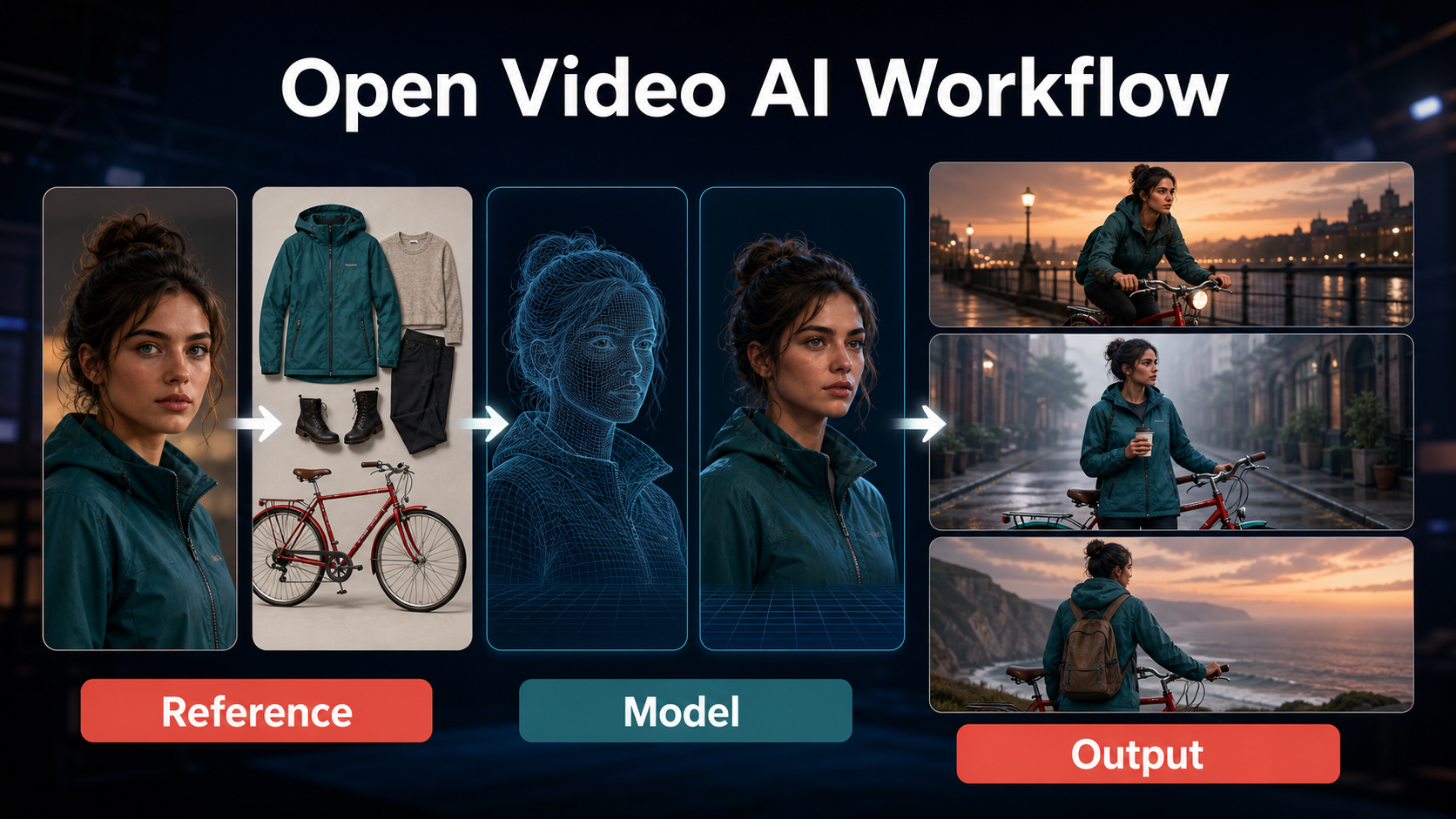
For dependable Wan2.2 A14B character consistency, use the I2V-A14B checkpoint, begin with a production-ready reference frame, and treat face, wardrobe, props, scene geography, motion, and voice as separate controls. The model can anchor a shot to an image, but it cannot turn one picture into an automatically consistent multi-scene character or clone that character’s voice.
This workflow was verified on August 9, 2026 against the official Wan2.2 repository, model cards, inference commands, and Apache-2.0 license. The safest pattern is to generate short visual shots, approve continuity between passes, create consented speech separately, and edit approved clips into a sequence.
Table of Contents
What Changed in Wan2.2 A14B
Wan2.2 introduced a two-expert mixture-of-experts design for the A14B family. The official description assigns a high-noise expert to early layout and a low-noise expert to later detail. Only one expert is active at a time, so the family has 27 billion total parameters but about 14 billion active parameters per denoising step. That architecture can increase capacity without making continuity automatic.
The official repository lists separate T2V-A14B and I2V-A14B checkpoints, both supporting 480P and 720P. It also lists TI2V-5B, S2V-14B, and Animate-14B as different task families. Do not treat “Wan2.2” as one interchangeable checkpoint.
Choose the Correct Checkpoint
- I2V-A14B: use when a designed reference frame should establish the first shot and visual identity.
- T2V-A14B: use for exploration when no reference image is required; identity can drift more easily between independent generations.
- S2V-14B: use when audio must drive a speaking or singing character. It is a separate checkpoint, not a hidden A14B audio switch.
- Animate-14B: use for character animation or replacement driven by source motion. Its preprocessing and controls differ from I2V.
For a narrative sequence, I2V-A14B is the practical base for establishing shots and inserts, while S2V or a dedicated lip-sync stage handles visible dialogue.
Hardware, Installation, and License
The official single-GPU T2V-A14B and I2V-A14B commands state a minimum of 80 GB VRAM. They use model offload and dtype conversion; the repository recommends adding --t5_cpu when memory remains tight. Community quantization may lower requirements, but it is not the official reference claim and can change quality, speed, and reproducibility.
Official Installation Path
git clone https://github.com/Wan-Video/Wan2.2.git; cd Wan2.2; pip install -r requirements.txt; pip install "huggingface_hub[cli]"; huggingface-cli download Wan-AI/Wan2.2-I2V-A14B --local-dir ./Wan2.2-I2V-A14BThe repository requires PyTorch 2.4.0 or newer and notes that FlashAttention should be installed last if its build fails. Pin a tested commit, CUDA stack, and dependency lock for production rather than updating the environment in the middle of a project.
Wan2.2’s repository and official model cards identify Apache License 2.0. Keep the license and notices with redistributed code or weights, verify licenses for every dependency and fine-tune, and review consent and publicity rights for supplied images and voices.
Practical Resource Checklist
| Decision | Verified starting point | Production note |
|---|---|---|
| Checkpoint | I2V-A14B | Best official A14B path for a reference-led shot |
| Resolution | 480P preview, 720P final | Both are officially supported |
| GPU | 80 GB reference path | Use offload and dtype conversion |
| Environment | PyTorch 2.4+ | Pin repository commit and CUDA versions |
| License | Apache-2.0 | Check downstream assets and dependencies too |
Build the Reference and Prompt Context
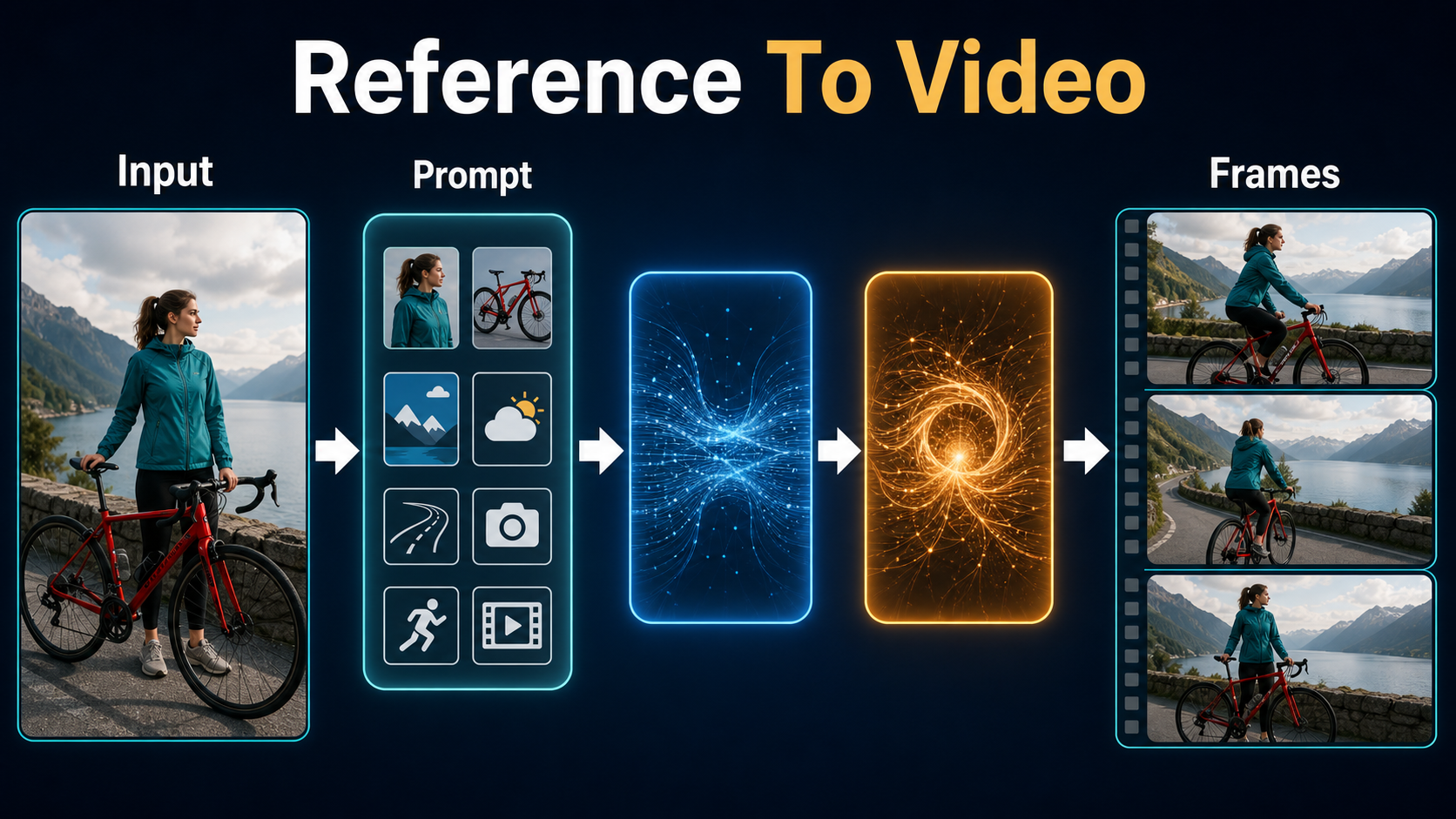
The reference frame should already look like a frame you would approve. A weak or contradictory source forces the model to invent details during motion. Design at the intended aspect ratio, keep hands and props readable, use one motivated light direction, and avoid tiny repeated patterns that can shimmer.
Reference-Frame Checklist
- One fictional or consented subject with a clear face at the required shot size.
- Exact hairstyle, wardrobe color, fabric, accessories, and footwear.
- Prop shape, color, scale, orientation, and the hand that holds it.
- Foreground, middle ground, background landmark, weather, and time of day.
- Lens look, camera height, horizon, focus plane, and light direction.
- No accidental text, warped fingers, duplicated objects, or ambiguous silhouettes.
Copyable I2V Prompt Template
Motion prompt: “Use the supplied frame as the opening composition. The woman in the teal waterproof jacket walks two measured steps beside the same red bicycle, keeping her right hand on the black handlebar. A slow lateral camera track creates gentle foreground parallax. Preserve face, hair bun, jacket, bicycle frame, wet pavement, skyline, overcast light direction, and exposure. Stable anatomy, stable geometry, no cut, no zoom, no new people.”
Describe changes before locks: subject action, camera action, capture cadence, then continuity constraints. Avoid asking for an orbit, wardrobe movement, complex hand action, weather transition, and dialogue in the same short clip.
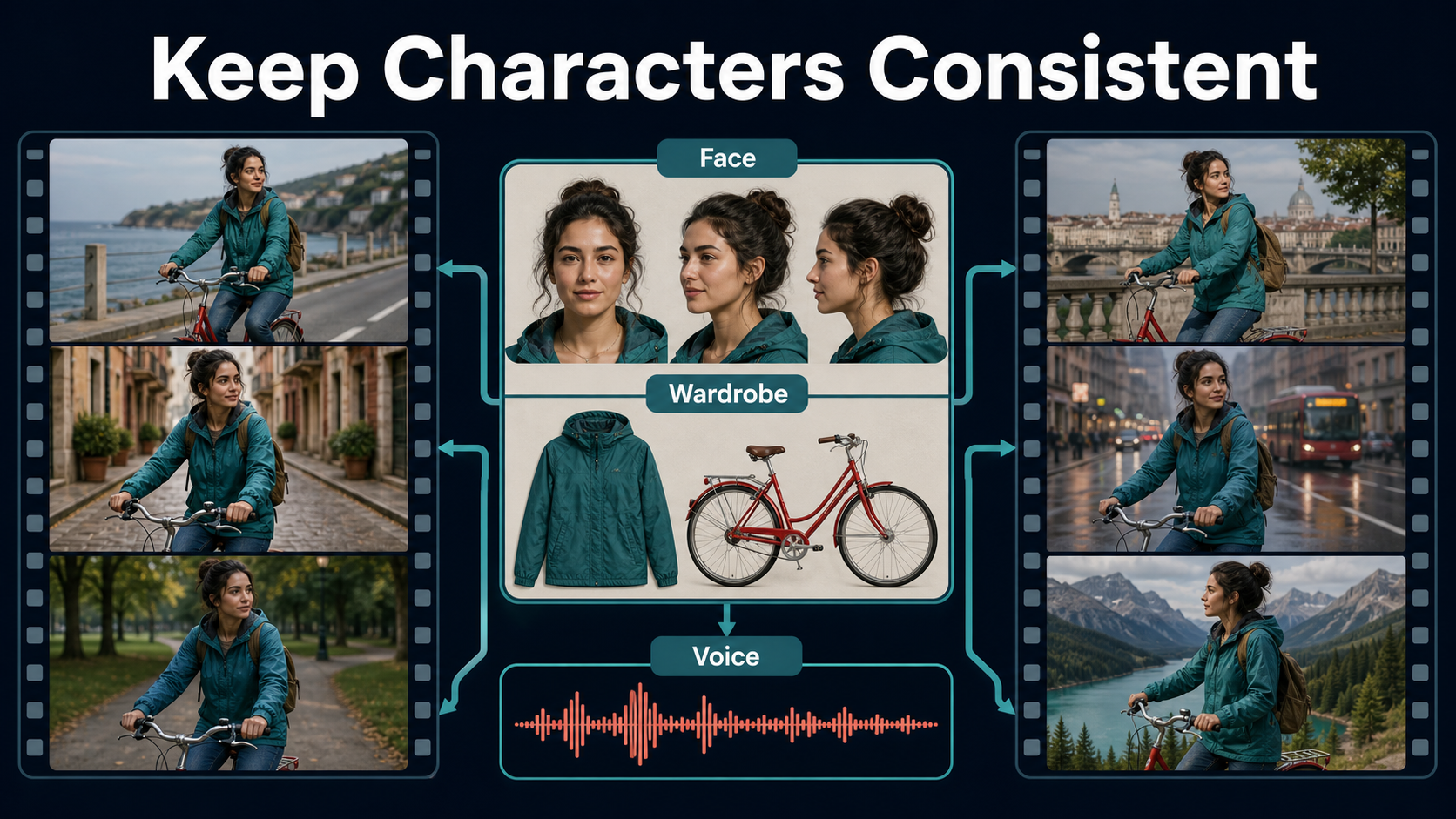
Control Character and Scene Consistency
Consistency is a review process, not one setting. Build a character sheet with front, three-quarter, and profile views; a wardrobe and prop card; an environment bible; and a shot record. Use those materials to create a new first frame for every camera setup instead of asking a finished clip to invent the next location.
Separate the Continuity Tests
- Identity: compare eye spacing, nose, jaw, hairline, and proportions.
- Wardrobe and props: compare color, material, closures, wear, hand, and orientation.
- Scene: compare geography, landmark position, weather, time, and light direction.
- Motion: inspect body mechanics, contact points, camera path, and temporal flicker.
- Voice: compare speaker timbre and pronunciation independently from lip timing.
Approve each dimension before advancing. A beautiful frame with the wrong bicycle is still a failed continuity take.
Shot-Record Template
Shot 04B; Checkpoint I2V-A14B plus pinned commit; Reference teal-jacket-bike-wide-v03.png; Resolution 480P preview and 720P final; Motion two steps and slow track right; Locks face, jacket, bicycle, skyline, overcast key; Audio approved voice take v05; Result approved frames 9-72Handle Voice and Audio Consistency
I2V-A14B does not generate, preserve, or clone a voice. Record a performer or use a consented speech system, lock pronunciation and loudness, and save the approved clean master. If the character must speak on camera, use S2V-14B or a dedicated lip-sync process after visual identity is approved.
Voice identity, speech synthesis, lip sync, and audio-driven body motion are four different tasks. Keep provenance for recordings and synthetic speech, obtain explicit permission for a recognizable voice, and never imply that a real person said words they did not approve.
Practical Production Workflow
- Write a one-page character and environment bible.
- Create the hero reference and inspect face, hands, wardrobe, and props at full size.
- Install the pinned official repository and download I2V-A14B.
- Run a short 480P preview with one simple action and one camera move.
- Compare the take against the continuity pack; change one variable at a time.
- Render the approved setup at 720P, preserving prompt, seed, checkpoint, and settings.
- Create speech separately and run dialogue animation only where a visible mouth requires it.
- Trim unstable heads and tails, match color and sound, add captions, and export a master.
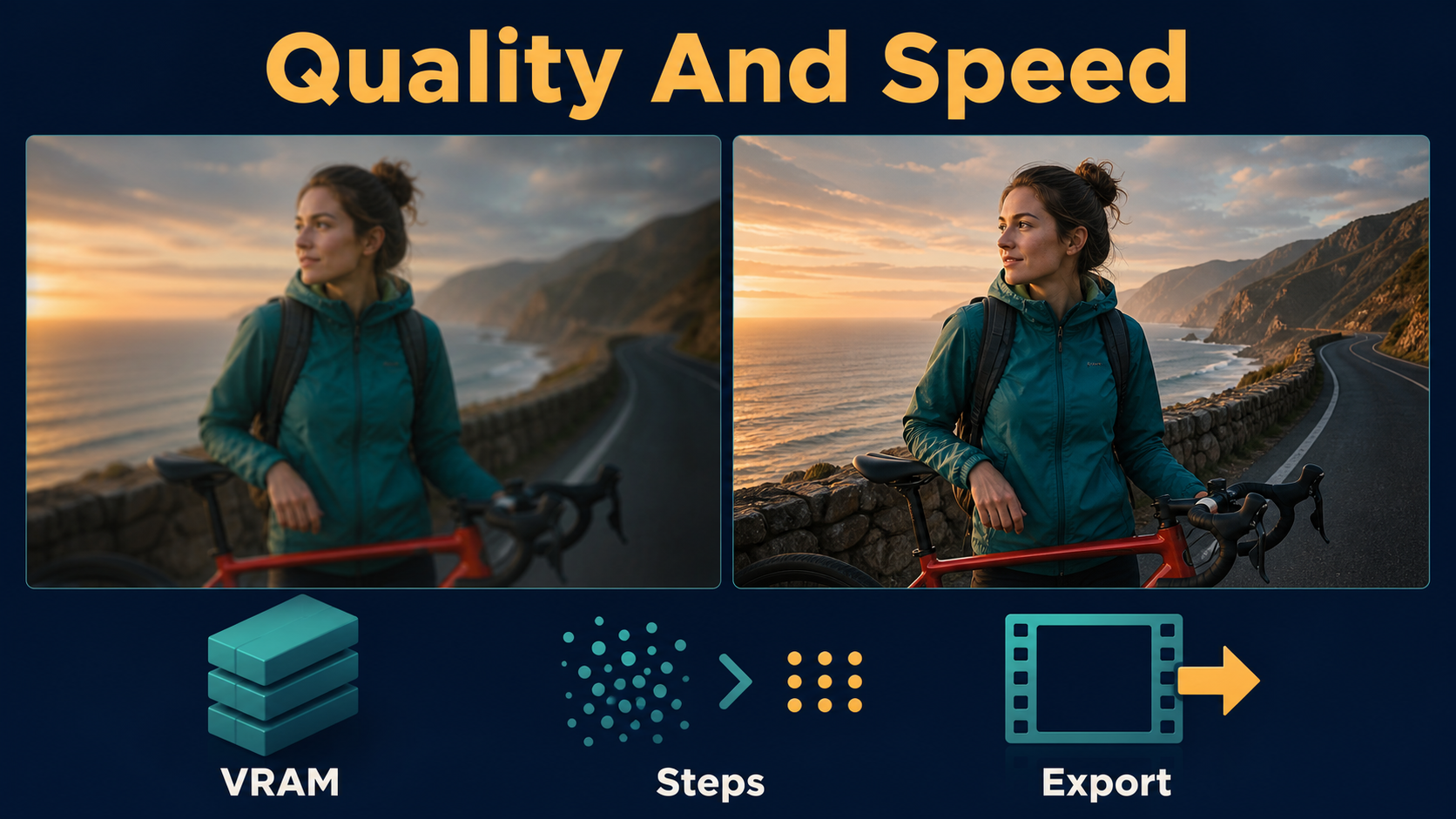
Preview-to-Final Settings
| Pass | Purpose | Recommended choice | Approval gate |
|---|---|---|---|
| Reference | Lock design | Final aspect ratio, clean anatomy | Character and scene sheet match |
| Preview | Test motion | Short 480P clip | Identity and geometry survive |
| Final | Delivery source | 720P official A14B path | No drift, flicker, or new objects |
| Audio | Lock voice | Separate clean master | Consent, pronunciation, timing |
| Export | Publish | Constant frame rate master | Color, captions, peaks, rights |
Limitations
A first frame can guide appearance but cannot reveal unseen sides of a face, prop, or room. Large camera moves require the model to invent hidden geometry. A stable seed is useful for reproducibility but does not guarantee the same identity across new compositions. Exact focal length, shutter, and frame-rate words may be interpreted stylistically unless the pipeline exposes those controls.
The official 80 GB reference path is expensive, and third-party low-memory paths trade speed, precision, or support. Generated people may still show anatomy errors and bias. Review licenses, consent, provenance, and disclosure requirements before commercial use.
Troubleshooting
Fast Fix Table
| Failure | Likely cause | Fix |
|---|---|---|
| Face changes mid-shot | Small face or excessive motion | Use a closer reference, shorter clip, simpler action |
| Jacket or prop mutates | Ambiguous material or occlusion | State color, fabric, hand, shape, and orientation |
| Background melts | Unseen geometry exposed | Replace orbit with a short push or lateral track |
| Light flickers | Competing sources | Lock one key direction, weather, and exposure |
| Out of memory | Official A14B footprint | Enable offload, dtype conversion, and T5 CPU; reduce preview size |
| Speech does not match | I2V treated as lip sync | Use S2V or a dedicated dialogue pass |
Edit AI videos here
Assemble approved takes, remove unstable frames, align the consented voice track, add captions, and create final exports at https://ai.alphatechnologies.vn. Editing is where separate generations become a coherent story, so preserve handles and avoid locking music or narration until visual timing is stable.
Final Recommendation
Use I2V-A14B as a shot generator inside a continuity system: design the first frame, move one thing at a time, inspect identity and scene separately, and reserve voice and lip sync for dedicated stages. Start at 480P, promote only approved setups to 720P, and keep every reference, prompt, seed, checkpoint, audio master, and rights record. Explore Aikolhub for more practical AI-video workflows as you build a repeatable production stack.
Frequently Asked Questions
Does A14B support character reference images?
I2V-A14B accepts an input image and generates video from it. That anchors the opening appearance, but it does not guarantee identity across multiple unrelated shots.
Does A14B generate or clone a voice?
No. T2V-A14B and I2V-A14B are visual models. Use consented audio plus S2V-14B or a dedicated dialogue process when speech must drive the character.
How much VRAM does the official A14B path require?
The official single-GPU examples state at least 80 GB VRAM. Offload, dtype conversion, and T5 CPU options reduce memory pressure, while third-party optimizations are separate claims.
Should I use T2V or I2V for consistency?
Use I2V when visual identity matters because the input frame supplies concrete appearance and composition. Use T2V for exploration or when no first-frame design exists.
Can one seed guarantee a consistent character?
No. A seed helps reproduce a setup, but composition, reference conditioning, prompt, checkpoint, and motion also affect identity. Keep a full shot record.