LoRA is a lightweight way to adapt an AI image model to a specific style, character, product, or visual theme without training the full base model from scratch. Instead of changing every model weight, LoRA trains small adapter weights that sit on top of a frozen model, making the result easier to store, test, share, and swap.
Updated on June 27, 2026, this guide uses current official documentation from Hugging Face PEFT, Hugging Face Diffusers, kohya-ss sd-scripts, and Stability AI model cards. The practical takeaway is simple: LoRA is useful when you need repeatable visual identity, but you still need clean training data, license checks, and careful testing before commercial use.
Table of Contents
What is LoRA?
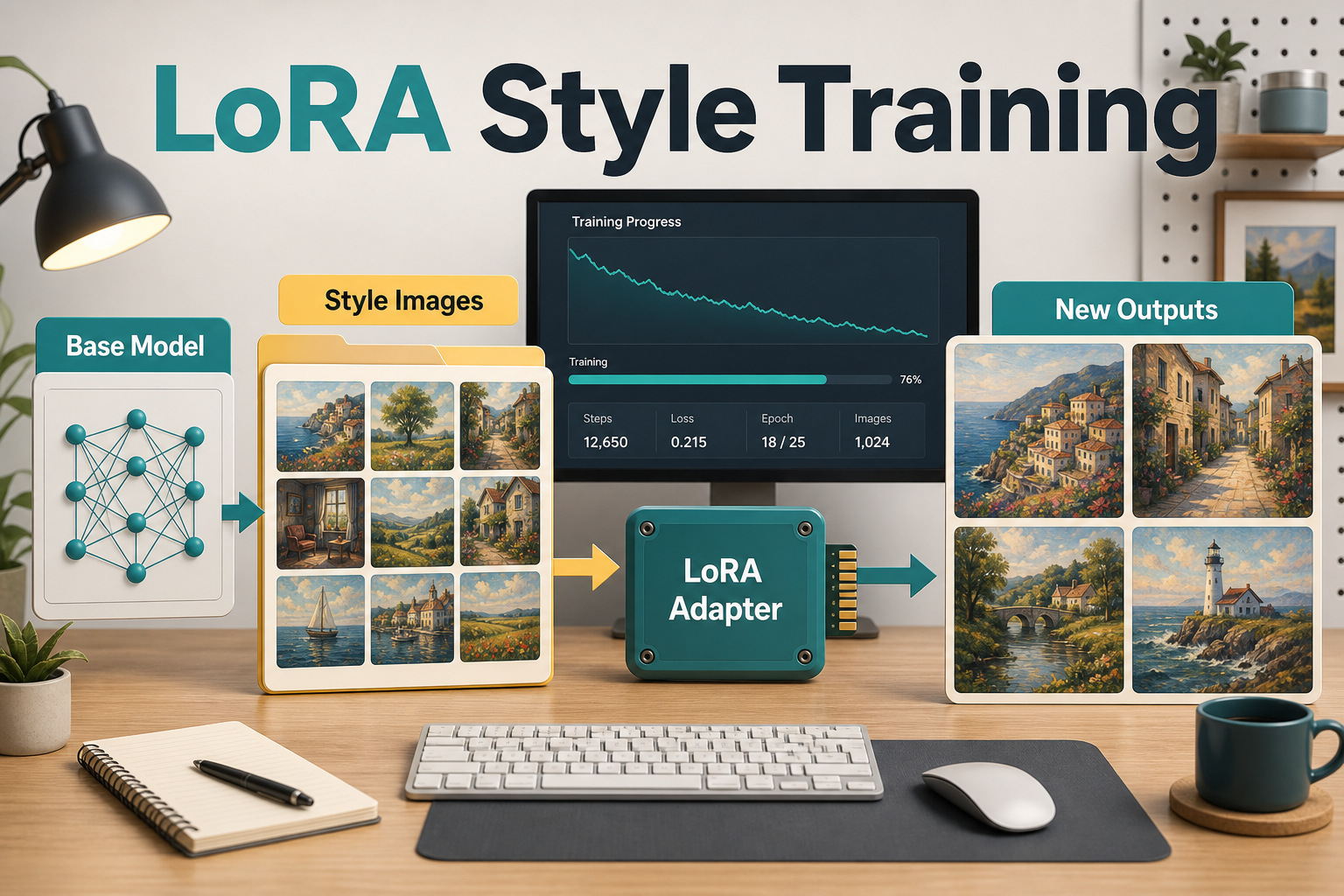
LoRA stands for Low-Rank Adaptation. Hugging Face PEFT describes it as a technique that keeps the original pretrained weights frozen while training smaller update matrices. Those adapter weights can then be combined with the base model at generation time, or merged into the model for some workflows.
For AI images, think of the base model as the general visual engine and the LoRA as a small style or identity add-on. The base model may already know how to draw people, products, rooms, icons, landscapes, and lighting. Your LoRA teaches it a narrower pattern: your brand illustration style, a fictional character, a product angle, a clothing collection, or a visual motif for a campaign.
Why creators use LoRA for AI images
Creators use LoRA when prompt engineering alone is not consistent enough. A normal prompt can describe a style, but it may drift between generations. A LoRA gives the model a reusable visual memory that can be activated with a trigger word or loaded as an adapter.
| Use case | Why LoRA helps | Example |
|---|---|---|
| Brand illustration style | Keeps color, texture, and composition more stable. | Blog thumbnails with one recognizable visual system. |
| Fictional character | Improves repeatability across poses and scenes. | A mascot for tutorials, ads, or course content. |
| Product visuals | Can teach shape, material, or packaging patterns. | Consistent ecommerce concept images. |
| Campaign art direction | Makes seasonal or niche aesthetics easier to reuse. | Summer travel posters or cyberpunk product ads. |
| Internal creative testing | Lets teams compare styles without rebuilding the base model. | Several adapter options for one marketing campaign. |
How LoRA differs from full fine-tuning
Full fine-tuning updates much more of the model, while LoRA trains a much smaller set of parameters. That is why LoRA usually needs less storage and can be easier to iterate. Hugging Face Diffusers notes that LoRA is a lightweight training technique that reduces trainable parameters and can produce smaller model weights.
This matters for small teams. A creator does not usually need to retrain a large diffusion model just to get a repeatable watercolor food style or a consistent fictional guide character. A LoRA can be enough, especially when the base model is already strong at the general subject.
| Approach | Best for | Tradeoff |
|---|---|---|
| Prompt only | Fast experiments and one-off images. | Style and identity may drift. |
| LoRA | Reusable style, character, or visual theme. | Needs dataset preparation and testing. |
| DreamBooth plus LoRA | Specific subject identity with efficient training. | More setup and higher overfitting risk. |
| Full fine-tuning | Deep model adaptation or research. | More compute, storage, and operational complexity. |
When should you train a LoRA?
Train a LoRA only when you have a repeatable visual target and enough rights-cleared examples. If you need one social image, do not train. If you need fifty images in the same style over several months, a LoRA may save time.
Good signals
- You already have a clear reference set with a consistent style.
- You need the same character, product look, or art direction across many outputs.
- You can legally use the training images.
- You can test the LoRA against prompts outside the training set.
- You are comfortable tracking the base model, adapter version, captions, and settings.
Bad signals
- You only have a few low-quality screenshots or mixed styles.
- The references include copyrighted characters, celebrity likenesses, or unlicensed brand assets.
- You expect the LoRA to fix poor prompting, bad composition, or weak product references.
- You cannot document which base model and license were used.
Prepare the training dataset
The dataset is usually more important than the training command. Use clean images that show the thing you want the model to learn, not a messy mix of unrelated subjects. For a style LoRA, the style should be consistent across images. For a character LoRA, the character should appear clearly from multiple angles and expressions.
A practical starter set is 15 to 40 strong images for a narrow style or character experiment. More images can help, but only if they are relevant and captioned well. Weak images teach weak patterns. Duplicate images can cause overfitting. Random backgrounds can make the model learn the wrong thing.
Dataset checklist
- Use images you own, licensed images, or material with clear permission.
- Remove watermarks, random text, private faces, and brand logos unless those are allowed and intentionally part of the target.
- Crop or resize consistently for the training tool you use.
- Write captions that describe subject, style, angle, lighting, and important details.
- Keep a copy of the source folder and caption files for future audits.
Basic LoRA training workflow
The basic workflow is base model, dataset, captions, training script, test prompts, and iteration. Hugging Face Diffusers provides a LoRA training guide and training scripts. The kohya-ss sd-scripts project also documents LoRA training and lists support for Stable Diffusion 1.x/2.x, SDXL, SD3/SD3.5, FLUX.1, and other image models.
- Choose the base model that matches your output goal.
- Confirm the base model license and access rules.
- Prepare image folders and captions.
- Run a small training job with conservative settings.
- Generate test images with prompts that were not copied from training captions.
- Check identity, style strength, artifacts, hands, text, and unwanted memorization.
- Adjust rank, learning rate, captions, or dataset quality only after reviewing results.
Do not start by chasing the largest rank or longest training run. A LoRA that is too strong can overpower prompts and make every image look the same. A LoRA that is too weak may barely change the base model. The goal is controllable influence, not maximum memorization.
How to use a LoRA in ComfyUI or Diffusers
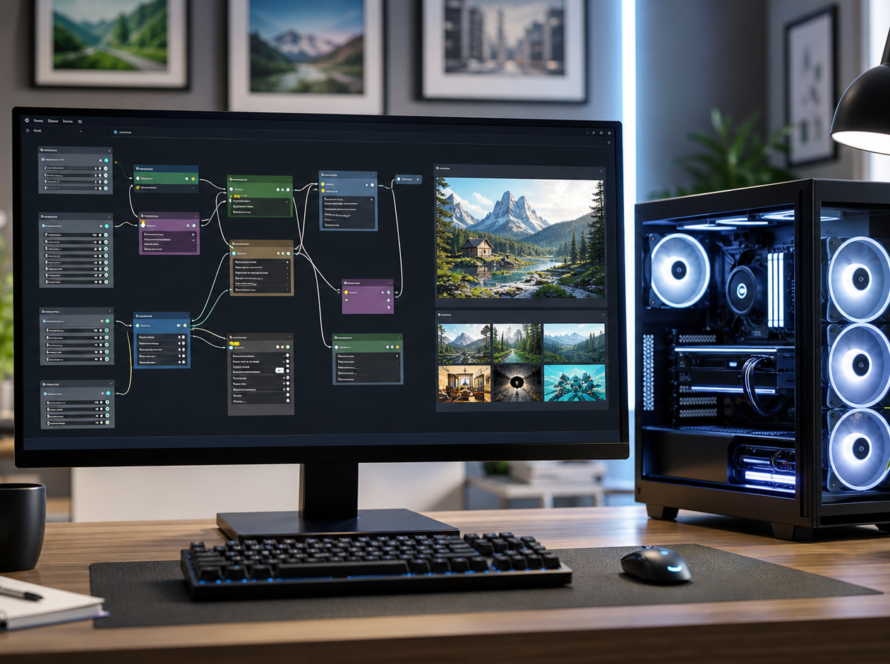
In practice, you load the base model, load the LoRA adapter, set a strength, and generate normally. In node-based workflows such as ComfyUI, that usually means placing a LoRA loader between the checkpoint and the sampler workflow. In Diffusers, adapter loading is handled programmatically through the library.
The most important habit is version control. Save the base model name, LoRA filename, training date, trigger word, recommended strength, test prompts, and sample outputs. Without those notes, a good LoRA becomes hard to reproduce later.
Prompt template
Use the LoRA style adapter at moderate strength.
Subject: modern skincare bottle on a clean studio table.
Style: [your trigger word], soft editorial lighting, warm paper texture, clean product composition.
Avoid: distorted label text, extra logos, copied brand marks, cluttered background.
For character work, keep the character identity block stable and change only the scene. For brand style work, keep the style trigger stable and vary product, layout, and campaign copy.
Commercial and copyright risks
LoRA does not remove copyright, likeness, trademark, or model-license obligations. You must check both the training data rights and the base model license. Stability AI’s Stable Diffusion 3.5 Large model card states that it is released under the Stability Community License, with free use for organizations or individuals under the listed annual revenue threshold and enterprise licensing required above that threshold. Check the official license before deploying.
Also avoid training on a living artist’s work, a celebrity, a private person, a protected character, or a competitor’s product identity without clear permission. If a LoRA makes outputs too close to the training examples, treat that as a red flag, especially for ads, merchandise, or client deliverables.
Pros and cons of LoRA
| Pros | Cons |
|---|---|
| Lightweight compared with full fine-tuning. | Still needs clean data and careful captions. |
| Easy to swap styles or characters. | Can overfit and repeat training images. |
| Useful for consistent brand visuals. | Base model compatibility matters. |
| Works well with open-source image workflows. | Licensing and data rights must be checked. |
| Can be shared as a small adapter file. | Quality varies with settings and dataset quality. |
Edit AI videos here
LoRA is especially useful when your image workflow feeds a video workflow. You can generate consistent character frames, product boards, thumbnails, or storyboard panels, then edit AI videos here: https://ai.alphatechnologies.vn. A practical workflow is to create approved still images with the LoRA, choose the most stable frames, and then assemble them into short social clips with captions, music, and platform-ready aspect ratios.
Final recommendation
Use LoRA when consistency matters more than one-off speed. It is a strong fit for creators, marketers, and developers who need repeatable AI image styles, fictional characters, product concepts, or campaign visuals. Start small, use rights-cleared data, track every version, and evaluate outputs against real prompts before relying on the adapter in production.
For more AI image, video, and open-source workflow guides, explore AI tools on Aikolhub and compare which models, editors, and automation tools fit your creative pipeline.
FAQ
Is LoRA only for language models?
No. LoRA started as a parameter-efficient adaptation method for large models, but official Diffusers documentation covers LoRA training for diffusion image workflows too.
How many images do I need to train a LoRA?
There is no universal official number. For a narrow style or character experiment, many creators start with a small curated set, then improve quality through testing rather than adding random images.
Can LoRA create a perfect character every time?
No. LoRA can improve consistency, but prompts, base model behavior, training data quality, and generation settings still affect the output.
Can I sell images made with a LoRA?
Only if your training data, base model license, LoRA license, and platform terms allow that use. Check official licenses before commercial publishing.
Does LoRA replace ComfyUI or Diffusers?
No. LoRA is an adapter technique. ComfyUI, Diffusers, and training scripts are tools that can train, load, or run LoRA adapters in different workflows.
What is the biggest LoRA mistake?
The biggest mistake is using unlicensed or messy training data, then assuming the adapter is safe for commercial work. Dataset quality and rights checks are part of the workflow.