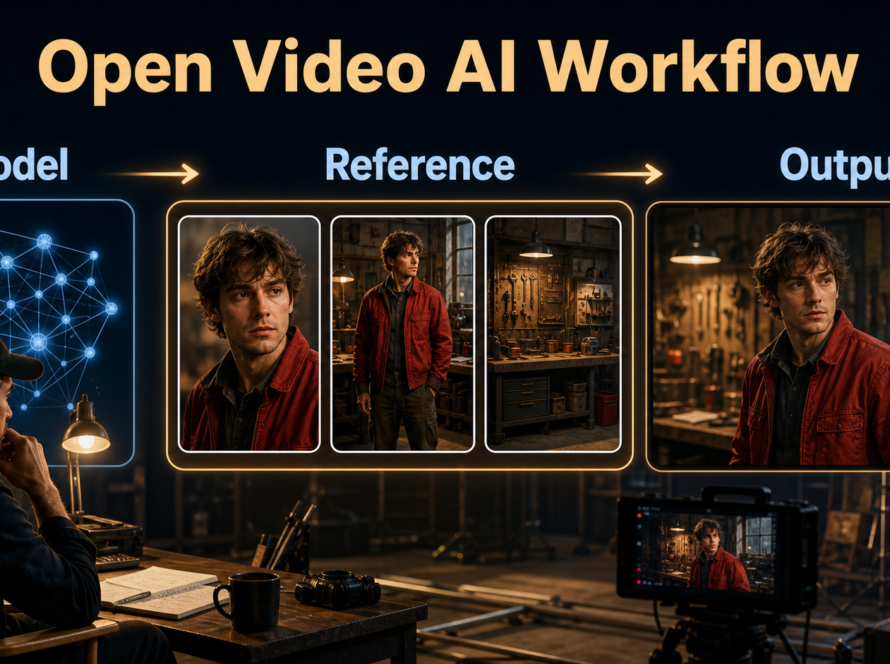
The safest CogVideoX1.5 local setup is a clean Python 3.10-3.12 environment, the official T2V or I2V checkpoint, and Diffusers memory controls enabled before the first render. Start with a short, seeded clip and inspect its beginning, middle, and end; a successful download is not evidence that the video workflow is stable.
This guide was verified against official sources on August 28, 2026. It focuses on installation and a reproducible image-to-video continuity case study. For render tuning and delivery choices, use Aikolhub’s separate CogVideoX1.5 production workflow.
Table of Contents

What changed and what to install
CogVideoX1.5 is still the latest 5B generation listed in the official CogVideo repository. The November 2024 update added higher-resolution, longer generation: the official table lists 1360 × 768 for T2V and flexible I2V dimensions where the shorter edge is 768, the longer edge is from 768 through 1360, and the maximum dimension is divisible by 16. The repository later added Diffusers support, DDIM inversion, and a recommendation to use CogKit for future fine-tuning work.
Verified release snapshot
The repository code remains available under Apache-2.0, but the 5B model parameters use the separate CogVideoX License. That license permits academic research and requires registration for a basic commercial license, with additional terms for services above its stated monthly-visit threshold. Call the 5B weights open-weight, read the current license yourself, and do not assume that the code license governs the weights.
Choose the correct checkpoint
| Goal | Official checkpoint | Best first test |
|---|---|---|
| Text creates the whole scene | zai-org/CogVideoX1.5-5B |
One subject, one action, fixed seed |
| Approved image anchors appearance | zai-org/CogVideoX1.5-5B-I2V |
One clean 16:9 reference and restrained motion |
Do not download both until one path works. The I2V checkpoint is the better fit for the continuity lab below because its first frame anchors the guide, jacket, prop, and greenhouse.
Hardware and installation
VRAM is not one universal minimum. Precision, CPU offload, VAE tiling, frame count, and resolution change the active requirement, while system RAM and transfer time become more important as more modules move off the GPU.

Use official memory claims carefully
The T2V model card reports Diffusers BF16 from 10 GB and INT8 from 7 GB with memory optimizations. The I2V card reports 9 GB BF16 minimum in its detailed table, while the repository’s combined table lists even lower optimized figures for a different configuration. These are official tested modes, not promises for every consumer GPU. The cards say testing used NVIDIA A100/H100 hardware and warn that disabling optimizations can roughly triple memory consumption.
Begin with sequential CPU offload plus VAE tiling and slicing. Expect slower generation and meaningful system-RAM use. If you have ample VRAM, remove one optimization at a time and record peak memory and render time. For a broader pipeline comparison, see the Diffusers video pipeline workflow; for other local options, compare the LTX-2.3 setup and HunyuanVideo-1.5 setup.
Create a clean environment
python -m venv .venv
.venv\Scripts\activate
python -m pip install --upgrade pip
pip install torch torchvision
pip install git+https://github.com/huggingface/diffusers
pip install "transformers>=4.46.2" "accelerate>=1.1.1" "imageio-ffmpeg>=0.5.1"
On Linux or macOS, activate with source .venv/bin/activate. Install the PyTorch build appropriate to your operating system and CUDA driver from the official PyTorch selector; a generic command cannot safely choose that combination. Keep free disk space for weights, caches, frames, and MP4 output. Record python --version, pip freeze, GPU model, driver, and checkpoint revision before debugging.
Run the first local clip
Use I2V for a measurable first run. Prepare a sharp reference with one fully visible subject, a readable prop, uncluttered hands, and the target aspect ratio. Avoid text or logos that the model may mutate.

Minimal I2V script
import torch
from diffusers import CogVideoXImageToVideoPipeline
from diffusers.utils import export_to_video, load_image

model_id = "zai-org/CogVideoX1.5-5B-I2V"
pipe = CogVideoXImageToVideoPipeline.from_pretrained(
    model_id, torch_dtype=torch.bfloat16
)
pipe.enable_sequential_cpu_offload()
pipe.vae.enable_tiling()
pipe.vae.enable_slicing()

image = load_image("greenhouse-guide.png")
generator = torch.Generator(device="cuda").manual_seed(42)
frames = pipe(
    image=image,
    prompt="A greenhouse guide in a blue jacket walks slowly beside the same bench, holding the same red watering can; locked eye-level camera, soft morning light, stable face and greenhouse geometry.",
    num_inference_steps=50,
    num_frames=81,
    guidance_scale=6,
    generator=generator,
).frames[0]
export_to_video(frames, "greenhouse-01.mp4", fps=16)
The official example uses 50 steps, 81 frames, guidance 6, and seed 42. Treat them as a reproducible baseline, not universal quality settings. The model card lists 16 fps, although some official sample code exports at 8 fps; choose deliberately and keep the same playback rate across comparisons.
Prompt template
[subject and invariant clothing] performs [one chronological action] in [fixed set with three anchors]. [shot size and camera height], [one camera movement or locked camera], [lighting]. Preserve [face, wardrobe, prop, set geometry]; no cuts or new objects.
Write visible facts before style adjectives. For the first run, do not combine walking, speaking, pouring, a camera orbit, and changing sunlight. Every extra independent motion makes the failure harder to diagnose.
Greenhouse continuity case study
The case study turns setup validation into a production test. Generate three clips with the same checkpoint revision, reference pack, seed, steps, guidance, frame count, and export rate. Change only the action sentence.

Define the shot contract
- Character: oval face, short dark hair, blue zip jacket.
- Prop: red watering can stays in the right hand.
- Set: stone aisle, wooden bench frame left, glass door behind.
- Camera: eye-level 35 mm look, locked position.
- Actions: enter; water one pot; stop beside the door.
Save the first, middle, and final frame from each clip. A pleasing opening thumbnail can hide a face replacement, a jacket color shift, a duplicated prop, or a bending door later in time.
Grade the three-shot scorecard
| Signal | Pass condition | Failure fingerprint |
|---|---|---|
| Face | Same proportions in all nine sampled frames | Eyes, hairline, or age changes mid-clip |
| Wardrobe | Blue jacket shape and fasteners persist | Color, collar, or sleeve mutates |
| Prop | One red can, stable hand and scale | Handle merges, duplicates, or swaps hands |
| Scene | Bench, aisle, and door remain aligned | Glass grid bends or doorway moves |
| Motion | One readable action with stable direction | Foot slide, reversal, or action reset |
Score each signal 0 for broken, 1 for usable with a cut, or 2 for stable. A 9/10 clip with one trim is more useful than a dramatic clip whose prop and set fail. Keep the rejected frames; they reveal whether reference strength, action complexity, or memory pressure is the next variable to test.
Character, scene, and audio limits
Protect visual continuity
CogVideoX1.5 I2V conditions a clip on an image; it does not create a permanent character identity across unrelated generations. Reuse the same approved reference, copy invariant language verbatim, and stage one action per clip. If a wide shot loses facial detail, use a closer reference or reserve that shot for geography rather than identity proof.
Keep voice work separate
The official CogVideoX1.5 cards describe video generation, not synchronized speech, voice cloning, or music generation. Produce dialogue and sound in a separate, consent-based workflow. Track speaker permission, source recording, voice model, script version, and edit decision. Lip-sync timing, voice identity, and visual identity are three different checks; never claim the video checkpoint solved all three.
Practical workflow checklist
- Read the current checkpoint license and choose T2V or I2V.
- Create and freeze a clean environment before downloading optional tools.
- Confirm one 81-frame seeded baseline at conservative settings.
- Save the prompt, seed, checkpoint revision, first/middle/last frames, and runtime.
- Run the three-shot contract with only the action sentence changing.
- Grade face, wardrobe, prop, scene, and motion before increasing resolution.
- Remove one memory optimization at a time only when capacity permits.
- Trim unstable handles, add authorized audio, caption, color, and export.
Browse Aikolhub’s AI Video guides when you need adjacent camera, consistency, and editing workflows.
Limitations
Local inference is slow on modest hardware, optimized low-VRAM modes move pressure to RAM and transfers, and official A100/H100 benchmarks do not predict every desktop GPU. Flexible I2V resolution still has documented bounds. English is the supported prompt language in the model card. The 5B weights have a custom license, and generation does not guarantee factual, physically correct, rights-cleared, or identity-stable output.
Troubleshooting by symptom
| Symptom | Likely cause | Next controlled test |
|---|---|---|
| CUDA out of memory before denoising | Model modules loaded together | Enable sequential offload, tiling, and slicing; close other GPU apps |
| Crash during VAE decode | Decode peak exceeds capacity | Keep VAE tiling and reduce frame count for diagnosis |
| Reference looks right only at frame one | Motion prompt overpowers invariants | Cut to one action and repeat face, jacket, prop, and set anchors |
| Greenhouse bends | Too much camera or subject motion | Lock the camera and remove secondary background movement |
| Second run cannot be compared | Seed or environment changed | Restore the logged seed, revision, settings, and package lock |
| Output plays too fast or slow | Export fps differs from test plan | Re-export the same frames at the declared rate; do not regenerate |
Edit AI videos here
Once the three clips pass the scorecard, assemble them at https://ai.alphatechnologies.vn. Trim unstable first or final frames, align authorized dialogue and ambience, normalize color, add captions, and preserve the generation ledger beside the final export.
FAQ
Is CogVideoX1.5 open source?
The repository code is Apache-2.0, while the 5B weights use the custom CogVideoX License. “Open-weight” is the safer description for the model parameters.
How much VRAM does CogVideoX1.5 need?
There is no single guaranteed minimum. Official cards report low optimized Diffusers figures, but precision, offload, resolution, frames, drivers, and system RAM materially change real use.
Should I download T2V or I2V weights?
Choose T2V when text should define the scene. Choose I2V when an approved first frame must anchor appearance, composition, or a continuity test.
Can it run on Windows?
Yes, a Python virtual environment can run the Diffusers path on Windows, subject to a compatible NVIDIA driver, PyTorch build, sufficient GPU memory, RAM, and disk space.
Does it generate speech or sound?
The official CogVideoX1.5 model cards document video generation, not synchronized audio or voice cloning. Add consented voice, sound effects, and music separately.
Official sources and next step
- CogVideo official repository and update log
- CogVideoX1.5-5B T2V model card
- CogVideoX1.5-5B-I2V model card
- CogVideoX model license
- Diffusers CogVideoX documentation
- CogVideoX technical report
Install one checkpoint, prove one repeatable clip, then earn complexity with the scorecard. Explore Aikolhub for practical AI tools and production guides, but keep the official model card, license, and repository revision in every local project’s evidence folder.