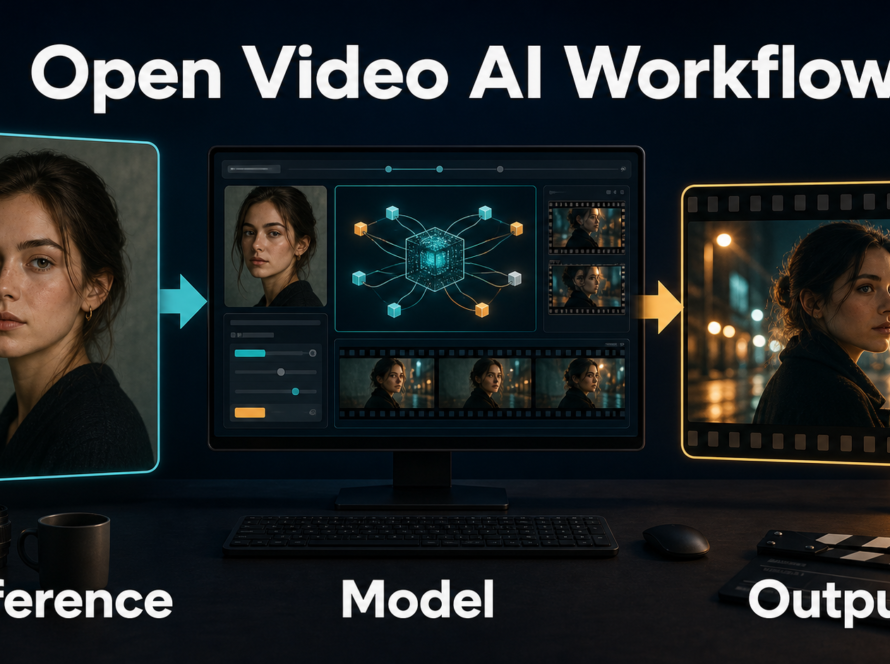
A strong two-shot places two people in the same frame with deliberate visual balance, readable eyelines, enough depth of field for both faces, and motion that serves their relationship. For AI video, the most reliable method is to stage that composition in a reference image first, describe the visible camera result in the prompt, and keep the initial test short before adding camera movement.
This July 28, 2026 guide explains the cinematography principle independently from model marketing. Official camera-control projects can encode trajectories, intrinsics, lens distortion, pitch, roll, and object motion, but none guarantees a tasteful two-shot, stable identities, or exact real-world optics from text alone.
Table of Contents
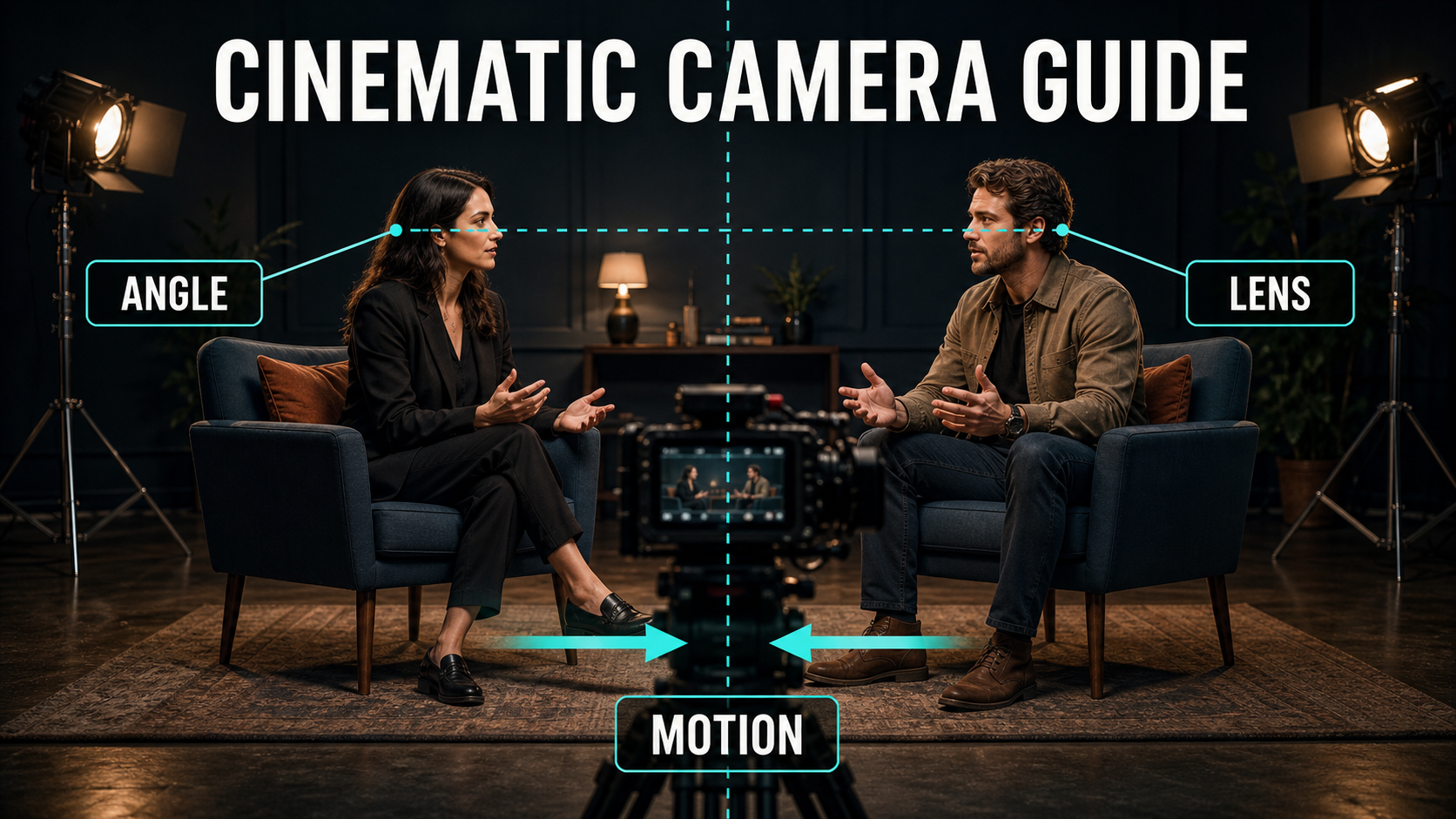
Visual meaning of a two-shot
A two-shot is any composition where two people are clearly presented together in one frame. It does more than save an edit: it shows proximity, status, attention, and reaction at the same time. A balanced pair can suggest equality or cooperation. Unequal scale, foreground dominance, or more negative space around one person can create tension or reveal who controls the moment.
The crucial word is relationship. If two faces are technically visible but one is clipped, soft, hidden, or much smaller by accident, the viewer reads the imbalance as a story decision. Decide whether equality or dominance is intended before generating the reference.
Common two-shot variations
- Balanced profile pair: both subjects face each other at similar scale. Useful for negotiation, interview, or intimate dialogue.
- Shared front-facing pair: both look toward the same off-screen event. Useful for reactions and reveals.
- Foreground-background pair: one subject is closer and larger. Useful for power, secrecy, or emotional distance.
- Moving two-shot: both walk or turn together while the camera tracks. Useful after the static staging already works.
- Dirty two-shot: part of one person’s shoulder or head overlaps the other. Use overlap intentionally; accidental occlusion often destabilizes AI faces.
Camera placement and screen direction
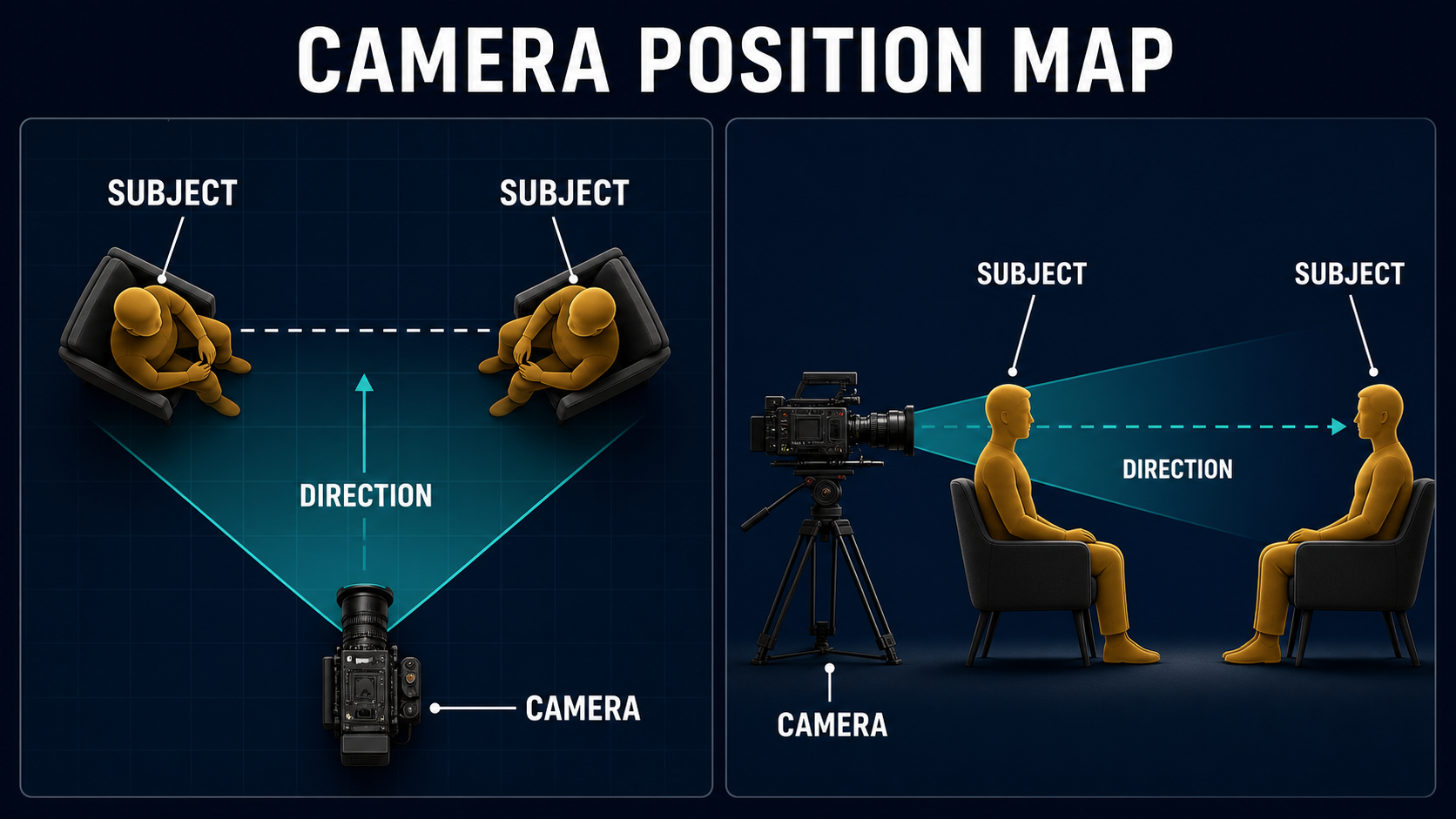
Place the camera where both faces, body orientations, and shared action are understandable in a single silhouette. For a neutral conversation, start near eye level and far enough back to avoid exaggerated perspective. The camera should sit on one side of the line connecting the two people unless crossing that line is an intentional reveal.
Stage the people before the camera
- Put the two people at slightly different horizontal positions, not directly behind each other.
- Turn each torso partly toward the other while keeping enough face visible to camera.
- Match headroom and eye height unless the story needs a status difference.
- Leave usable space between faces for gestures, props, or a shared point of attention.
- Keep hands separated from faces and from each other; tangled anatomy is difficult to maintain across frames.
Protect the line and eyelines
Imagine an axis running through the pair. Keeping the camera on one side preserves left-right orientation: the left person looks right, and the right person looks left. A later single or over-the-shoulder angle should preserve those eyelines. If you plan a camera arc, state the direction and stop point; do not ask for a vague orbit that may cross the axis or reveal an unprepared side of the reference.
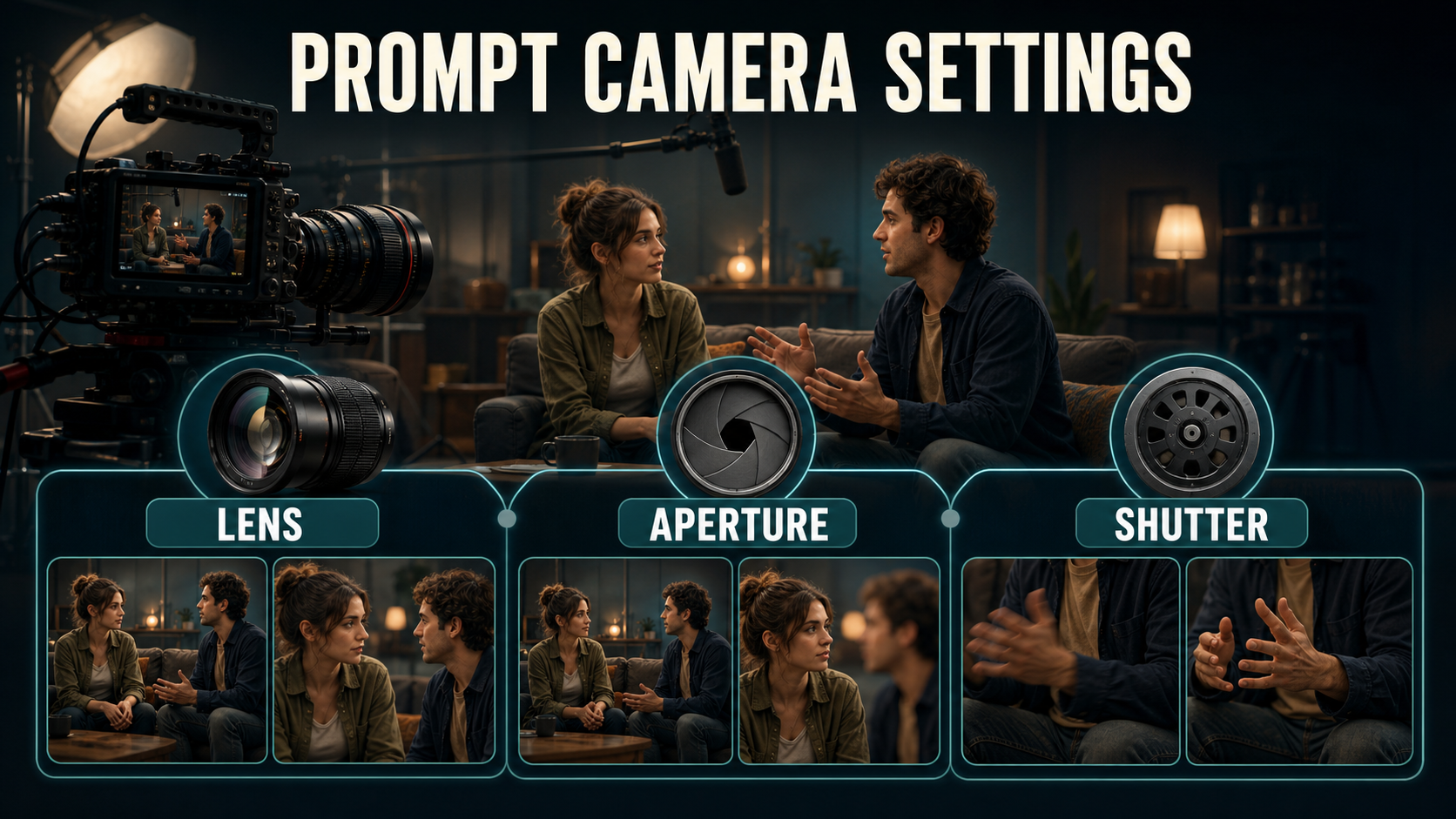
Lens, aperture, shutter, and light
Lens and exposure words should describe a visible result, not pretend the generator is a physical camera. A 35 mm look includes more environment and increases perceived distance between near and far subjects. A 50 mm look gives a natural medium two-shot with less edge stretch. Longer-lens language compresses the pair but may produce shallow focus that sacrifices one face.
Practical starting settings
| Control | Starting choice | Visible goal |
|---|---|---|
| Camera height | Eye level | Neutral status and readable eyelines |
| Lens look | 35-50 mm full-frame equivalent | Natural faces with enough shared environment |
| Aperture look | f/4-f/5.6 | Both faces acceptably sharp when seated on similar planes |
| Frame rate | 24 fps cinematic cadence | Familiar dialogue motion |
| Shutter description | 180-degree shutter look | Natural hand and head motion blur |
| Movement | Locked frame or very slow push-in | Stable geometry before expressive motion |
| Lighting | Broad soft key plus controlled fill | Both faces readable without flattening depth |
If one subject sits farther from the camera, close the aperture look, reduce the distance difference, or compose for intentional focus separation. Avoid prompting an ultra-shallow portrait look while also demanding two equally sharp faces on different planes.
Build the reference image
The first frame is your strongest composition control. It defines relative scale, position, wardrobe, initial gaze, background geometry, and lighting before motion introduces uncertainty. Create or photograph the pair at the final aspect ratio and crop. Do not expect a motion model to repair a weak still without changing identity or staging.
Reference image checklist
- Both faces are sharp, unobstructed, and large enough to identify.
- Subject scale and headroom reflect the intended power balance.
- The left-right order matches the prompt and later coverage.
- Wardrobe colors and silhouettes differ enough to resist identity swaps.
- Hands, chairs, and props do not overlap ambiguously.
- Background lines do not appear to grow from either head.
- Lighting direction and color temperature are consistent across both people.
- The composition leaves safe space for captions or reframing if required.
Two-shot AI video prompt formula
Use this order: two people + left/right identity + body orientation + shared action + framing + camera height + lens behavior + depth of field + movement + lighting + continuity constraints. Describe only actions visible in the clip. Dialogue meaning belongs in the script; the video prompt needs who moves, who listens, and how the camera observes them.
Copyable two-shot template
Balanced medium two-shot of [person A] on frame left and [person B] on frame right, seated at [location]. They face slightly inward with matched eyelines. [Person A action]; [person B reaction]. Eye-level camera, natural 50 mm lens look, both faces in focus, soft directional key light. Locked frame with a subtle slow push-in. Preserve face identity, wardrobe, left-right order, background geometry, and screen direction. No cut, no orbit, no extra person.Worked dialogue example
Balanced medium two-shot of a founder in a navy shirt on frame left and an investor in a sand jacket on frame right, seated across a small café table. The founder speaks with one restrained hand gesture; the investor listens, then nods once. Matched eyelines, equal headroom, eye-level camera, natural 50 mm lens look, f/4 depth-of-field look with both faces sharp, warm window key and soft fill. Static camera for three seconds, then a very slow shared push-in. Keep both faces, hands, clothing, table, cups, and background stable.Model workflow and camera control
Camera-control research can strengthen a trajectory or orientation, but it does not replace composition design. Validate the reference with a locked camera first. Then add the smallest useful path, such as a straight push-in, after the pair remains stable.
What official projects control
- CamI2V and RealCam-I2V condition image-to-video generation on camera motion. The official repository includes rotation, translation, and zoom examples plus metric-scale RealCam work.
- UCPE documents control over camera motion, intrinsics, lens distortion, initial pitch, and roll through relative ray and absolute orientation encodings.
- CameraCtrl accepts prepared camera trajectory files and provides a visualization tool for the position and orientation at each frame.
- MotionCtrl separates camera motion, object motion, or both in its official inference modes.
These are technical controls, not promises that a text phrase such as “50 mm at f/4” will reproduce calibrated real glass. Use optics terms to communicate the look, and use trajectory or intrinsic inputs only where the selected implementation officially exposes them.
Production steps
- Write the relationship goal. Decide equality, dominance, intimacy, or tension.
- Compose the reference. Lock positions, scale, eyelines, wardrobe, hands, and background.
- Generate a static preview. Ask for restrained gestures and no camera movement.
- Compare the full frame. Inspect faces, subject scale, negative space, furniture, and screen direction.
- Add one camera control. Use a short push, truck, or arc with explicit direction and duration.
- Make one change per test. Keep the seed and reference stable where the workflow supports it.
- Render coverage. Save the approved two-shot before producing singles or close-ups.
- Edit for continuity. Cut only after eyelines, voice timing, color, and motion match.
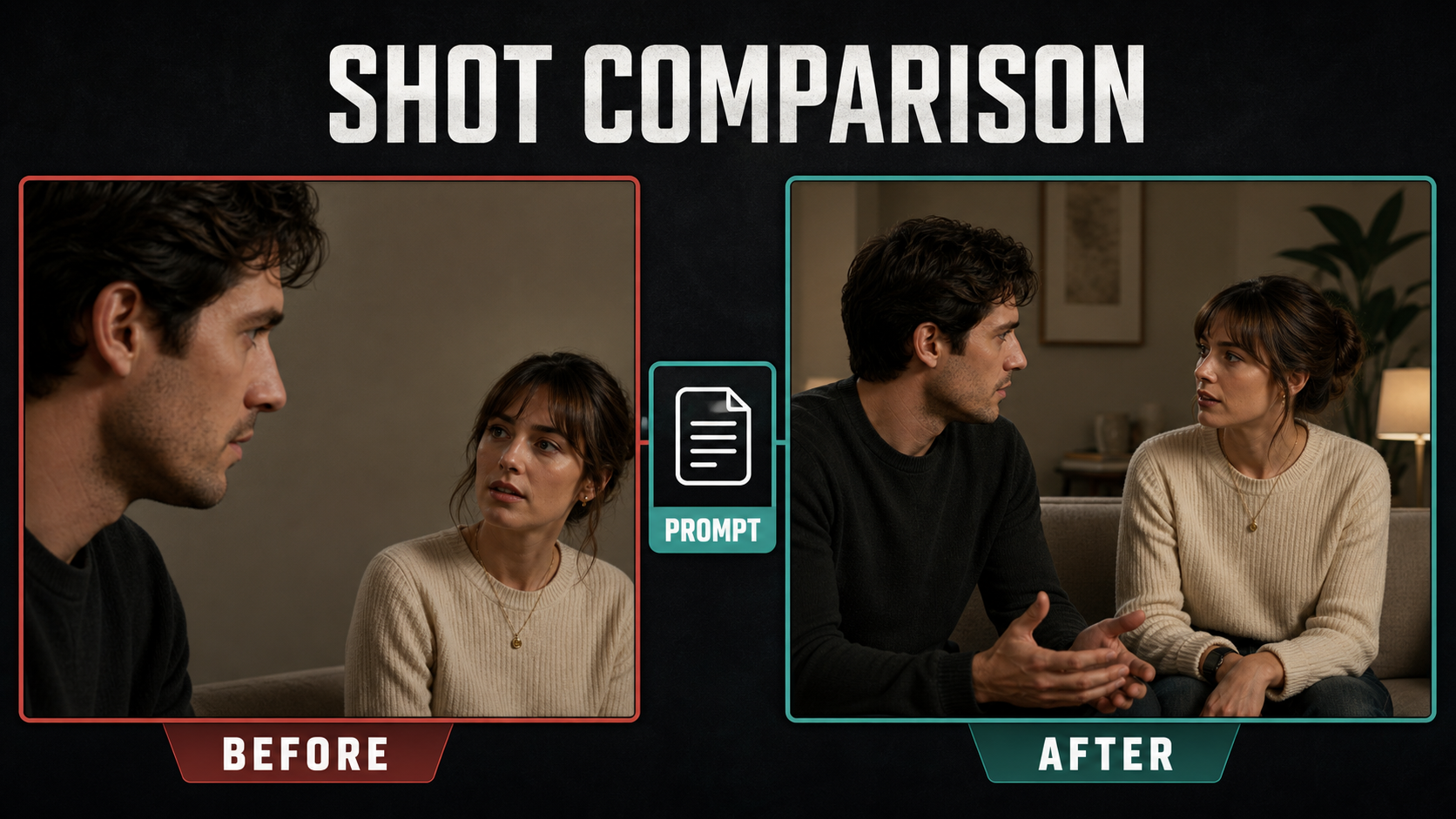
Before, after, and common fixes
A weak result usually combines several small problems: one person is too large, a face touches the edge, headroom differs, gaze misses, and the model invents a third figure or background prop. Fix the reference first. Prompt additions cannot reliably correct a fundamentally unbalanced first frame.
Two-shot troubleshooting table
| Problem | Likely cause | Fix |
|---|---|---|
| One person dominates accidentally | Depth or scale mismatch | Place both on a similar plane or state the intended hierarchy |
| Faces swap | Similar styling or crossing paths | Separate wardrobe colors, keep left-right order, reduce motion |
| One face goes soft | Overly shallow focus language | Request both faces sharp and an f/4-f/5.6 look |
| Eyelines miss | Ambiguous gaze or height | Stage gaze in the reference and request matched eyelines |
| Hands merge | Overlapping gestures | Give one speaker a single restrained gesture while the other rests |
| Camera crosses the line | Vague orbit prompt | Use a locked frame or define a short path that stops before the axis |
| Background bends | Large camera move from one image | Reduce translation, shorten the clip, or use an official trajectory control |
| Third person appears | Crowded scene or plural wording | State two people only and simplify background figures or reflections |
Continuity checklist
- Exactly two intended people remain visible.
- Left-right order and screen direction do not reverse.
- Both faces remain identifiable at start, middle, and end.
- Wardrobe, hair, chairs, and props retain shape and color.
- Hand gestures do not merge with faces, table edges, or each other.
- Both faces have intentional focus and consistent light.
- Camera movement follows one readable path without a surprise roll or zoom.
- Lip sync and voice identity are reviewed separately from visual continuity.
Edit AI videos here
A generated two-shot becomes useful through editing: trim unstable handles, align dialogue, add reaction timing, match color with close coverage, mix audio, add captions, and export the delivery formats at https://ai.alphatechnologies.vn. Keep a clean master of the approved shared frame because it can anchor the entire scene.
Final recommendation
Build the two-shot as a still composition before treating it as a motion problem. Start eye level with a 35-50 mm look, keep both faces readable, preserve the conversation axis, and use a locked frame or minimal push-in. Camera-control models are most effective after the reference already communicates the relationship clearly.
For more practical prompt and camera workflows, explore Aikolhub and reuse this checklist as a shot-approval sheet for every two-person AI video scene.
Frequently asked questions
What is a two-shot?
A two-shot is a composition that clearly shows two people in one frame. It reveals their spatial and emotional relationship while allowing the viewer to read both action and reaction.
Which lens is best for a two-shot?
A 35-50 mm full-frame-equivalent look is a practical starting range. Use 35 mm when the environment matters and 50 mm for a natural medium pair with less edge distortion.
How do I keep both faces sharp?
Place the people on a similar focus plane and request both faces sharp with a moderate f/4-f/5.6 depth-of-field look. Avoid ultra-shallow portrait language when the people sit at different distances.
Should the camera move during a two-shot?
Only when movement adds meaning. A locked frame is safer for dialogue and identity. After it works, try one gentle push-in, truck, or short arc without crossing the conversation axis.
Can an AI camera-control model guarantee the composition?
No. Official projects can condition trajectories, orientation, intrinsics, distortion, or object motion, but identity, staging, anatomy, and exact optical behavior can still drift. The reference frame and review loop remain essential.