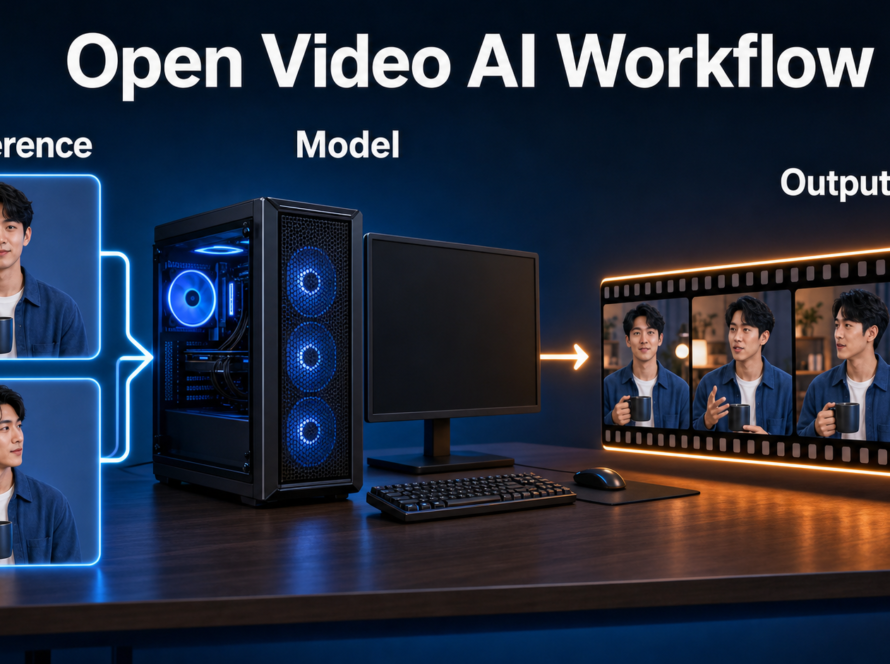
The most reliable FramePack character consistency workflow is to lock one reference image, test three short connected shots, score visible continuity, and add an authorized voice track after picture approval. FramePack can extend video progressively from an image, but it does not provide a voice-cloning or audio-generation system, and a long render does not guarantee stable identity.
This guide turns that reality into a repeatable lab. You will hold the character, wardrobe, prop, room, prompt vocabulary, and generation settings constant; vary only shot scale and action; then stop or extend according to a measurable gate.
Table of Contents

Official status checked September 9, 2026
The official repository describes FramePack as a next-frame-section video diffusion architecture that compresses prior context to a constant length. The workload per new section therefore does not grow with video duration in the way an uncompressed history would. That design makes progressive feedback practical, but it is not a promise that a face, prop, or room will remain unchanged forever.
Release and license timeline
- April 18, 2025: the repository’s Windows release supplied a one-click package.
- May 3, 2025: FramePack-F1 was released as a forward-only variant with more motion freedom and anti-drift training.
- June 26 and July 14, 2025: the maintainers previewed P1 results and text-to-video anti-drift stress tests. As checked today, the main README still describes P1 as upcoming rather than a released production checkpoint.
- October 19, 2025: the maintainer said slower updates were expected and P1 remained on the list.
- September 9, 2026 check: the official GitHub repository remains the authoritative download location. Its code is Apache-2.0, while the HunyuanVideo model weights have separate Tencent license terms. Review both before commercial deployment.
This two-license distinction matters: an Apache license on application code does not silently replace the model license. Also heed the repository warning that similarly named FramePack websites are not official services.
Capability boundary
FramePack’s supplied interface accepts an image and a concise motion prompt, then generates progressively longer video and latent previews. It does not advertise native speech synthesis, voice identity control, dialogue timing, or lip synchronization. Treat those as separate production stages. For a broader introduction to reference prompting, read the FramePack prompting and control guide.
Install and prove the baseline
Do not begin with your hero character. First reproduce the official sanity check, because next-frame prediction is sensitive to hardware and numerical differences. A known input separates installation problems from creative prompt problems.
Runnable setup checklist
- Use Linux or Windows and an Nvidia RTX 30, 40, or 50 series GPU that supports FP16 and BF16. The repository lists 6GB VRAM as its minimum; untested GTX hardware is not a safe production assumption.
- On Windows, download only the official release archive, extract it, run
update.bat, and thenrun.bat. Expect more than 30GB of automatic model downloads. - On Linux, create an independent Python 3.10 environment. Install the repository’s stated CUDA 12.6 PyTorch packages, run
pip install -r requirements.txt, then launchpython demo_gradio.py. - Leave optional attention kernels, TeaCache, and quantization off for the first proof. These can change results.
- Run the official five-second sanity-check image and motion prompt at default settings.
Expected baseline output
A passing baseline opens the local interface, loads the models without an out-of-memory exit, shows progress section by section, exposes latent previews, and eventually produces a playable clip with motion broadly similar to the official example. A one-second intermediate preview is not failure; the README says short early output is expected while more sections are generated. Exact pixels can differ across devices.

Build a continuity kit
Create one 16:9 reference frame of a fictional adult mechanic in a mustard jacket, holding a red metal toolbox in a cool-lit workshop. Keep the face large enough to inspect, hands unobstructed, jacket fasteners visible, and three room anchors clear: a hanging lamp, a pegboard, and a square window. Do not use a real person’s likeness without consent.
Add a short continuity slate outside the image: character description, wardrobe colors, prop geometry, room anchors, time of day, and prohibited changes. FramePack’s interface is image-driven; this slate is for the operator and downstream prompts, not evidence that the model has persistent memory.
Use the same source frame for all test runs. Re-exporting, cropping, or color-shifting it changes the experiment. This lab complements Aikolhub’s broader consistent AI character workflow, but focuses specifically on detecting progressive FramePack drift.
Run the three-shot continuity lab
Generate three five-second tests. Hold the model variant, reference file, resolution, seed when exposed, steps, guidance, TeaCache state, and attention backend constant. Change only the requested action and shot scale. Save the first stable section rather than assuming a longer clip will improve it.
Copyable shot prompts
Shot A — environmental action: The mechanic walks to the workbench carrying the red toolbox, sets it down firmly, and turns toward the square window. The mustard jacket and cool workshop lighting remain unchanged.
Shot B — medium action: The mechanic opens the red toolbox, selects one wrench, and checks it under the hanging lamp. The face, mustard jacket, pegboard, and square window remain unchanged.
Shot C — close reaction: The mechanic looks up from the wrench and gives a brief confident nod. The same face, hair, mustard collar, cool light, and workshop background remain unchanged.
These prompts follow the maintainer’s guidance: describe the subject first, then motion, then secondary behavior. They are concise enough to avoid competing camera and action instructions. Generate each as its own controlled test; do not ask one clip to execute all three scenes.
Score the result
Inspect the first, middle, and last usable frames of every clip. Award one point for each passing dimension below. Approve a shot only at 8/10 or better, with no zero on face or consent.
| Dimension | Pass evidence | Points |
|---|---|---|
| Face | Silhouette, eyes, nose, and age remain recognizably stable | 0-2 |
| Wardrobe | Mustard color, collar, fasteners, and sleeves persist | 0-2 |
| Prop | Toolbox stays red, rectangular, and physically attached to the action | 0-2 |
| Scene | Lamp, pegboard, window, and cool lighting do not swap positions | 0-2 |
| Motion | Action is readable without melted hands or impossible object transfer | 0-2 |

Handle voice and audio separately
Approve picture before creating dialogue. Record an actor or use a voice service only with clear authorization, then keep one voice model, speaker profile, language, pronunciation list, sample rate, and loudness target across shots. FramePack does not make the mouth follow that track automatically, so avoid prominent dialogue close-ups unless a separate lip-sync tool passes review.
Create a voice slate containing speaker consent, source recording provenance, permitted uses, prohibited impersonation, pronunciation notes, and versioned audio filenames. Never claim that a stable face proves stable voice identity. A separate overview of selection criteria is available in Aikolhub’s AI voice model guide.
Settings and handoff checklist
| Stage | Recommended control | Why |
|---|---|---|
| Baseline | Defaults; TeaCache off | Matches the official sanity-check logic |
| Preview | Five seconds; fixed reference and settings | Isolates drift quickly |
| Iteration | Change one prompt clause only | Preserves causal evidence |
| Final | Full diffusion after preview approval | The README notes acceleration can affect quality |
| Audio | Versioned external voice track | Keeps visual and voice failures separable |
| Export | Archive prompt, reference hash, settings, score, and audio consent | Makes the result reproducible |
Browse the AI Video category for related camera, model, and editing workflows.

Troubleshoot by drift fingerprint
| Symptom | Likely cause | Next test |
|---|---|---|
| Face changes late | Accumulated progressive error or weak identity evidence | Shorten the accepted segment; use a clearer reference |
| Jacket or toolbox mutates | Too many simultaneous actions | Reduce to one verb and one prop interaction |
| Room geometry slides | Large camera motion competes with scene anchors | Lock the viewpoint and name three anchors |
| Motion looks worse with acceleration | TeaCache, quantization, or optional attention changed sampling | Repeat with full diffusion and default PyTorch attention |
| Very short preview | Generation is still extending section by section | Wait for later sections and monitor progress |
| Voice changes between shots | External speaker settings or takes differ | Reuse the authorized speaker profile and pronunciation slate |
If the baseline itself fails, update from the official repository, confirm free disk space and supported GPU precision, and retest before altering creative settings. Do not copy random fixes into a working environment without recording the dependency change.
Limitations and safety
Six gigabytes is the maintainer’s minimum VRAM claim, not a guarantee of fast rendering or modest system-memory use. Speed varies sharply by GPU, attention backend, acceleration, resolution, and thermal limits. Progressive context packing reduces per-section workload; it does not eliminate semantic drift, guarantee camera obedience, or create perfect hands.
Use fictional characters or consenting adults. Keep provenance for reference images and voices, disclose synthetic media where appropriate, and never use this workflow for impersonation, fraud, harassment, or non-consensual intimate content. Confirm the code and model licenses for your distribution and audience scale.
Official sources
- FramePack official repository and README
- FramePack official releases
- FramePack Apache-2.0 code license
- FramePack technical paper
- HunyuanVideo model license
Edit AI videos here
Once all three clips pass the continuity score, assemble them, trim unstable boundaries, add the authorized voice track, mix room tone, and create captions. You can edit AI videos here while keeping picture, voice, and provenance versions organized.
Final recommendation
FramePack is strongest when progressive output becomes a review mechanism. Prove the official baseline, run short controlled shots, score concrete evidence, and extend only what passes. Explore Aikolhub for more practical AI tools and production guides, but preserve this lab’s discipline when switching models.
Frequently asked questions
Does FramePack guarantee character consistency?
No. Context packing and anti-drift work can reduce failure pressure, but identity can still change. Use a clear reference, short tests, fixed conditions, and an approval score.
Can FramePack clone a voice?
No native voice-cloning feature is documented in the official repository. Create authorized audio separately and add it after the visual edit.
How much VRAM does FramePack require?
The official README states at least 6GB on supported Nvidia RTX hardware. That is a minimum claim; render speed and system-memory needs vary.
Should I use FramePack-F1?
Use F1 when forward-only generation and greater motion freedom suit the shot, but test it against the default path because more freedom can also expose different drift.
Is FramePack open source?
The repository code uses Apache-2.0. The underlying HunyuanVideo model weights use separate license terms, so review both rather than applying one label to the whole stack.