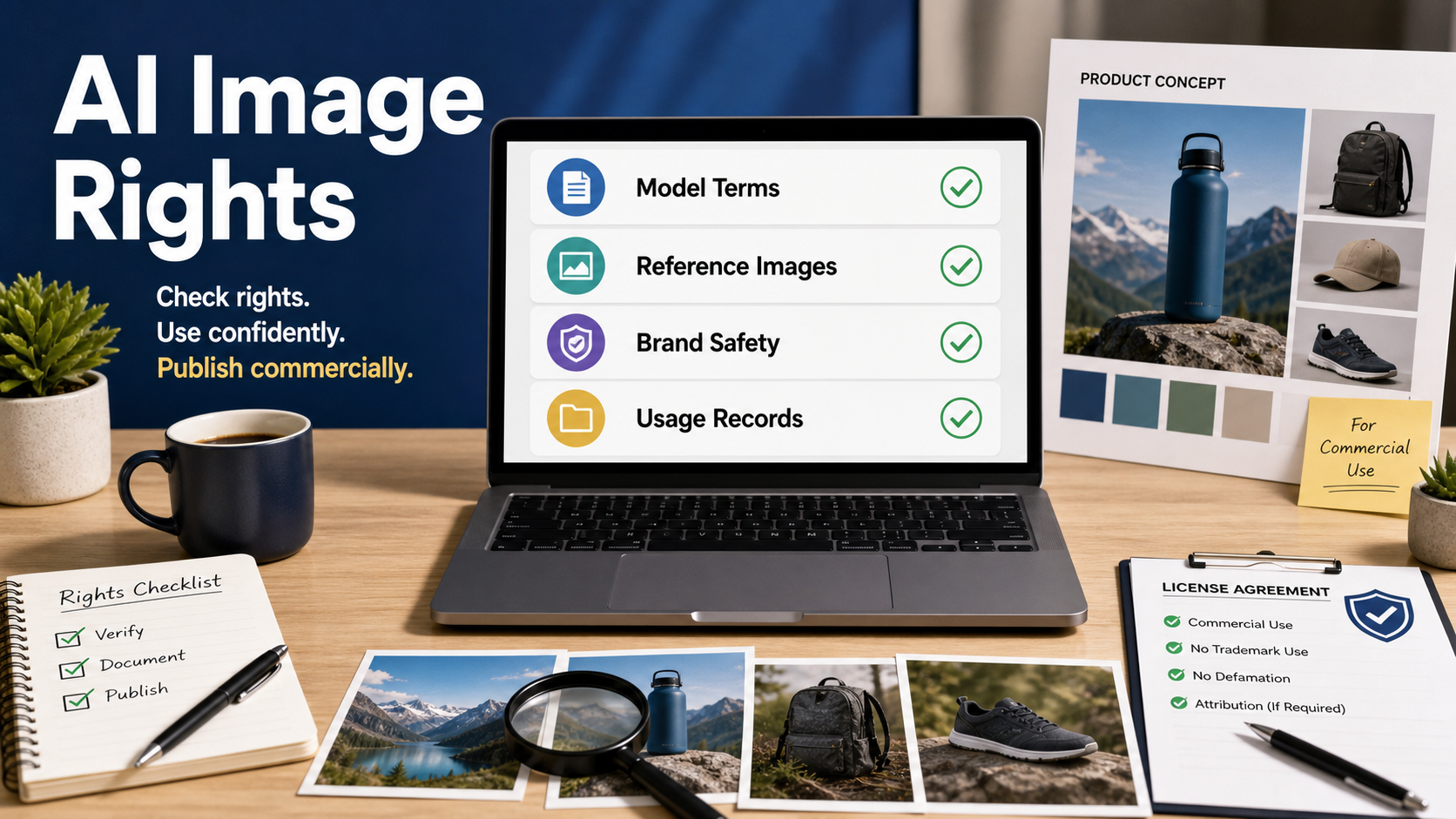
AI image commercial use is possible, but it is not automatic. Before you put an AI-generated image into an ad, product page, thumbnail, client campaign, or paid social post, you need to check the model terms, the source of any reference images, brand and likeness risks, and whether your team can document how the asset was made.
Updated on July 9, 2026, this checklist is written for creators, marketers, developers, and small business teams that want a practical review process. It is not legal advice, but it will help you ask the right questions before publishing AI visuals commercially.
Quick answer: can you use AI-generated images commercially?
Yes, many AI image tools allow commercial use, but the answer depends on the specific service, model license, plan type, input material, and final use case. Official terms differ: OpenAI says users own output to the extent permitted by law, Google says it will not claim ownership over generated Gemini API content, Adobe markets Firefly as commercially safe for business, Stability AI allows commercial use under its Community License up to stated revenue conditions, and some open-weight models such as FLUX.1 dev have non-commercial model-use restrictions.
The safest workflow is simple: verify the current official terms for the exact model and product you used, avoid copying protected characters or brand assets, keep records of prompts and source files, and review high-value campaigns with a legal or brand-risk owner.
The commercial-use checklist
Use this before publishing any AI-generated image in marketing, ecommerce, app UI, client work, or paid content. A single unchecked item can turn a fast AI workflow into a takedown, rejected ad, client dispute, or unusable asset library.
| Check | What to verify | Why it matters |
|---|---|---|
| Model terms | Commercial rights, plan limits, revenue thresholds, prohibited uses | Different services grant different rights |
| Reference images | Whether source photos, logos, faces, or product shots are licensed | Inputs can carry their own IP restrictions |
| Brand safety | No confusing trademarks, celebrities, characters, or competitor lookalikes | AI output can still create legal and reputation risk |
| Copyrightability | Human contribution, editing, arrangement, and final authorship record | Ownership terms are not the same as copyright protection |
| Usage records | Prompt, tool, model, date, plan, edits, approvals | Documentation helps audits and client handoffs |
1. Check the exact model and service terms
Do not assume every AI image tool has the same commercial license. The official terms for the product, API, model weights, or marketplace integration are the starting point. A model available through a web app may have one usage rule, while downloaded weights or a self-hosted version may have another.
For example, OpenAI’s terms assign output rights to users to the extent permitted by law. Google Gemini API terms state that Google will not claim ownership over generated content. Adobe positions Firefly for business as commercially safe, with additional protections for qualifying plans. Stability AI states that its Community License allows commercial use for organizations below its stated annual-revenue threshold, while enterprise licensing is needed above that threshold. Black Forest Labs’ FLUX.1 dev licensing pages describe non-commercial restrictions for the model itself, so teams should review the current license before using that model in a business workflow.
What to record
- The tool and model name used for the final image.
- The official terms URL checked on the publication date.
- The account plan or API tier used.
- Any revenue, enterprise, attribution, or usage-policy conditions.
2. Separate output rights from copyright protection
A service may give you rights to use output, but that does not always mean the image is copyrightable in every jurisdiction. In the United States, the Copyright Office has emphasized human authorship: AI-assisted works may be protectable where a human contributes sufficient expressive choices, but merely entering a prompt may not be enough by itself.
For marketers, this means you should add human creative direction and editing where the asset matters. Curate multiple generations, composite elements, retouch, crop, color grade, add original typography, or integrate the image into a broader layout. Then document those changes. The more a human team shapes the final expression, the easier it is to explain creative authorship.
3. Audit every reference image
Reference images are often the hidden risk in AI workflows. If you upload a celebrity photo, a competitor’s ad, a designer’s illustration, a stock image with limited rights, or a client’s internal product image, the output can inherit legal or contractual problems even if the AI tool itself allows commercial use.
Reference-image rules for teams
- Use your own product photography when possible.
- Use properly licensed stock only if the stock license allows AI-assisted editing or derivative use.
- Get written permission before using client-owned or partner-owned visuals.
- Avoid prompting for living artists, protected characters, brand mascots, or recognizable celebrity likenesses.
- Do not use AI to recreate a competitor’s campaign look closely enough to confuse customers.
If a reference source is unclear, treat the output as a draft concept, not a publishable commercial asset.
4. Review trademarks, faces, and brand confusion
AI image output can accidentally resemble real logos, packaging, public figures, copyrighted characters, or known advertising styles. This matters even when the prompt did not ask for those elements. Before publishing, zoom in and check labels, apparel, backgrounds, signage, interface elements, badges, and product shapes.
For ecommerce, avoid imaginary certification marks or fake partner logos. For social ads, avoid celebrity-like faces unless you have the necessary permissions. For app screenshots and SaaS mockups, use neutral interface text instead of copying another platform’s layout. For client campaigns, run a final brand-safety review with someone who did not generate the asset.
5. Keep a usage record for every final asset
Commercial AI image workflows need lightweight documentation. This does not have to slow down production. A simple asset note can save hours later when a client, marketplace, ad platform, or internal legal team asks where an image came from.
Recommended asset note
- Asset name and final file path.
- Creation date and editor name.
- AI tool, model, and account plan.
- Prompt summary and negative constraints.
- Reference files and their licenses.
- Human edits made after generation.
- Approved channels: blog, ad, product page, email, social, or internal only.
Developers can store this in a CMS field, DAM metadata, Notion database, spreadsheet, or JSON sidecar file. The important point is that the record travels with the image.
Practical workflow for creators and marketers
A reliable AI image process starts before prompting. Define the commercial channel first, then choose the tool, generate the concept, review rights, edit the final, and archive the proof.
- Define the use case: blog hero, product mockup, paid ad, thumbnail, pitch deck, or client deliverable.
- Choose a tool with suitable terms: use commercially focused tools for paid campaigns and client work.
- Write a rights-aware prompt: describe original scenes, generic products, and owned brand elements only.
- Generate variations: avoid prompts that request protected characters, living artists, or fake endorsements.
- Inspect the output: check faces, text, logos, labels, product claims, and background details.
- Edit and add human design: crop, retouch, color grade, add approved typography, and remove artifacts.
- Save the record: keep prompt, source files, model terms, and final approval status.
Prompt tips for safer commercial images
Prompting cannot replace a legal review, but better prompts reduce avoidable risk. Ask for original visual direction, neutral products, generic signage, and no real brands.
Example prompt: Create an original product lifestyle scene for a reusable water bottle on a hiking table at sunrise. Use generic packaging, no logos, no celebrity faces, no copyrighted characters, no readable brand names, and no imitation of a specific artist. Leave clean space for approved headline text.
Example negative prompt: no real trademarks, no famous people, no movie characters, no fake certification badges, no brand names, no distorted text, no competitor packaging, no watermarks.
Pros and cons of using AI images commercially
AI visuals can speed up creative work, but teams should use them with an operating process rather than treating every generation as ready-to-publish.
| Pros | Cons |
|---|---|
| Fast concepting for ads, thumbnails, and landing pages | Terms vary across models, apps, and self-hosted weights |
| Lower production cost for early creative testing | Reference images can create hidden rights issues |
| Easy localization and visual A/B testing | Output may resemble protected brands or people |
| Useful for teams without full photo production budgets | Copyright protection may depend on human contribution |
Edit AI videos here
If your image is part of a short ad, product demo, or AI-generated social clip, you can continue the workflow in a video editor. Try editing AI videos here: https://ai.alphatechnologies.vn. Keep the same rights checklist for video assets too: model terms, reference footage, music, voice, likeness, brand marks, and final usage records.
Final recommendation
For commercial AI image use, the best approach is not fear; it is discipline. Use models and tools with clear official terms, avoid risky source material, add human creative work, inspect the output carefully, and keep a short record for every final asset.
Explore AI tools on Aikolhub to compare image generators, video tools, voice models, and practical AI workflows that fit your budget and publishing needs.
FAQ
Can I sell products with AI-generated images?
Often yes, if the tool and model license allow commercial use and your image does not infringe someone else’s rights. Check the official terms for the exact service used.
Does owning AI output mean I own the copyright?
Not always. Output ownership under a service’s terms is different from copyright protection. In the United States, human authorship and creative contribution remain important.
Can I use a celebrity photo as an AI reference?
Do not use celebrity likenesses for commercial content unless you have the necessary permissions. Publicity rights, endorsement rules, and platform policies can apply.
Are open-source AI image models always free for business?
No. Some open or open-weight models allow commercial use, while others restrict model use to research or non-commercial activity. Always read the model card and license.
What should I save for an AI image audit?
Save the final file, tool and model name, creation date, prompt summary, reference-image licenses, terms URL checked, human edits, and approved usage channels.