How should you evaluate a new AI video model before using it for ads?
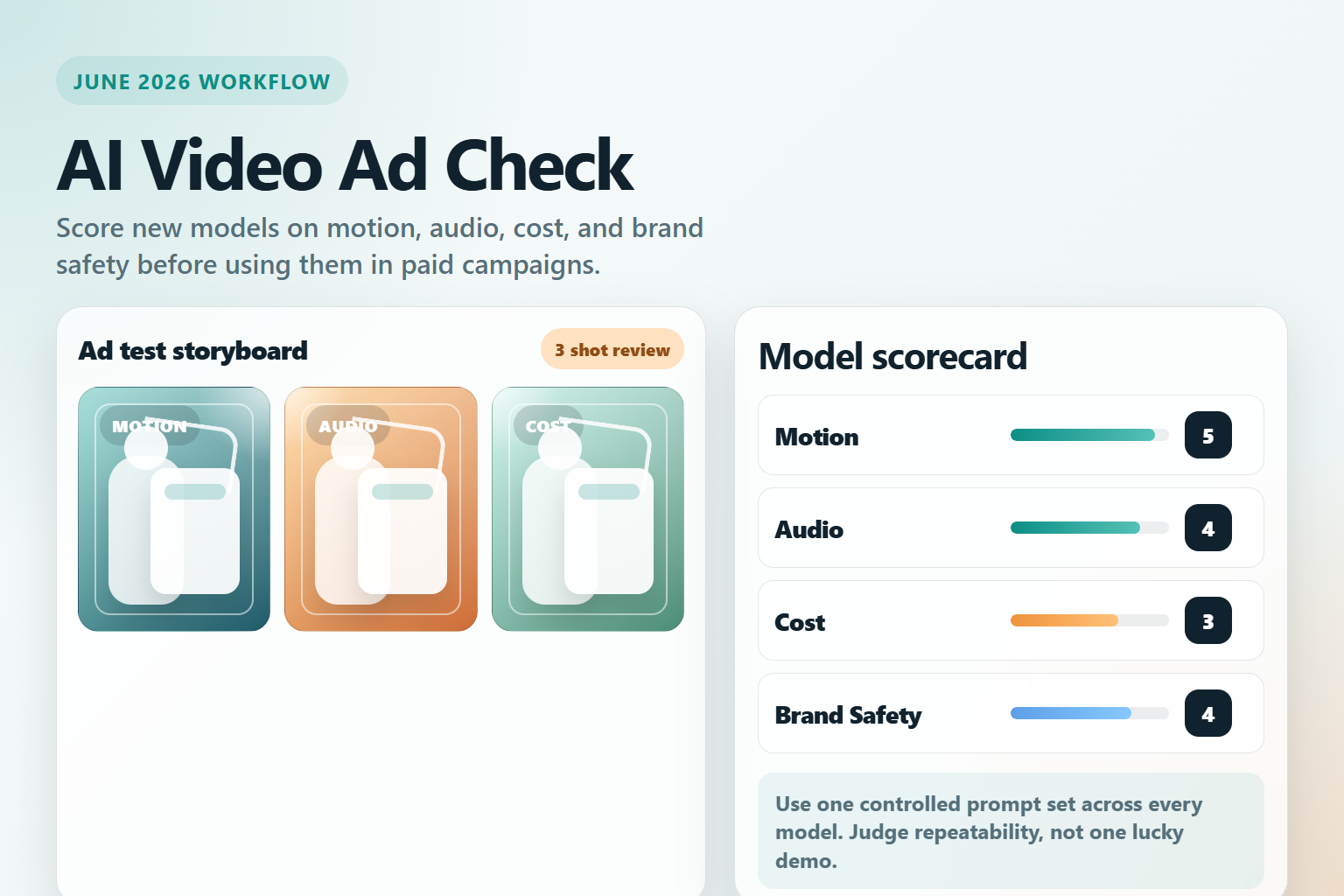
Start with a controlled test, not hype. As of June 16, 2026, the safest way to evaluate a new AI video model for advertising is to score it on six things: motion quality, subject consistency, prompt control, audio quality, cost, and commercial-use risk.
If one short answer is enough, do not pick a model only because its demos look cinematic. For ad work, you need repeatable output, stable character or product identity, predictable pricing, and clear terms for commercial usage on the specific plan or API you intend to use.
This guide is based on official sources only. Runway is positioning Gen-4.5 around motion quality and prompt adherence, Google is expanding Veo 3.1 and related API access, Luma is pushing more direct control through Ray3.2 and Ray3.14, and OpenAI has confirmed that the older Sora product experience has already been discontinued while Sora 2 remains the model reference. Those details matter because availability changes what you can actually deploy.
Quick scorecard for ad-ready testing
| Criterion | What to test | Why it matters for ads |
|---|---|---|
| Motion quality | Camera moves, object physics, transitions, motion blur | Weak motion makes ads look synthetic immediately. |
| Consistency | Same product, same actor, same brand colors across shots | Ad campaigns need continuity, not one lucky clip. |
| Prompt control | Can you steer scene order, framing, and action timing? | Marketing teams need revisions, not random surprises. |
| Audio | Native audio, lip sync, ambient sound, voice timing | Video ads often fail when sound feels detached from visuals. |
| Cost | Price per second, credits, retries, upscale cost | Cheap generation becomes expensive when iteration explodes. |
| Commercial risk | Usage terms, safety filters, disclosure needs, brand risk | A visually strong clip is still unusable if rights are unclear. |
Which official model updates matter right now?
You do not need to test every model on the market. You need a shortlist with confirmed current documentation and enough product maturity to support a campaign workflow.
Runway Gen-4.5
Runway describes Gen-4.5 as its state-of-the-art model for motion quality, prompt adherence, and visual fidelity. The current help documentation says Gen-4.5 supports text-to-video and image-to-video, runs at 12 credits per second, and supports 2 to 10 second durations. Runway’s API pricing documentation also shows how quickly costs can change across first-party and third-party video models, which is exactly why ad teams should estimate cost on the day they plan to ship.
The practical reason to test Runway first is control. If your ad needs specific camera moves, stylized motion, or image-to-video polish from a product still, Runway’s current product messaging is directly aligned with those needs.
Google Veo 3.1
Google’s official Gemini API video documentation lists Veo 3.1 preview models that accept text and image input and return video with audio. Google’s developer blog also published lower pricing for earlier Veo 3 tiers, including Veo 3 at $0.40 per second and Veo 3 Fast at $0.15 per second. That does not mean every Veo path has the same current price, but it does show that Google is actively treating video generation as a production API category rather than a pure research demo.
For marketers, Veo is worth testing when native audio, vertical output, and API-oriented workflows matter. It is especially relevant if your team already builds around Gemini or Google Cloud tooling.
Luma Ray3.2 and Ray3.14
Luma’s API page says Ray3.2 exposes a full control surface and supports Multi-Keyframe with up to 16 keyframes inside a single clip. That matters for ad production because it gives you a more structured way to direct beats inside one generation instead of hoping the model guesses your sequence. Luma’s Ray3.14 release note from January 26, 2026 also claims native 1080p generation, faster output, cheaper usage, and improved motion consistency.
In practice, Luma is a strong candidate when your workflow needs more direct sequencing or when you want to shape motion across a short story beat instead of generating disconnected shots one by one.
OpenAI Sora 2
OpenAI’s Sora 2 system card describes Sora 2 as a state-of-the-art video and audio generation model with improved realism, synchronized audio, and stronger steerability. But official availability needs careful reading: OpenAI’s help center says the older Sora web and app experiences were discontinued on April 26, 2026, and the Sora API will be discontinued on September 24, 2026. So if someone on your team says they want to “use Sora,” confirm exactly which surface or migration path they mean before building an ad workflow around it.
That is a useful reminder for every AI video buyer: model quality and product availability are not the same thing.
How to evaluate a model for ad use, not just for demos
The best-looking launch video is not the same as the best production model. Use the criteria below in the same order every time so your team can compare models fairly.
1. Test motion before style
Run a simple motion test first: walking subject, hand interaction with a product, camera push-in, and one scene with fast movement. If motion breaks, style will not save the ad. Look for sliding hands, drifting faces, impossible reflections, and background warping during movement.
Prompt tip: keep the first test boring. A plain studio setup reveals model weakness faster than a dramatic cinematic scene.
2. Check product and character consistency
For ads, consistency is often more important than raw beauty. A model that creates one amazing shot but changes the packaging shape, label color, or actor features in every rerun is not ad-ready. Use the same input image or reference frame across three versions and score whether the identity stays stable.
If you sell ecommerce products, test text on packaging carefully. If readable text is essential, do not assume the video model can preserve it well enough for paid media without cleanup.
3. Measure prompt adherence under revision pressure
Most real campaigns require client revisions. Ask the model to make one controlled change at a time: change the background, keep the subject; shorten the action; switch from landscape to vertical; keep the first frame but add a new ending. Models that look strong in one-shot demos often struggle when you need predictable editing behavior.
This is where current vendor positioning matters. Runway emphasizes prompt adherence, Luma emphasizes sequence control, and Google emphasizes video generation plus audio and API access. Your evaluation should test whether those claims hold up in your actual ad format.
4. Score audio separately from visuals
Do not assume native audio means usable audio. If the model can generate sound, evaluate whether it helps the ad or creates cleanup work. Check lip sync timing, background ambience, transition pops, and whether the soundtrack distracts from the message. For silent social ads, audio may not matter. For product explainers or talking-head clips, it matters a lot.
If audio quality is uncertain, a safer workflow is to generate visuals first and add voice, music, and effects later in a dedicated editor.
5. Calculate retry cost, not list price
The real cost of AI video is not just credits per second. It is cost per approved clip. A model that is cheaper on paper may be more expensive once your team generates ten retries, two upscales, and multiple aspect ratios for one ad set.
| Cost question | Why to ask it |
|---|---|
| How much is one second of generation? | Baseline vendor comparison. |
| How many tries until one usable shot? | This often decides the true workflow cost. |
| Do vertical, 1080p, or audio outputs cost more? | Social ad requirements can change the math. |
| Can you reuse one still across many variants? | Strong image-to-video control reduces waste. |
6. Review commercial and brand-safety constraints
Before launch, verify commercial use rights, moderation behavior, platform disclosures, and internal brand policy. If a vendor page does not clearly confirm a detail for your exact plan, say that it is not officially confirmed yet and do not assume. This is especially important for client work, regulated categories, celebrity-like visuals, and ads that imitate real-world events.
A 30-minute evaluation workflow for marketing teams
- Create one 5 to 8 second prompt around a product reveal, one around a human action, and one around a vertical social ad.
- Run the same three tests on two or three current models with the same input assets.
- Score each output from 1 to 5 on motion, consistency, prompt control, audio, and cost efficiency.
- Pick one winner for premium output and one fallback for cheaper iteration.
- Send only approved clips into editing, captions, and final ad assembly.
This small process stops teams from overcommitting to a model after one impressive sample.
Pros and cons of adopting the newest video model early
| Pros | Cons |
|---|---|
| You may get better motion, realism, or audio before competitors. | Availability, limits, or pricing can change quickly. |
| Newer models often fix older consistency issues. | Documentation and workflows may still be immature. |
| Early tests can reveal valuable workflow advantages. | Client expectations can outrun what the product actually supports. |
| APIs may unlock automation for ad variants at scale. | Commercial or migration details may still be unclear. |
Edit AI videos here
After you choose a model and generate the best takes, you still need a place to trim, rearrange, subtitle, and finish the clip for publishing. Edit AI videos here: https://ai.alphatechnologies.vn. That is a practical next step when your team wants to turn raw AI generations into usable ad assets.
Conclusion
The right AI video model for advertising is the one that survives repeated testing, not the one with the loudest launch. As of June 16, 2026, Runway, Google Veo, Luma, and OpenAI’s Sora 2 references all show useful signals, but they solve different problems around control, audio, availability, and workflow design.
Use a consistent scorecard, verify official pricing and availability on the day you buy, and keep a fallback model ready. Explore more AI tools on Aikolhub to build a content workflow that is practical for creators, marketers, developers, and growing teams.
FAQ
What is the most important thing to test first in an AI video model?
Test motion quality first, because unrealistic movement ruins ad credibility faster than minor style issues.
Should marketers choose a model based on cinematic demos?
No. Demos are useful, but production decisions should be based on repeatability, revision control, and total approved-clip cost.
Is native audio always a reason to pick one model?
No. Native audio helps only when it is clean and aligned with the ad concept. Many teams still prefer to add final audio later.
Can I assume commercial use is allowed if a vendor has a paid plan?
No. Commercial rights can vary by plan, platform, or product surface, so confirm the exact terms before launch.
Is Sora still available the same way it was before?
No. OpenAI officially says the older Sora web and app experiences were discontinued on April 26, 2026, and the Sora API will be discontinued on September 24, 2026.